Run TM1 in production. Resolve issues live.
Keep production healthy with real-time insight, and diagnose live user issues from a single screen.
Stay license-compliant
Track and reallocate licences to stay compliant without overpaying.
One dashboard for errors
All errors across every TM1 instance in a single view, so nothing slips past.
Live system monitoring
Watch your TM1 server live — CPU, memory, sessions, and logs — with second-by-second metrics.
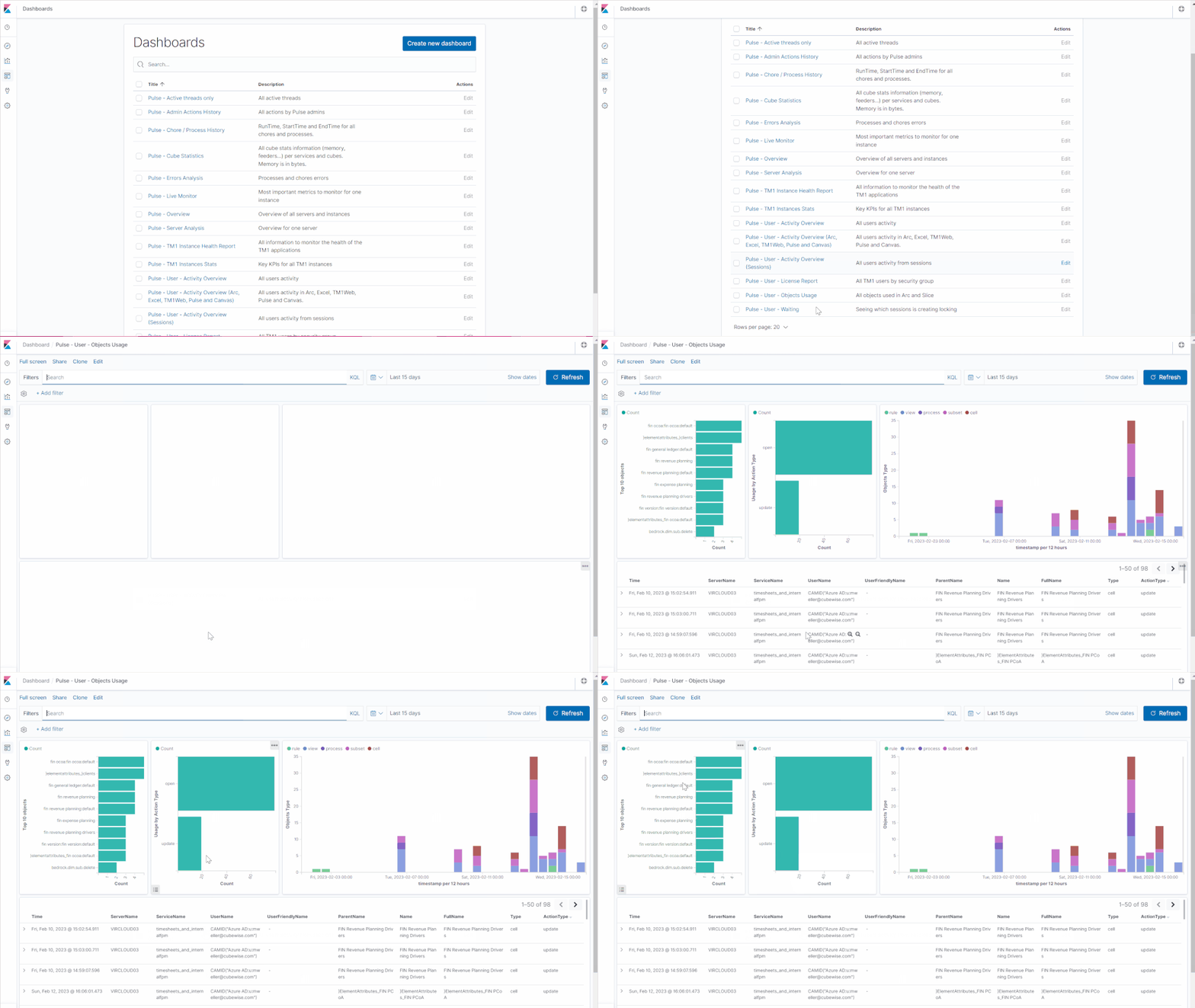
Object Usage Tracking
Track TM1 object usage — processes, rules, subsets, cube views, and data changes — by sending activity data to Pulse. Visualise it in Pulse Explorer with the built-in User Objects Usage dashboard.
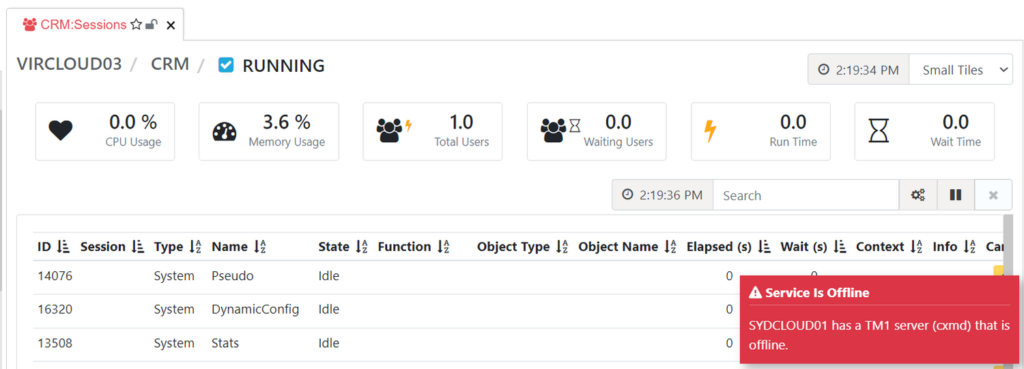
Pulse Alerts in Arc
On top of receiving email alerts, Arc users will see a pop-up notification each time a Pulse alert is triggered — so you're always informed of issues as they happen.
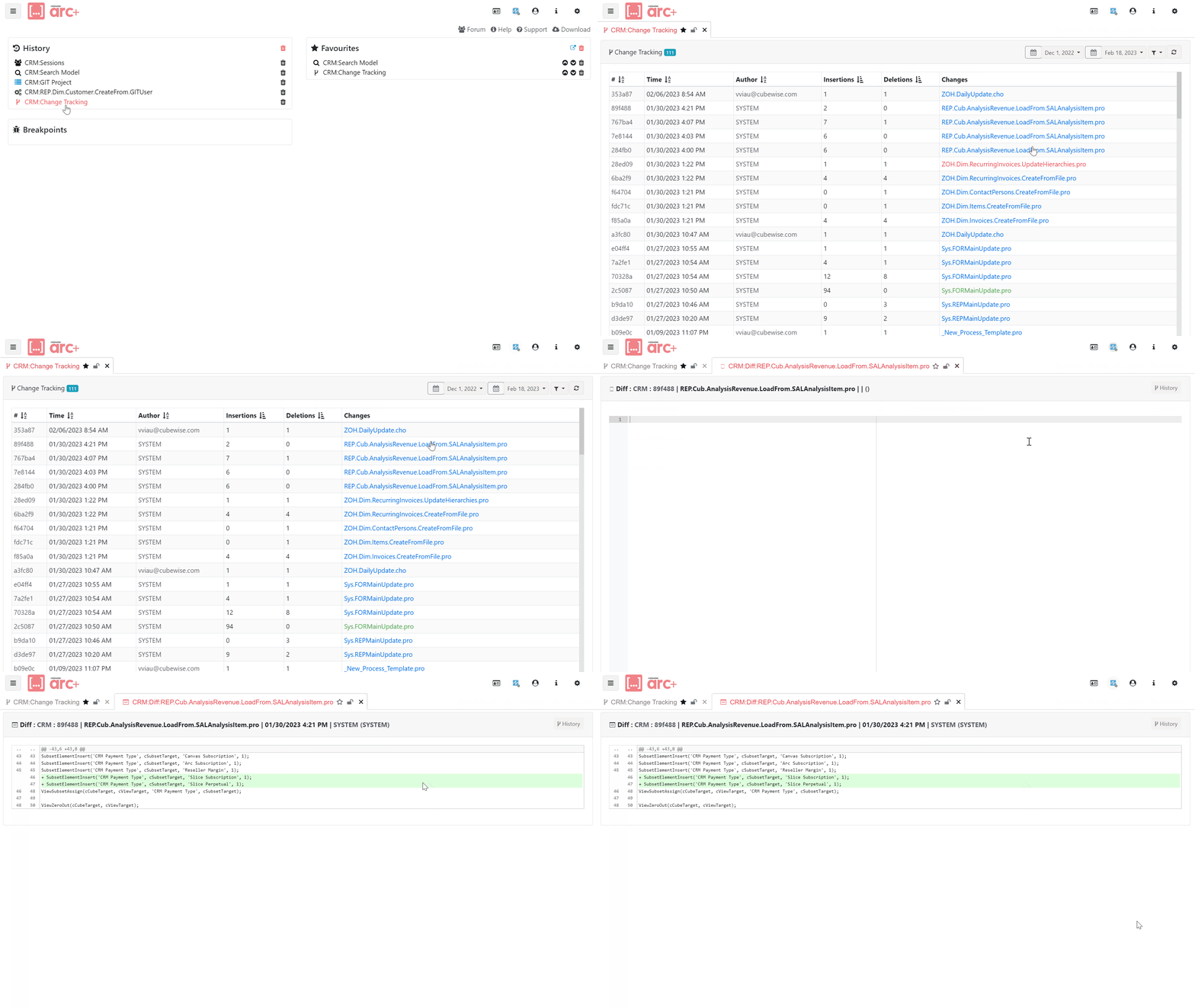
Change Tracking
Full audit trail of every change made to your TM1 objects, recorded by user and timestamp. Understand who changed what and when — directly from within Arc.
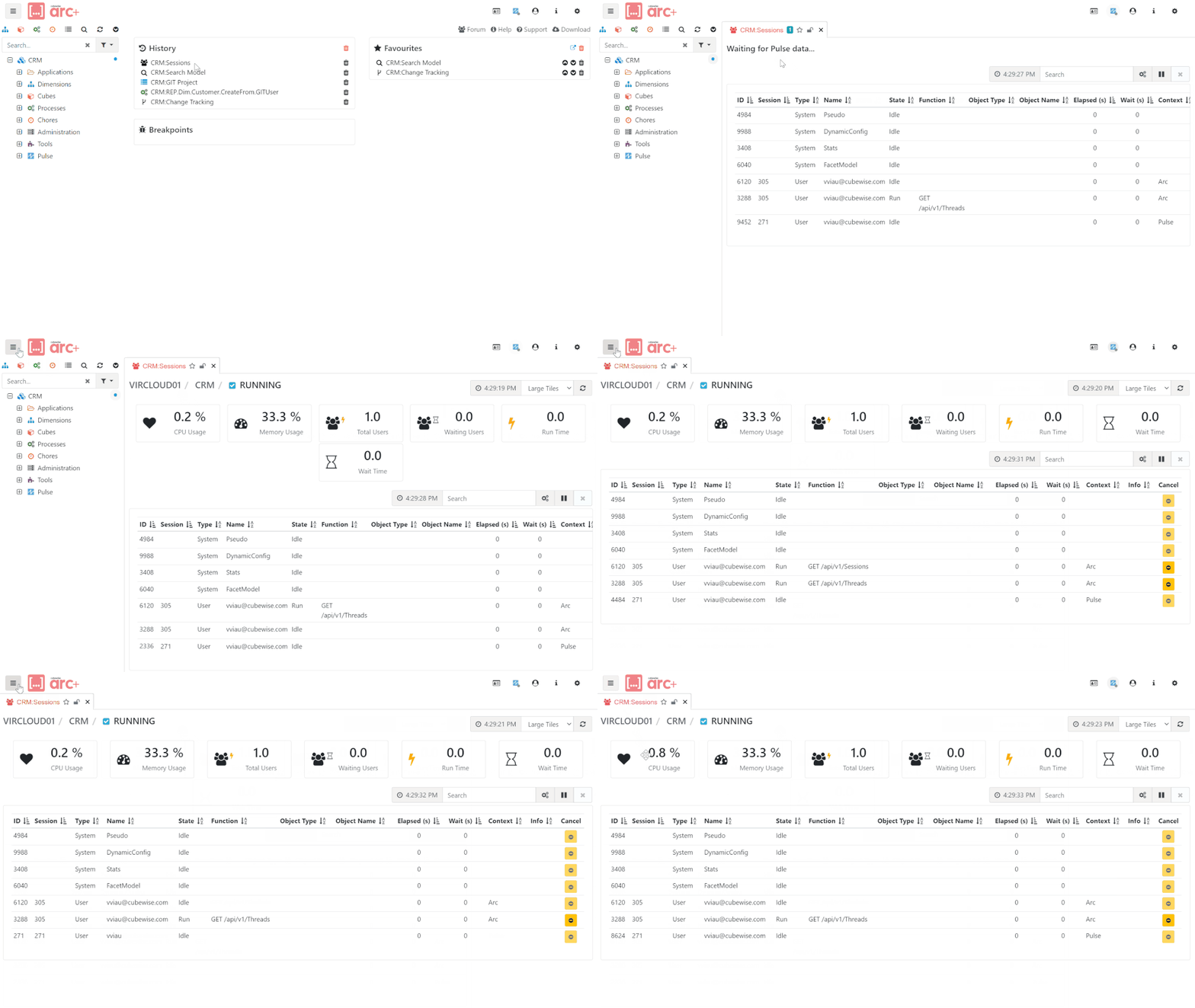
Advanced Monitoring
Monitor your TM1 server instances from within Arc via the upgraded Sessions Page. See active connections, running threads, and server health without leaving your development environment.
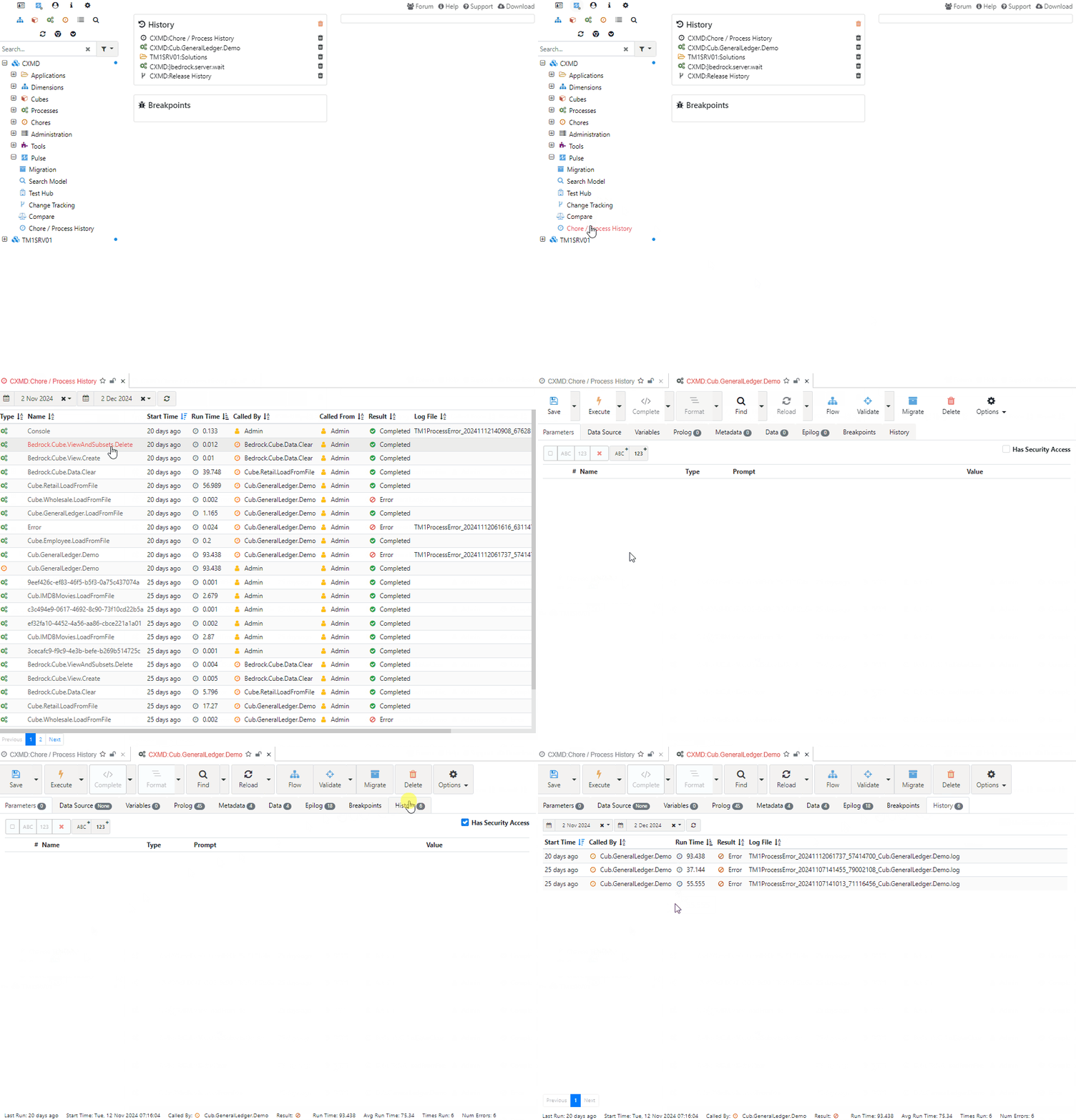
Chore & Process History
View Pulse chore and process history data directly in the Arc object editors. Quickly see run durations, execution counts, and any issues in past runs.
Run a healthier TM1 environment
See how Arc+ helps operations and support teams catch and fix issues before users notice.
Get in touch Arc+ Overview