No-code Integration
Import IBM Planning Analytics data into Microsoft Power BI with a click of a button. Eliminate manual extracts — no scripting required.
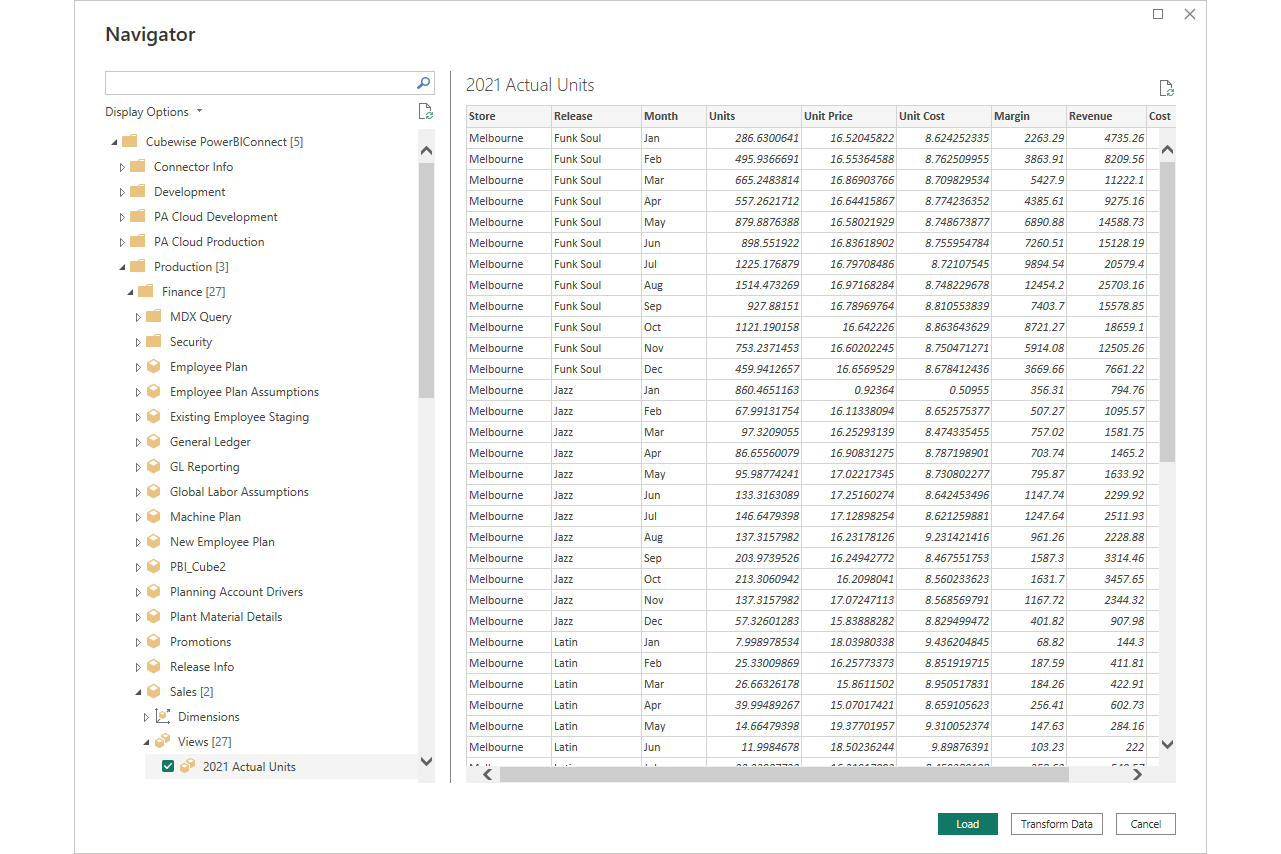
Familiar User Interface
Access IBM Planning Analytics data in Microsoft Power BI Desktop with the PowerConnect connector. Easily navigate to the content you wish to include in your reports and dashboards. Load and transform the data, then connect with other data sources to create a rich reporting experience.
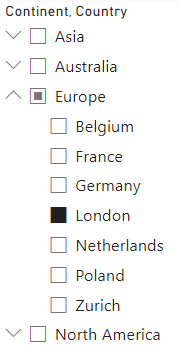
Hierarchical Visualization
Use hierarchical information from your IBM Planning Analytics data source to present intuitive navigation and filtering in Power BI. Include as many hierarchy levels as your TM1 data model contains.
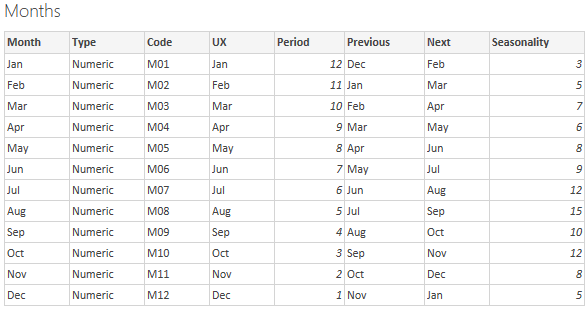
Attribute Support
Load attributes from IBM Planning Analytics to unlock additional capabilities in your Power BI reports and dashboards — richer filtering, grouping, and display options driven by your TM1 dimension attributes.
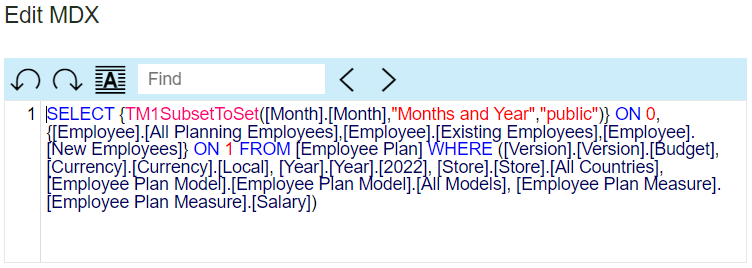
MDX Support
Copy, paste, and adjust an MDX statement to access IBM Planning Analytics data without relying on publicly registered views. Advanced users get full flexibility to query exactly the data they need.
Connect Planning Analytics to Power BI
Eliminate manual exports and give your analysts live access to TM1 data in Power BI.
Request a demo PowerConnect Overview