
Pharmaceutical
How Norgine gained full visibility into TM1 usage across all access methods
"Pulse has standard functionality which gives reports showing a great amount of detail as to the actions of users in TM1 workbooks and also when using TM1 Web."
About Norgine
Norgine is a leading European specialist pharmaceutical company with over 110 years of expertise and a presence in all major European markets. They use TM1 for financial planning, with users accessing data through multiple methods: TM1 Workflow, Perspectives directly in cube, Perspectives workbooks, and TM1 Web.
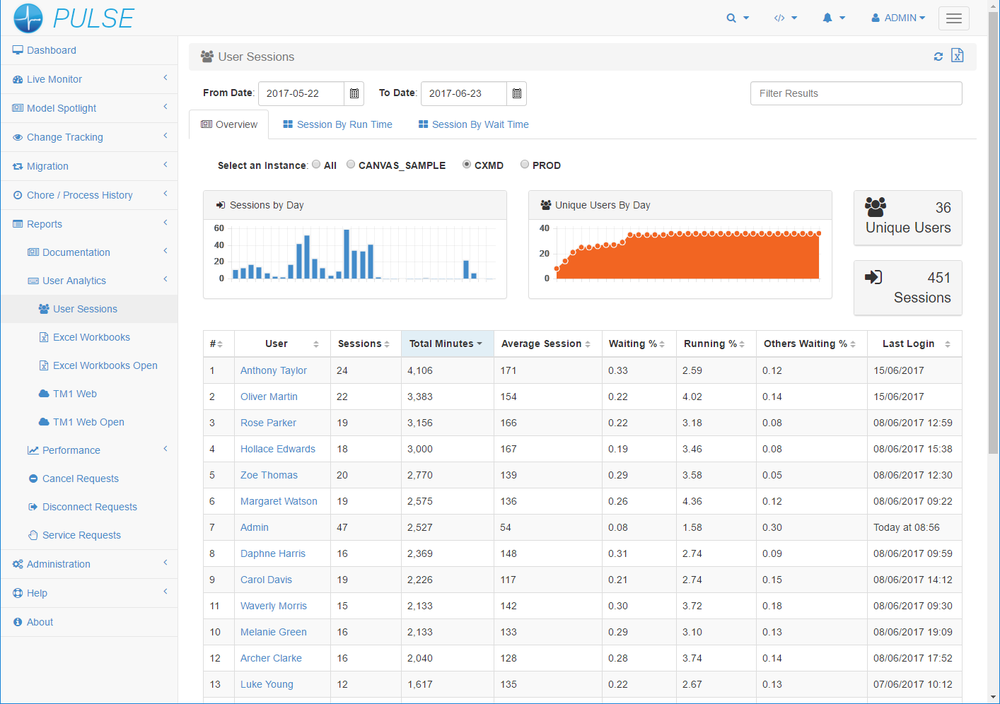
Challenge 1: Monitoring Users Across Multiple Access Methods
Norgine's financial planning process requires users to access TM1 through a specific Workflow system. Once users have write access, they can input data via Workflow, directly in Perspectives, through workbooks, or via TM1 Web. Without a unified monitoring tool, the team had no visibility into which access paths users were taking — making it impossible to identify performance issues or support users effectively.
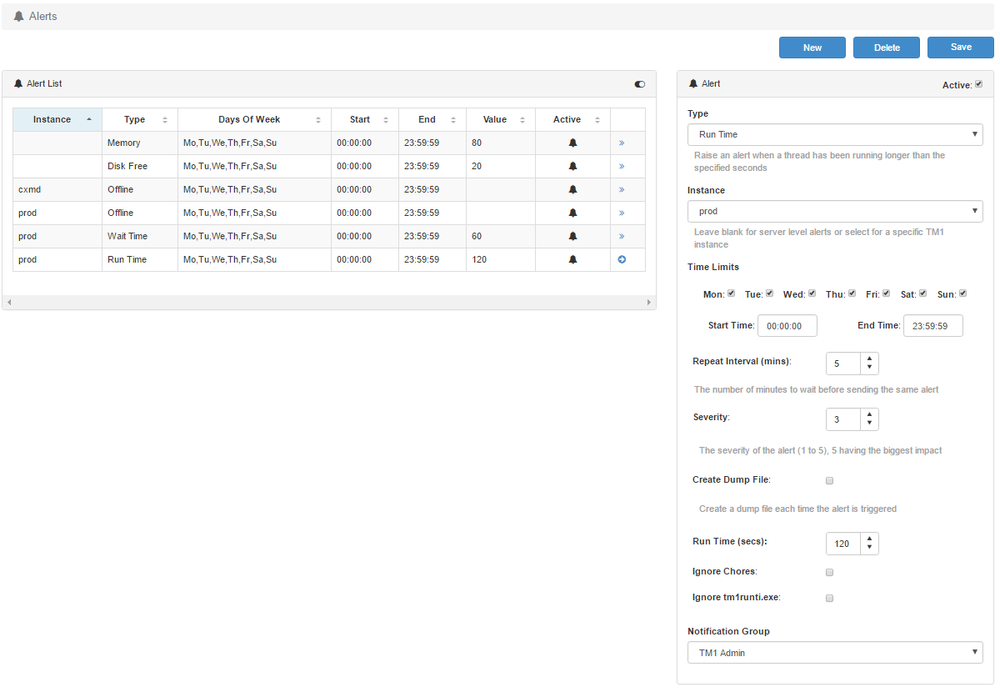
Challenge 2: Monitoring Disk Space and Memory
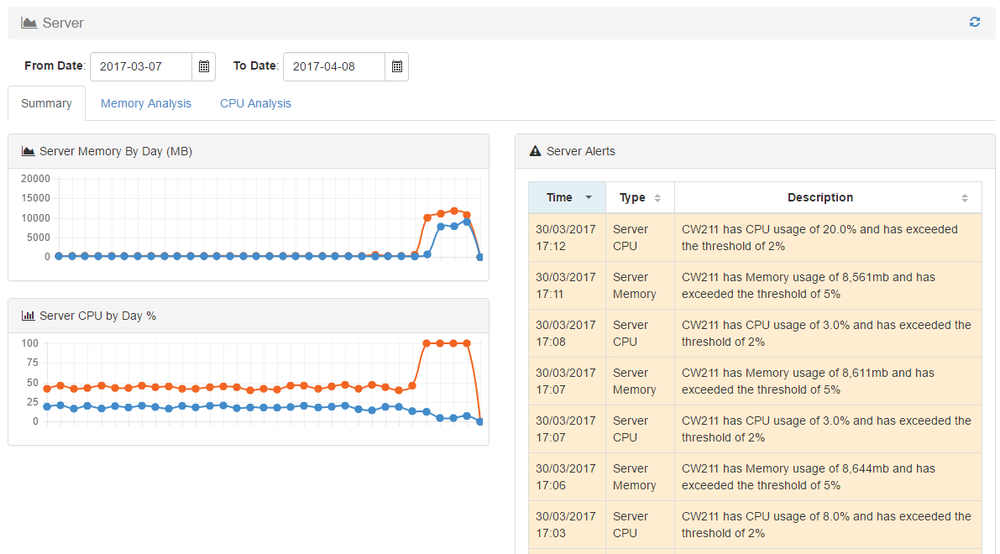
TM1 requires adequate disk space and memory to operate reliably — when disk space runs out, TM1 fails. Administrators were having to manually check multiple places (task manager, Windows Explorer) to monitor these critical resources, with no centralised view or automated alerting.
The Solution
Pulse provided detailed reporting on user actions across all TM1 access methods — Workflow, Perspectives, workbooks, and TM1 Web — in a single view. Performance analysis capabilities allowed the team to understand whether slowness was a genuine system issue or unrealistic user expectations.
Working with Cubewise, Norgine's specific need for TM1 Workflow user tracking was enabled — a feature that didn't previously exist in Pulse and was subsequently added to the product release.
Pulse's central monitoring dashboard brought disk space and memory visibility into one place, replacing manual checks across multiple system tools.
The Results
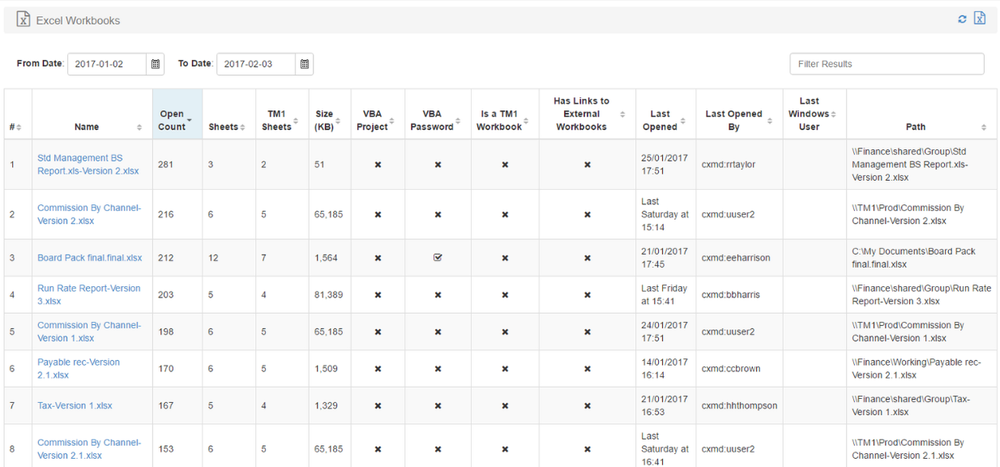
- Full visibility into user activity across all TM1 access methods — Workflow, Perspectives, TM1 Web
- Performance analysis identified workbooks over 30GB that should have been databases — enabling architecture improvements
- Cube usage data revealed unmet user needs and enabled targeted training programmes
- Centralised resource monitoring replaced manual checks, reducing administrative overhead
- Reduced user downtime through proactive identification and resolution of performance issues
Get full visibility into your TM1 environment
See how Pulse can help your team understand and manage your IBM Planning Analytics deployment.
Request a demo