The complete DevOps software built for TM1
Monitor. Understand. Manage.
Monitor
Understand
Monitor
Real-time visibility into your TM1 environment — from server health to user activity.
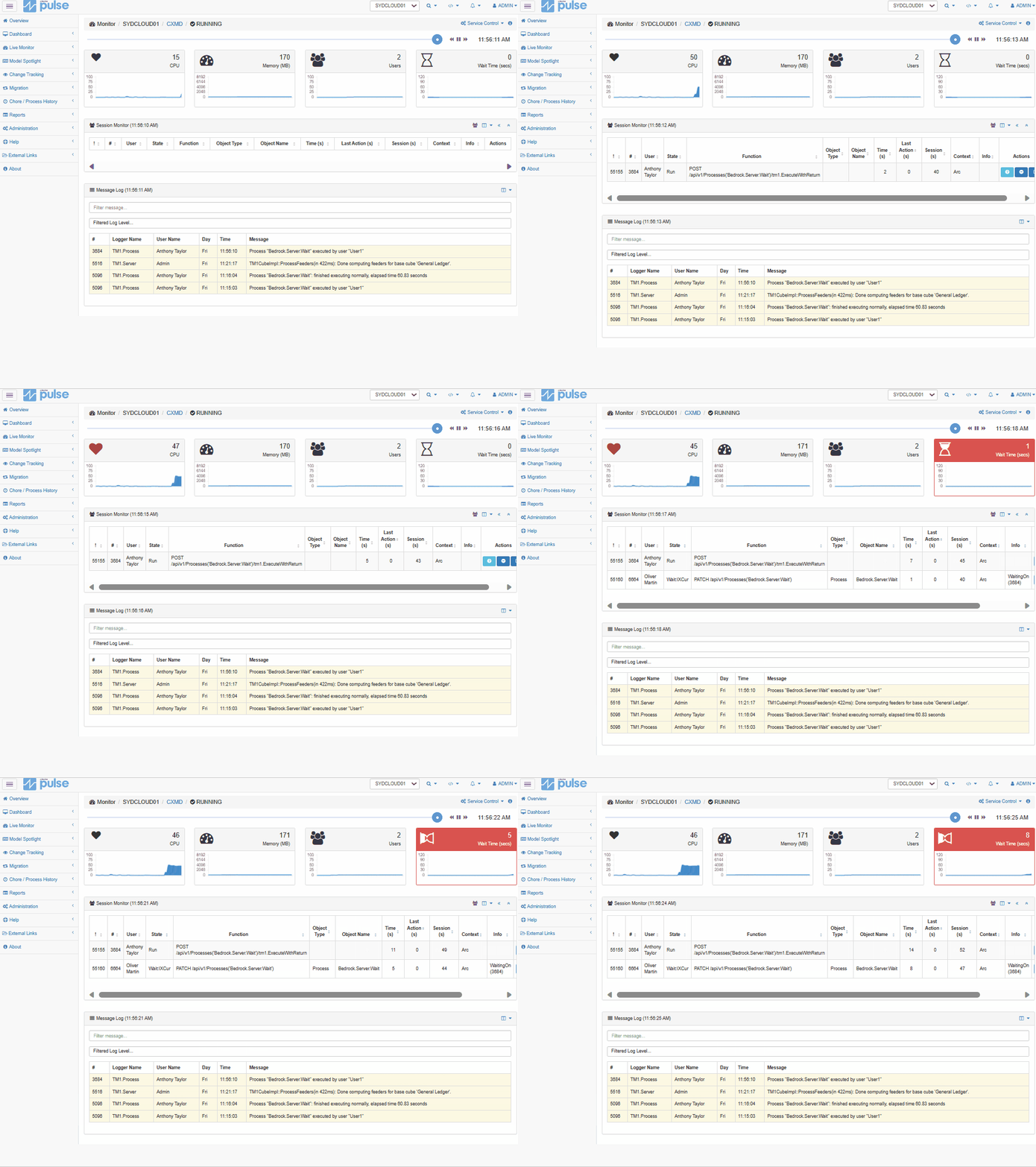
24/7 Live Monitoring
Monitor your system live in both the web interface and the Windows client. All the important metrics are in one convenient place: CPU, memory, logged-in users, message logs, and more.
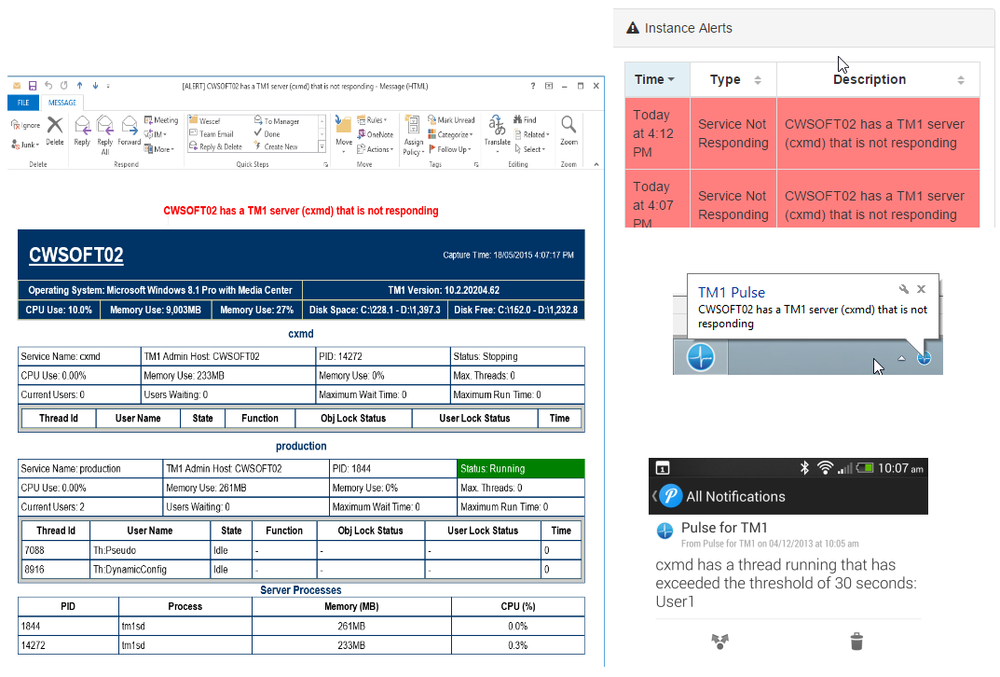
Pro-active Alerts
Configure alerts based on multiple scenarios and triggers to rectify problems before they become issues. Alerts can be restricted to particular days and times, with multiple notification groups for different people based on alert type.
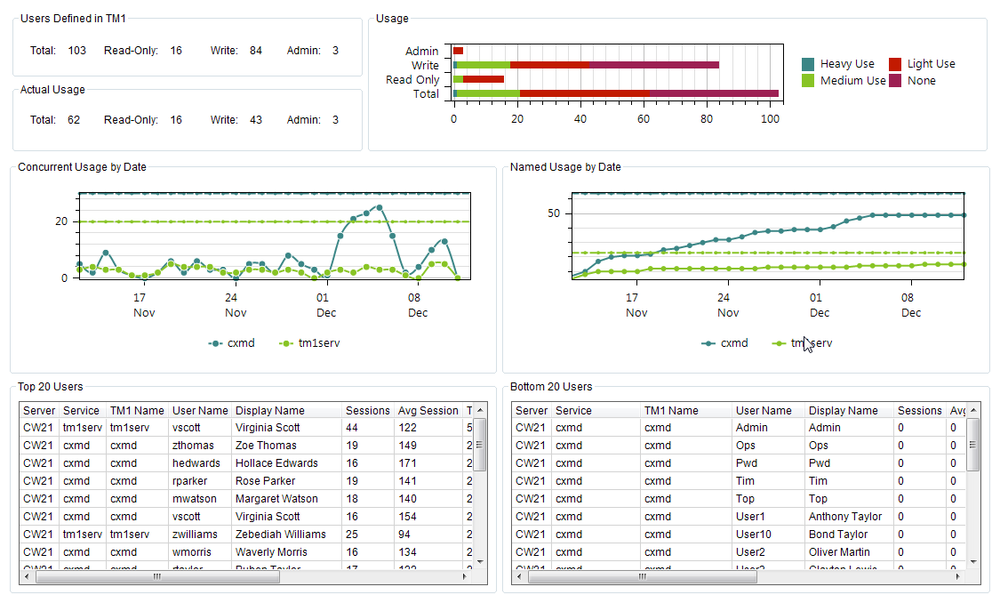
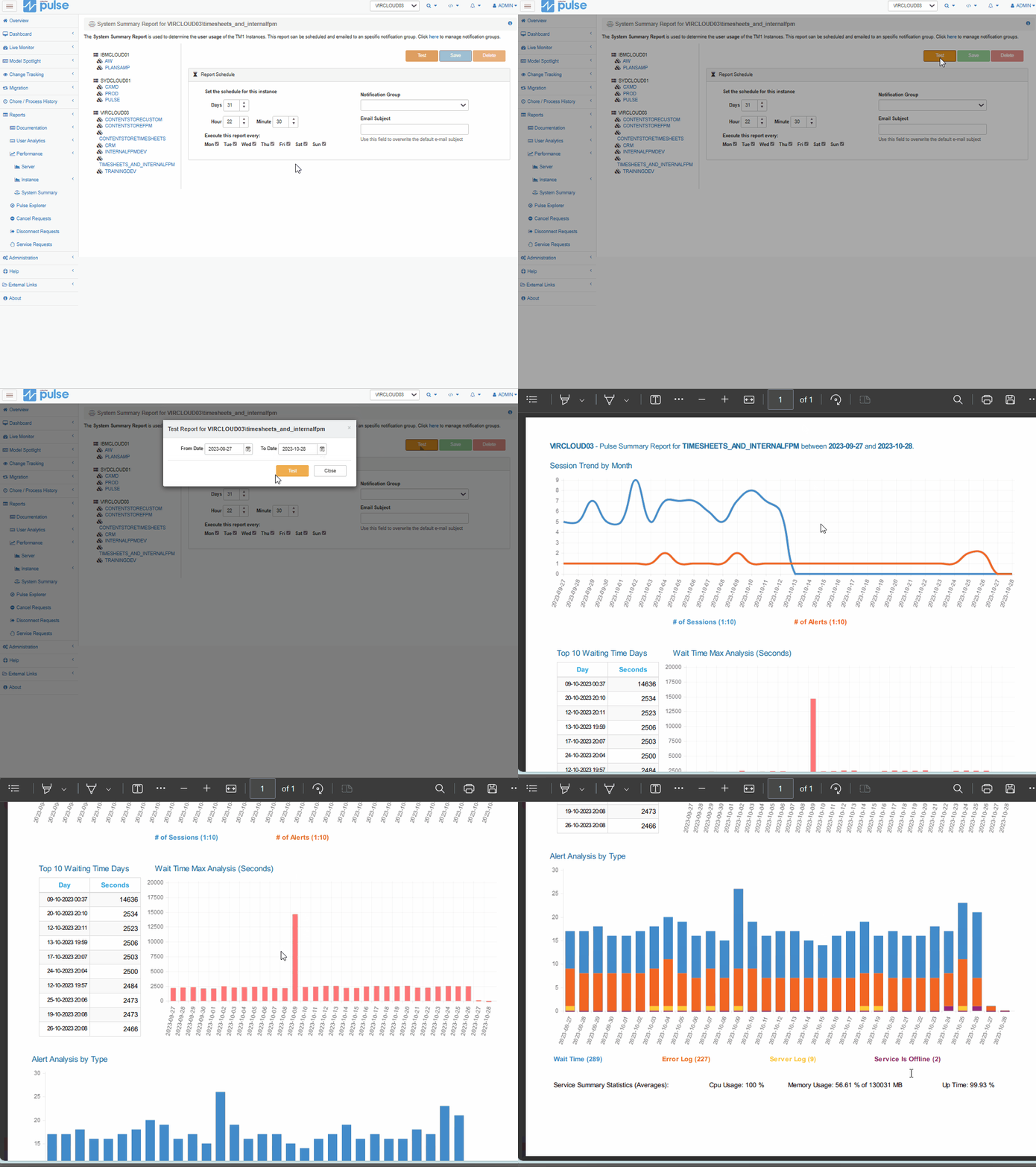
System Summary Report
A one-page document to monitor the health of your TM1 systems. Schedule and send it automatically to all TM1 administrators on a regular basis.

Centralised or Distributed Architecture
Choose between a single centralised Pulse server monitoring many TM1 instances, or Pulse installed on each server. Built to monitor TM1 on-premise, on IBM Cloud, or any other cloud environment.
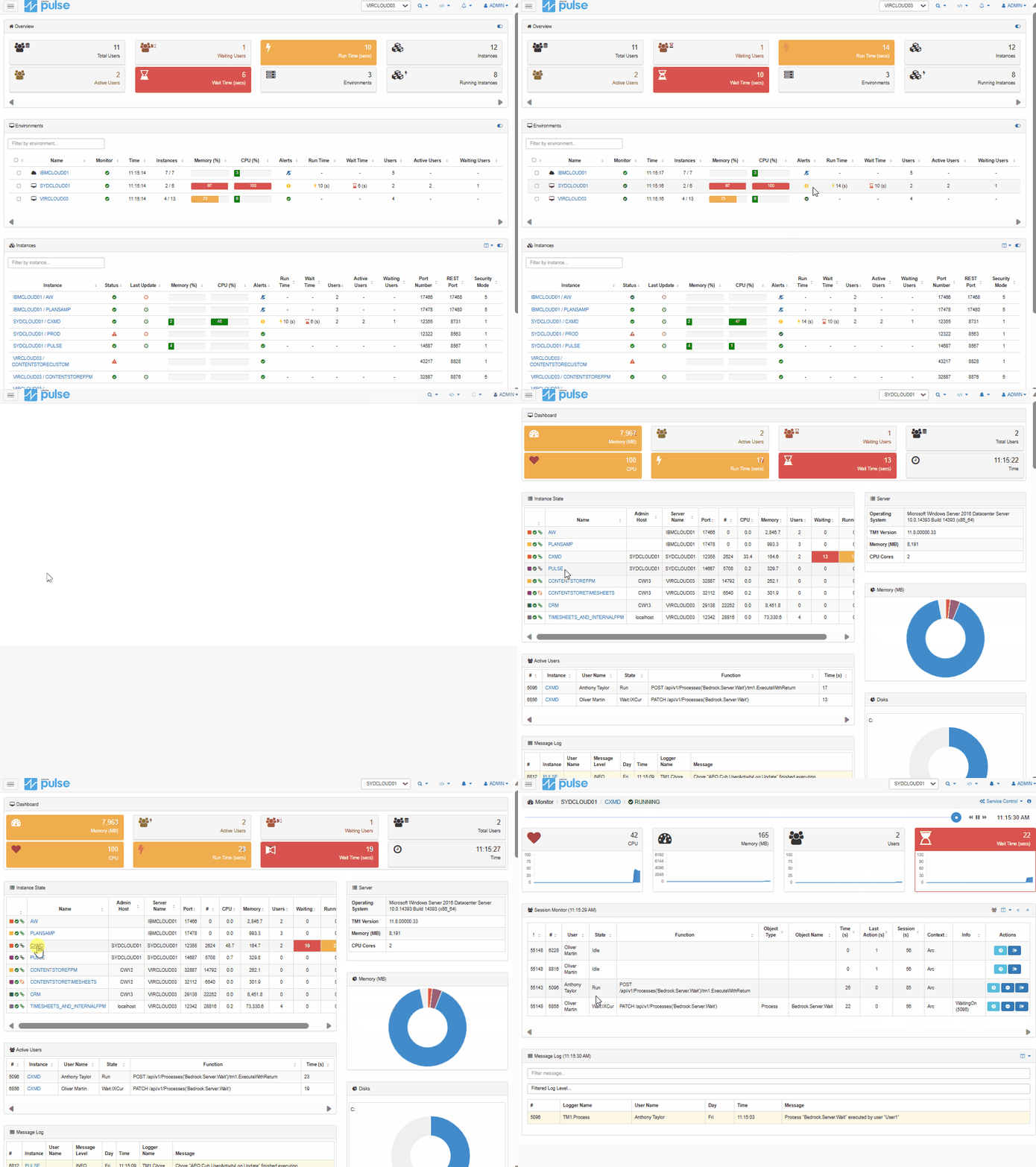
Dashboard
Monitor the whole server at a glance — see how it is performing and quickly navigate to any issue you spot.
Understand
Deep insight into your TM1 models — dependencies, documentation, and change history.
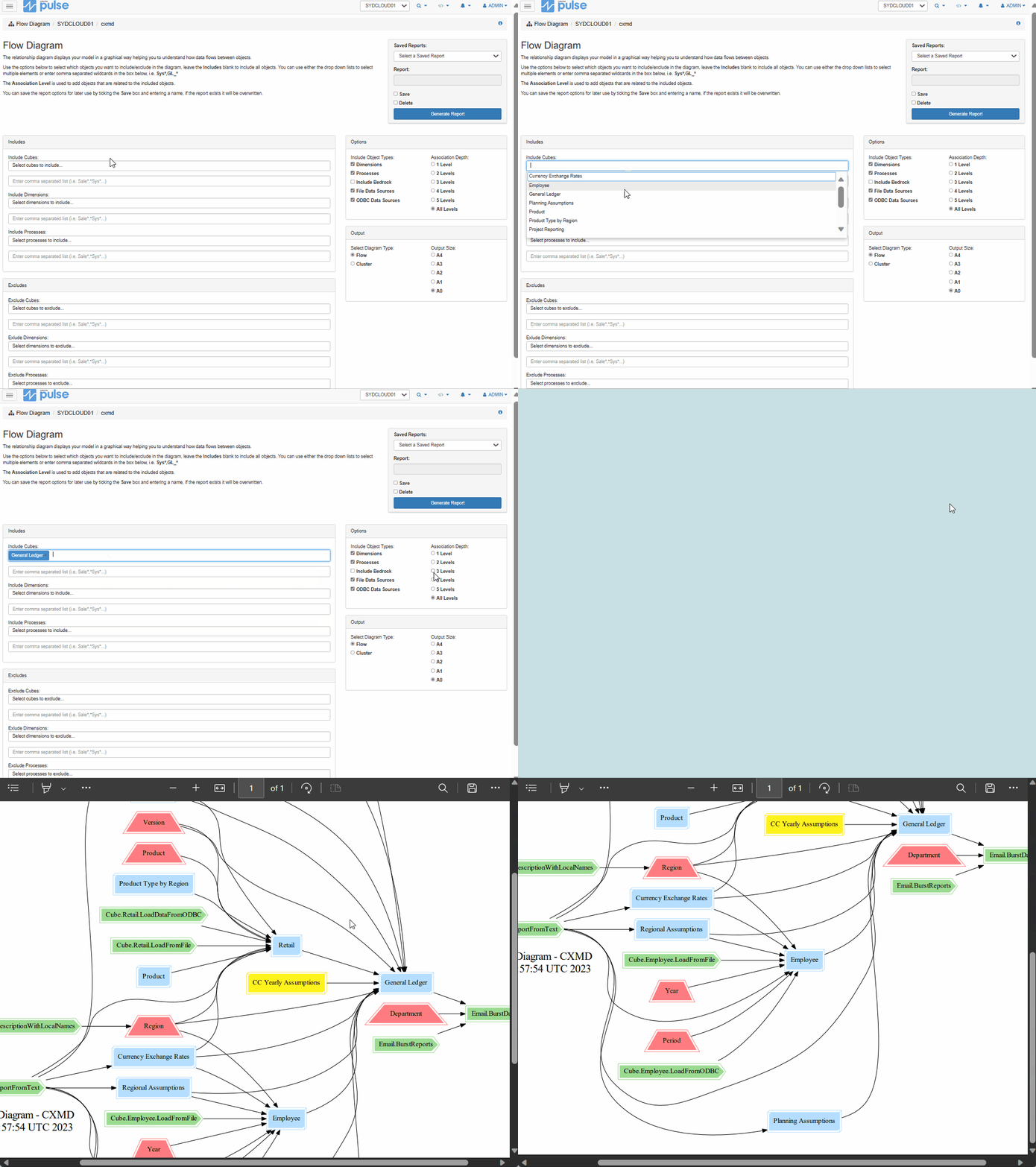
Relationship Diagrams
Generate relationship diagrams from your models to understand how objects interact. Output diagrams to PDF for printing and distribution, or use the interactive diagrams in the web interface.
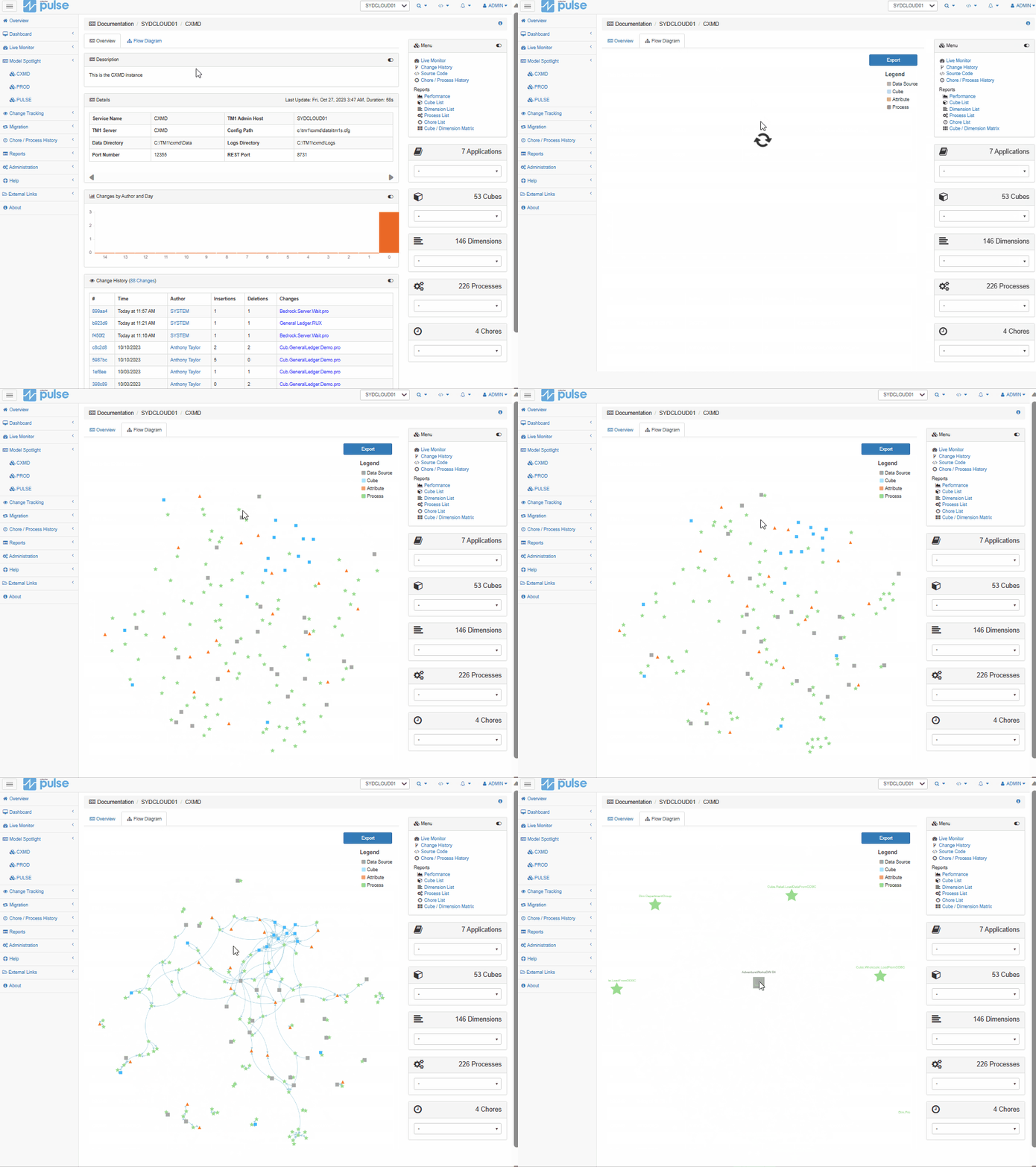
Interactive Model Navigation
View and interact with documentation of your model by clicking on each object and their relationships. Rules and processes can be easily viewed in the Pulse website with intuitive navigation features.
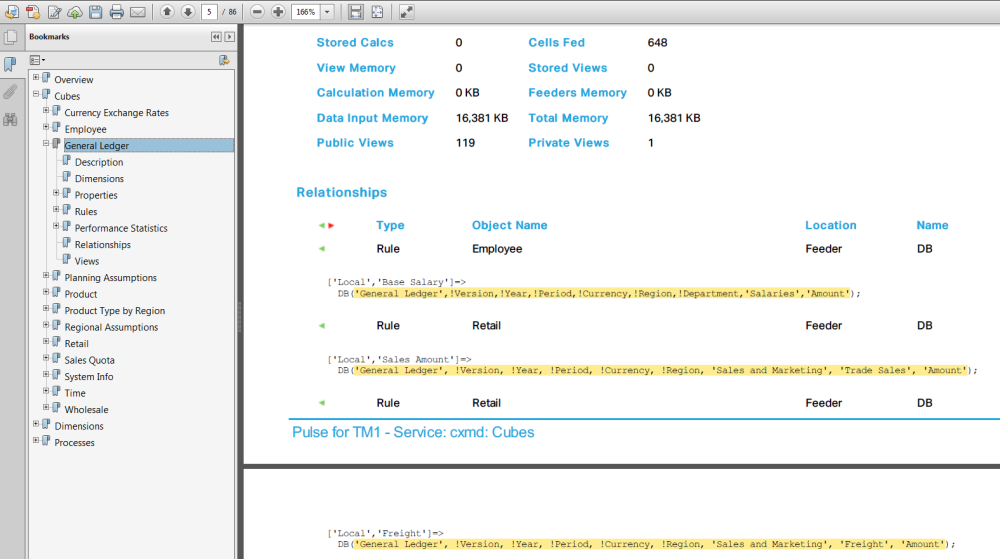
Technical Documentation
Produce technical documentation at the click of a button. Pulse interrogates your TM1 model and extracts important information about each object — cubes, dimensions, and processes.
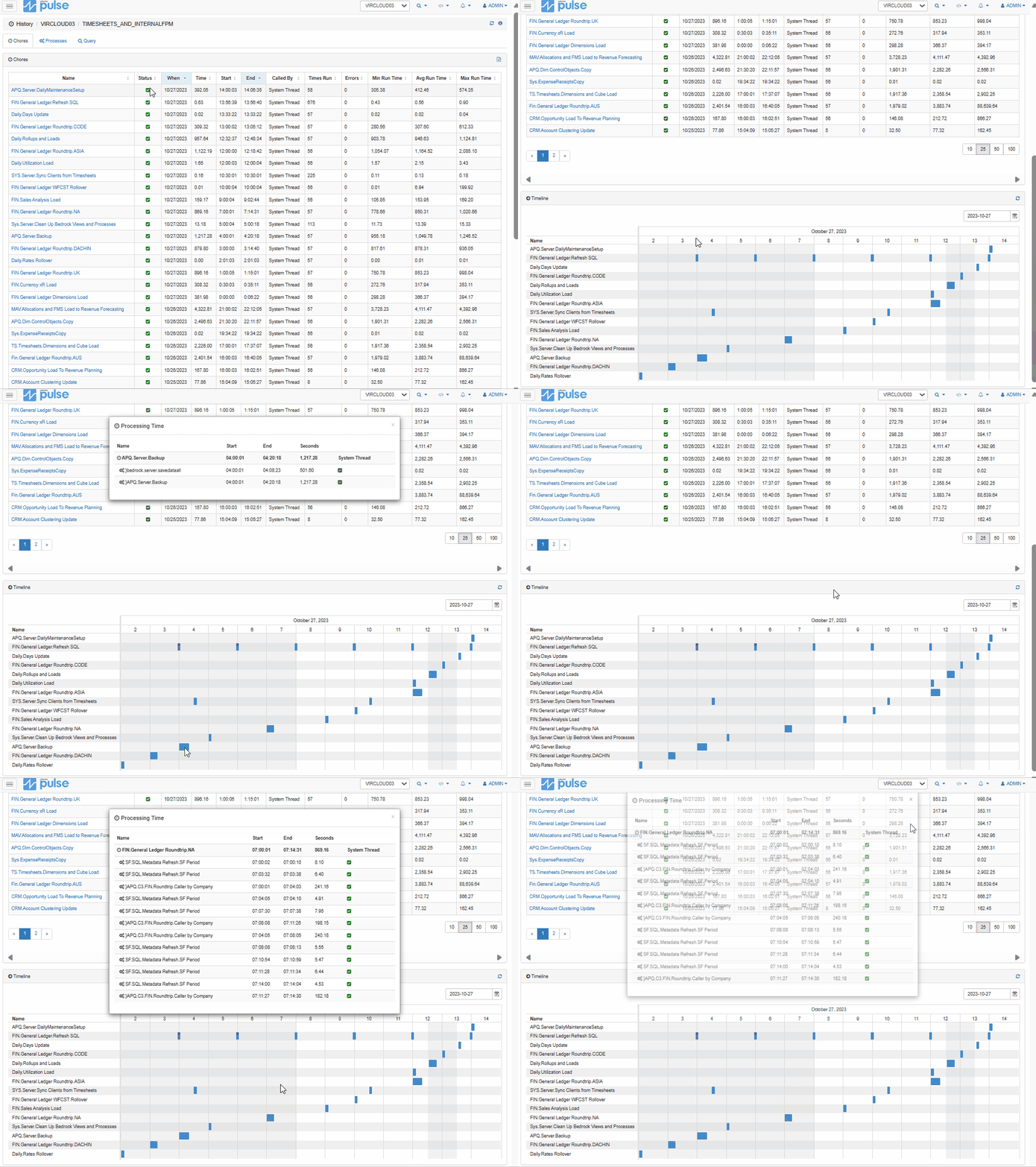
Automated Change Tracking
Automatically save all changes to TM1 objects to source control, recorded by author and timestamp. Full audit trail of who changed what and when.
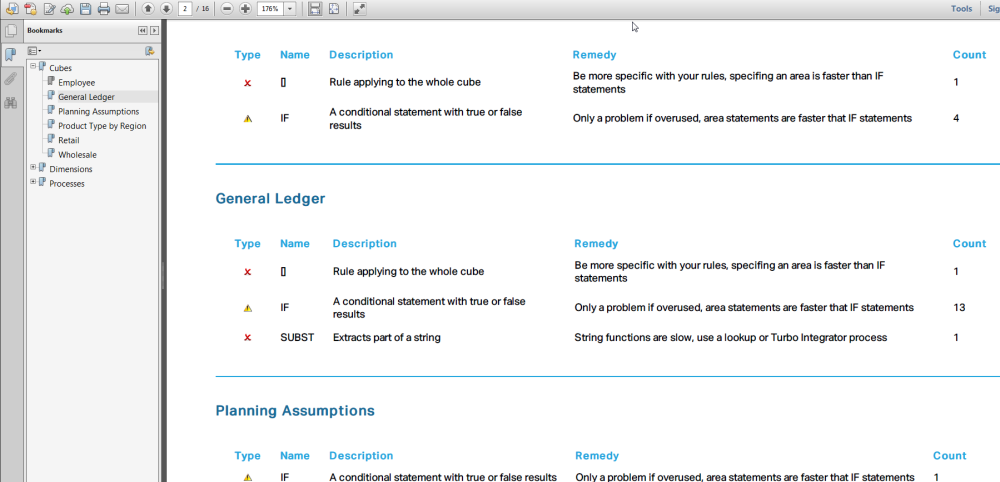
Model Validation
Built-in rules identify common pitfalls that may slow the system or make support difficult. Naming conventions are also validated, helping you build consistent and easy-to-maintain systems.
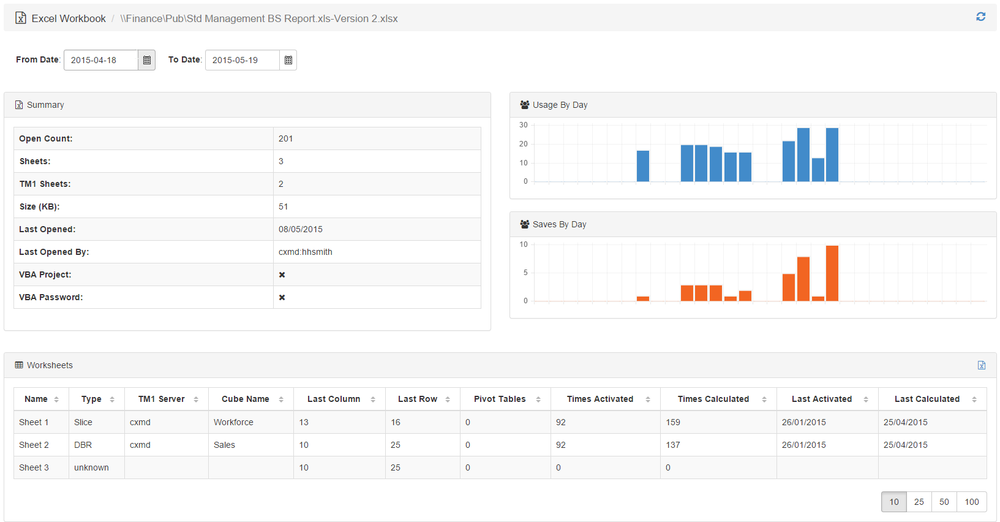
Excel Usage Tracking
Track the use of Excel workbooks in your corporate environment. See who has what open, which workbooks are used most, and what isn't being used at all.
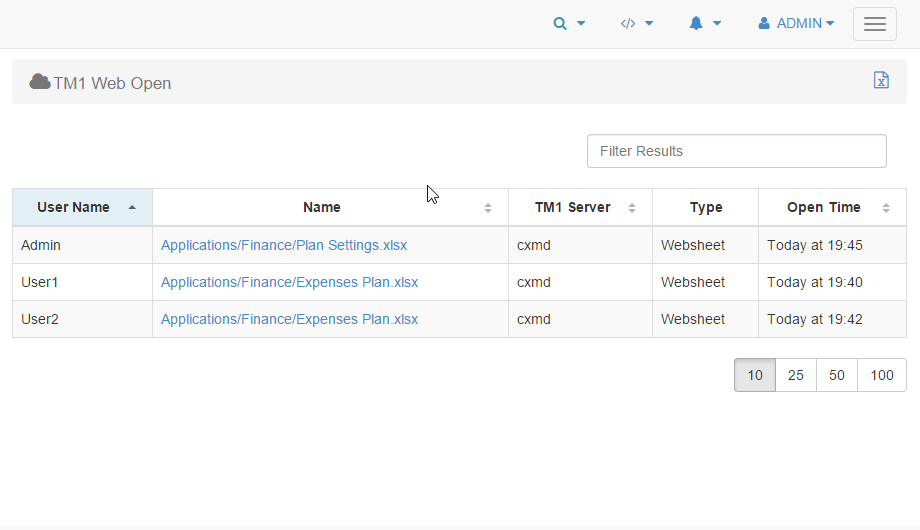
TM1 Web Logging
Track how TM1 Web is being used. Quickly see currently open web sheets to determine what is causing long-running queries or slowing the system.
Manage
Take control — migrate, compare, rollback, and secure your TM1 environment.
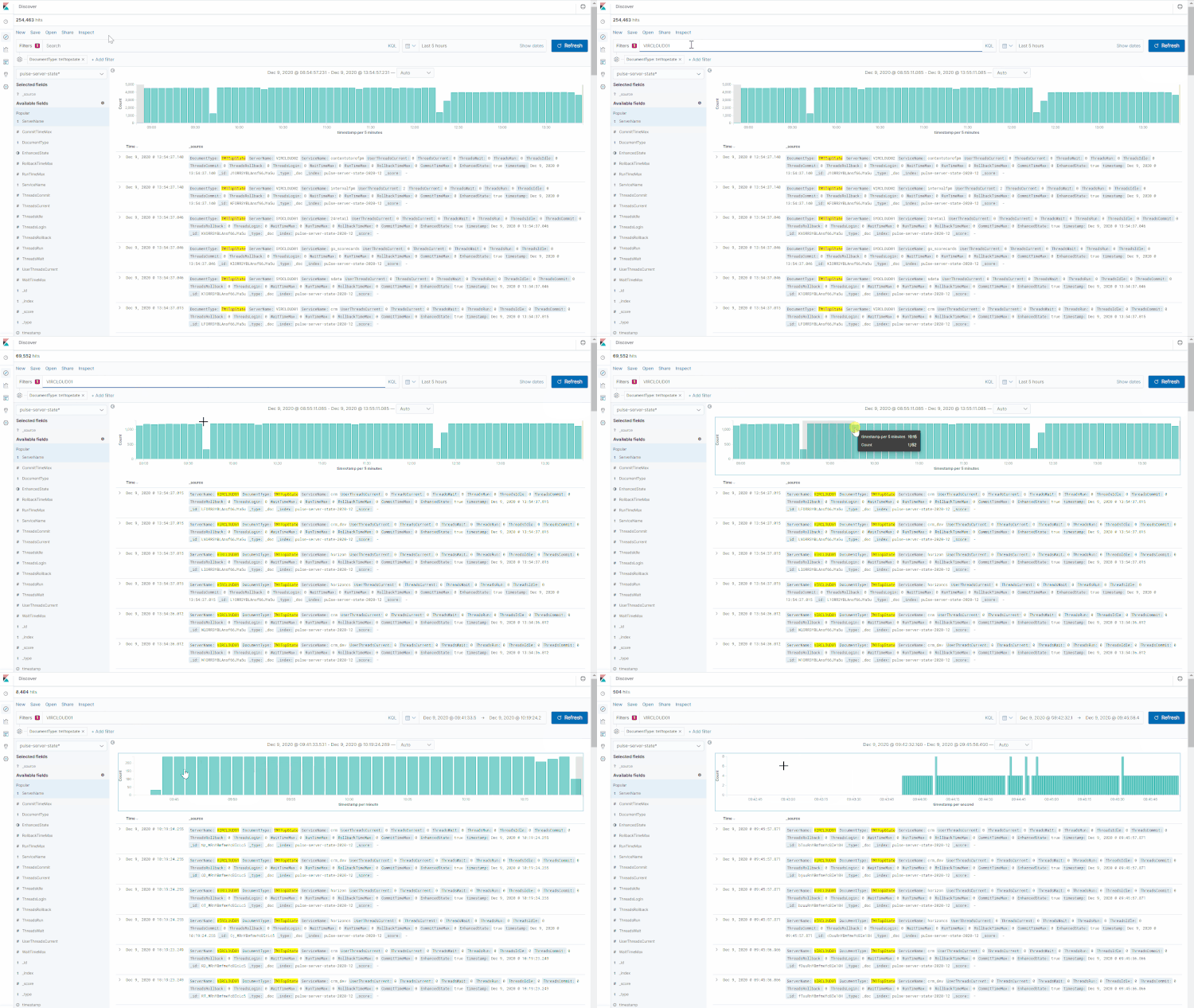
All Detailed Data, Second by Second
Historical data is easily accessible second by second, giving you granular visibility into system performance over time.
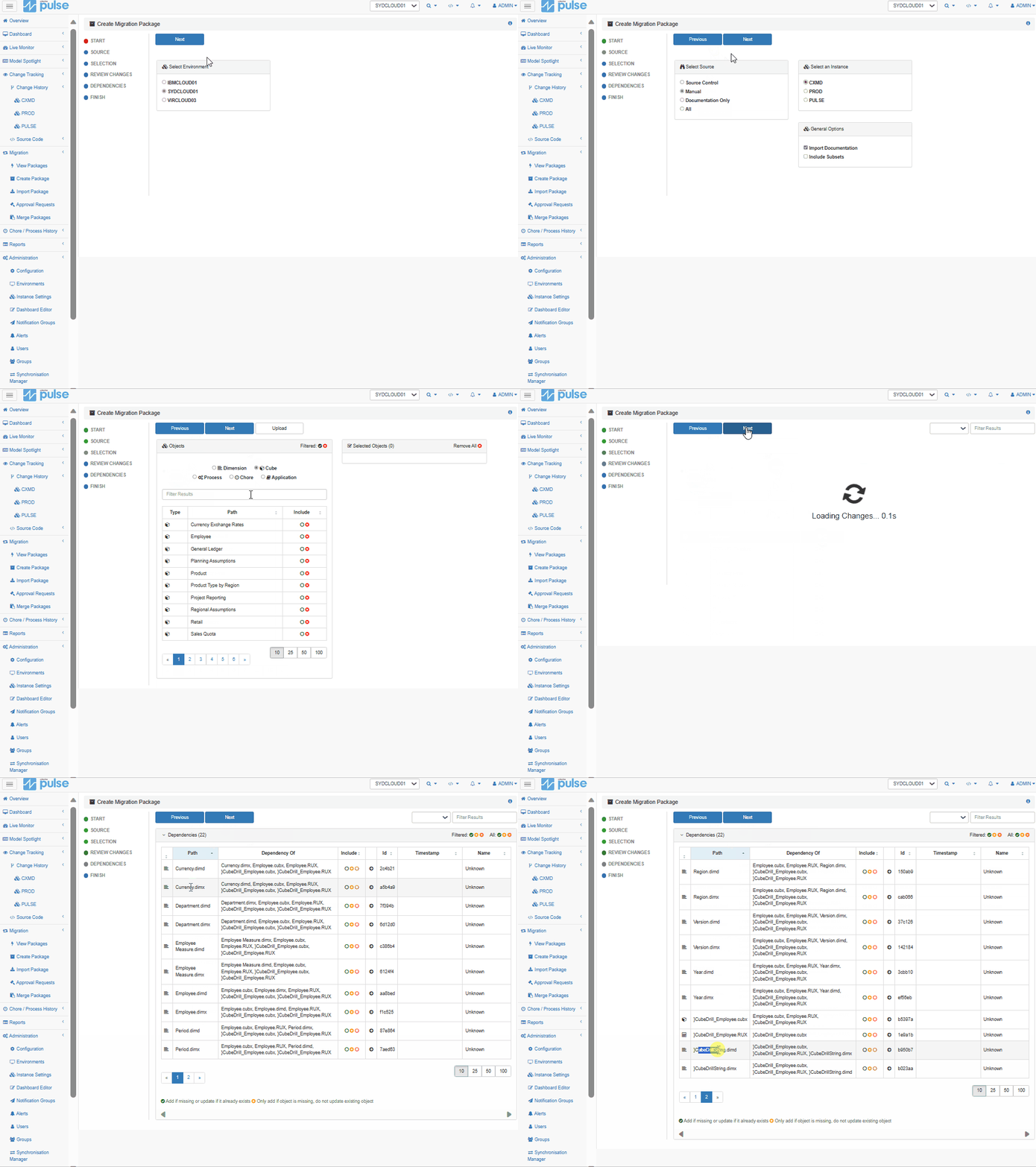
Automatic Dependency Detection
When creating a migration package, Pulse finds all dependencies for you. Pick a cube and Pulse will automatically identify all dimensions, attributes, and picklist cubes that need to be migrated.
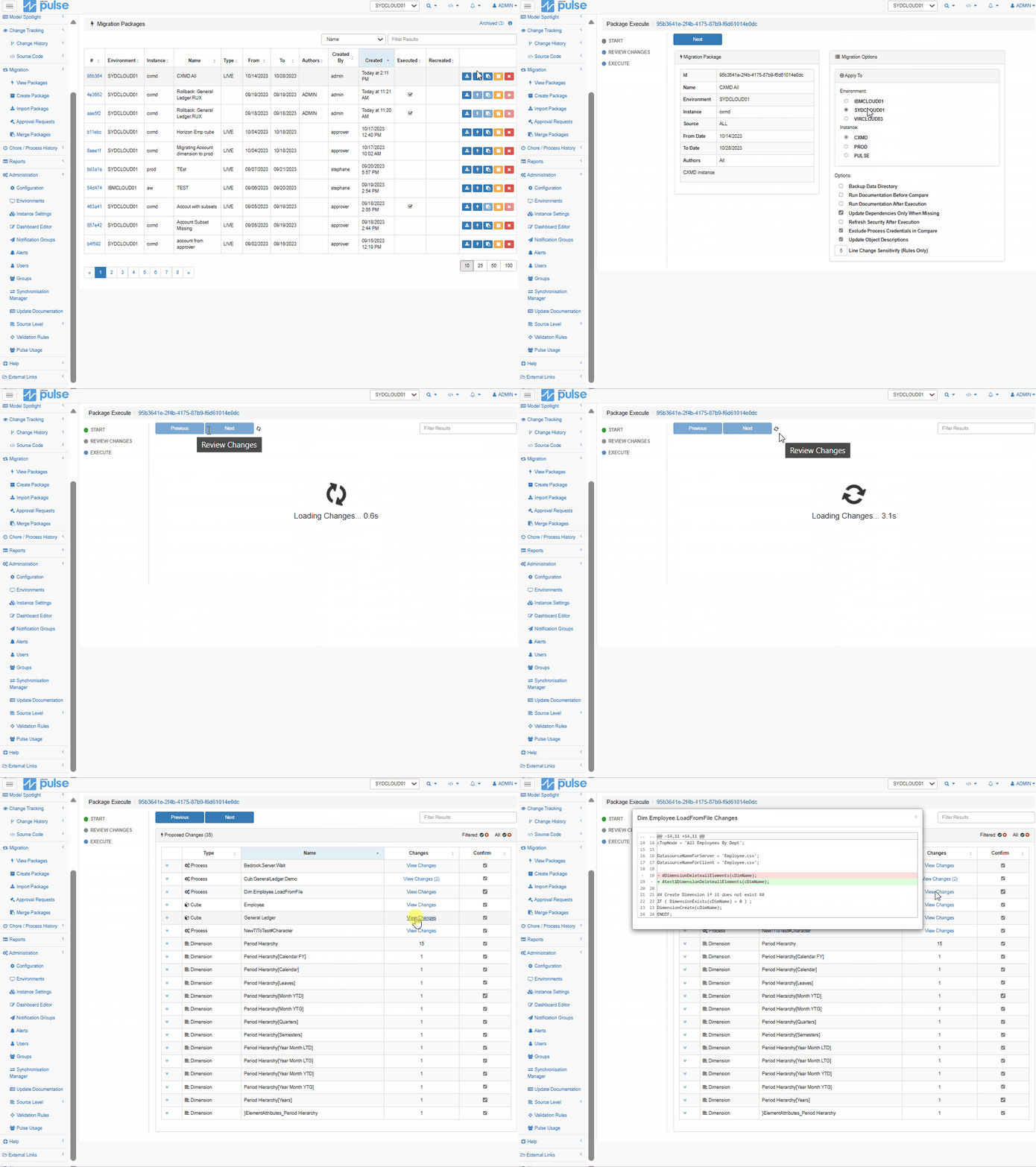
Compare Two Instances
Create an All package and execute it on a target instance — Pulse will list all the differences and let you review changes before executing the migration.
System Verification
Empower users to verify the success of overnight chores and processes. View the last status of chores and processes at any time through the Pulse website.
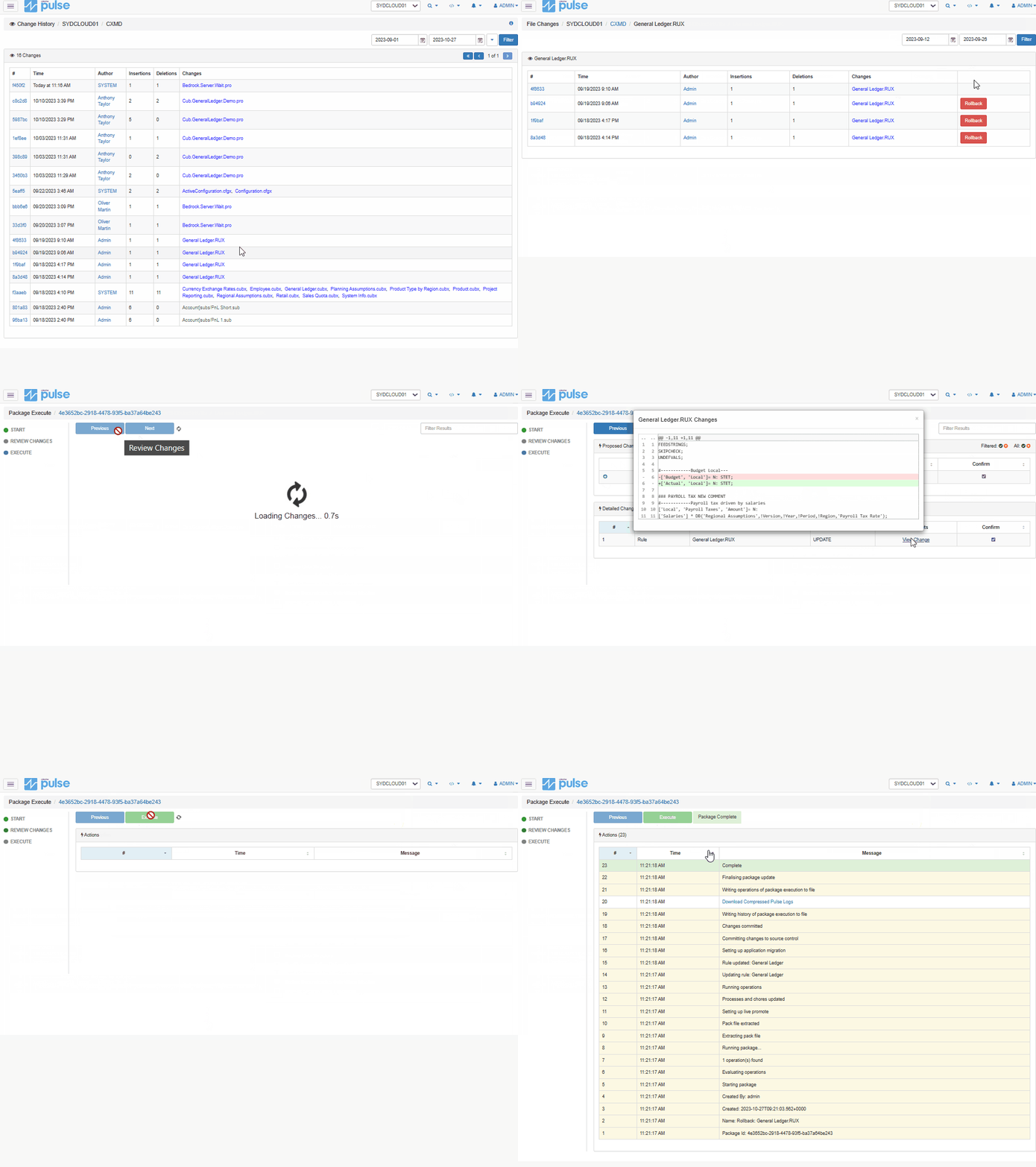
Rollback Changes
Quickly retrieve any previous version of a TM1 process or rule file. Full version history means you can always undo a change and restore a known-good state.
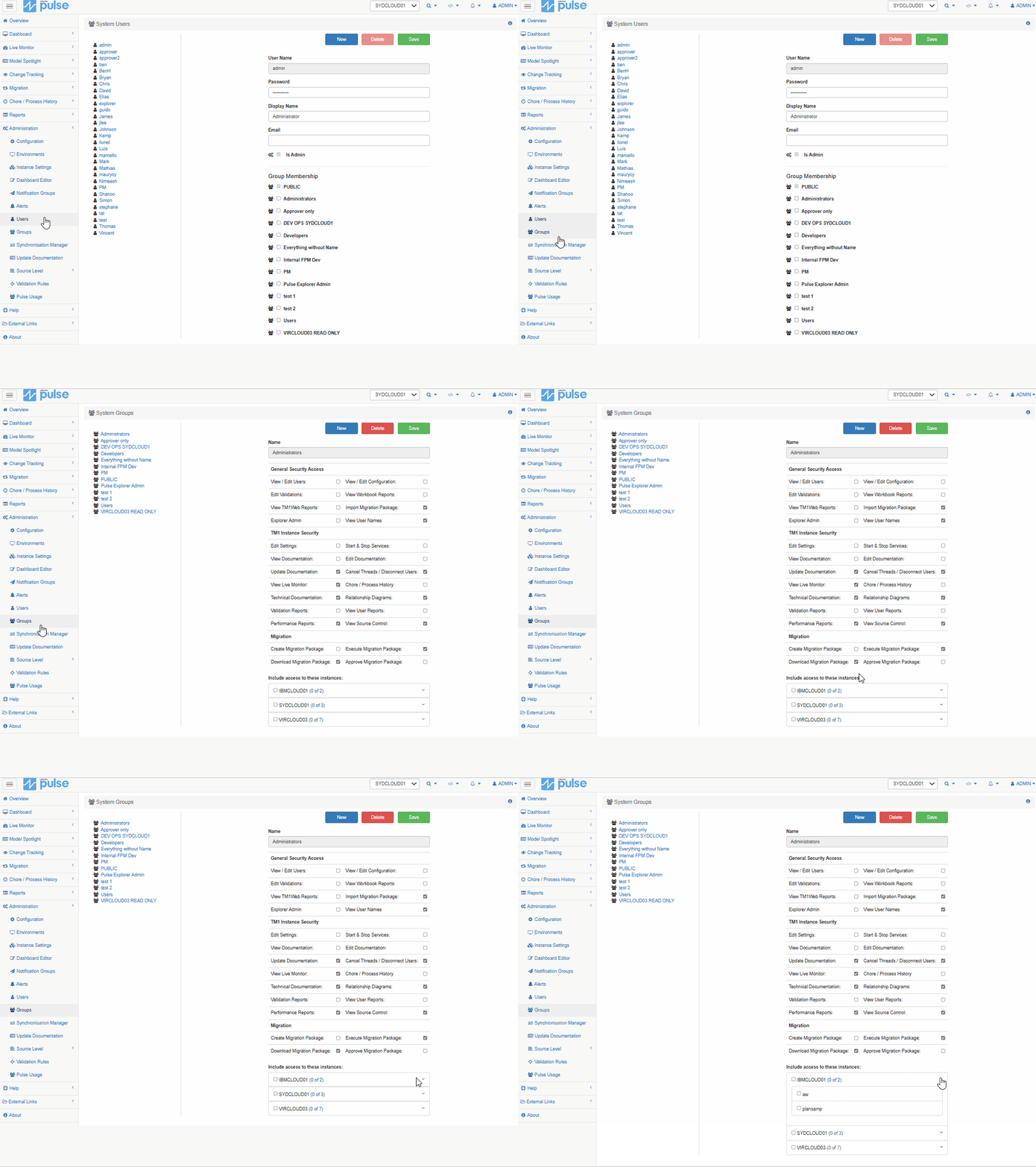
Separation of Duties
Pulse has built-in, fully configurable security. Control who has access to Pulse and what they can see. Non-TM1 developers can apply complex changes safely within their permitted scope.
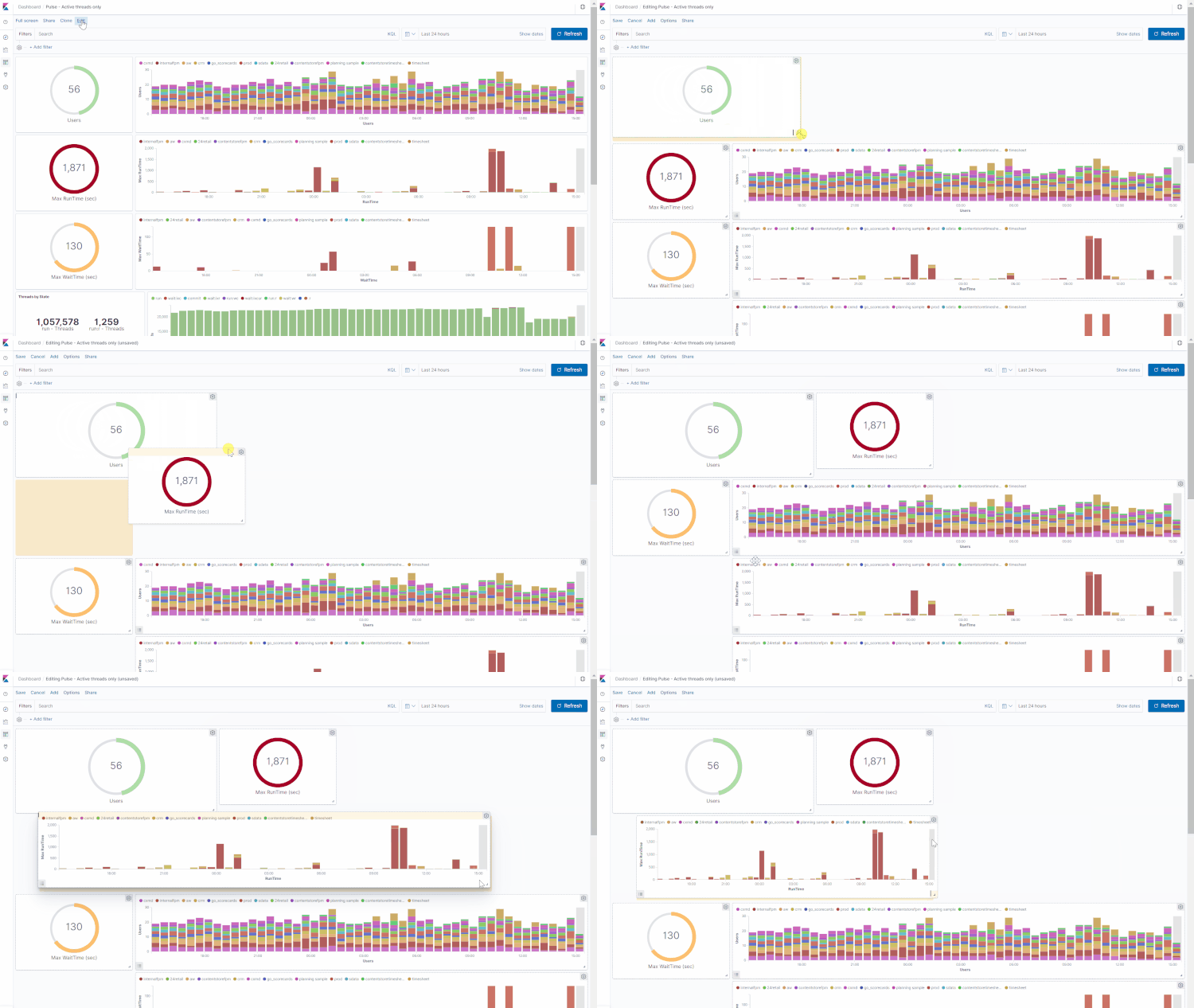
Build Your Own Dashboards
The Pulse Explorer feature lets you build custom dashboards and reports. A set of ready-made dashboards is included to help you get started.
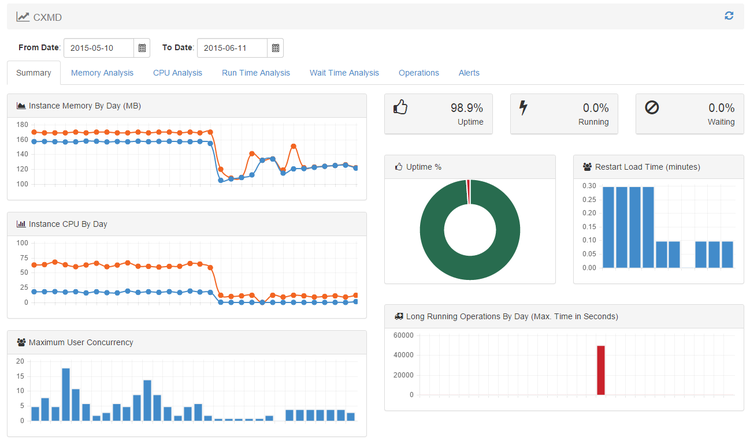
Flexible Reporting
Compare system performance over time using Pulse's built-in report writer. All information gathered by Pulse can be displayed on screen or exported to PDF and Microsoft Word reports.
See Pulse in action
Get a personalised demo of the features that matter most to your team.
Request a demo Read the Docs