Migrate faster with confidence
Move TM1 objects between environments with full control, audit trail, and instant rollback.
Migration
Move TM1 objects between environments with full control, audit trail, and instant rollback.
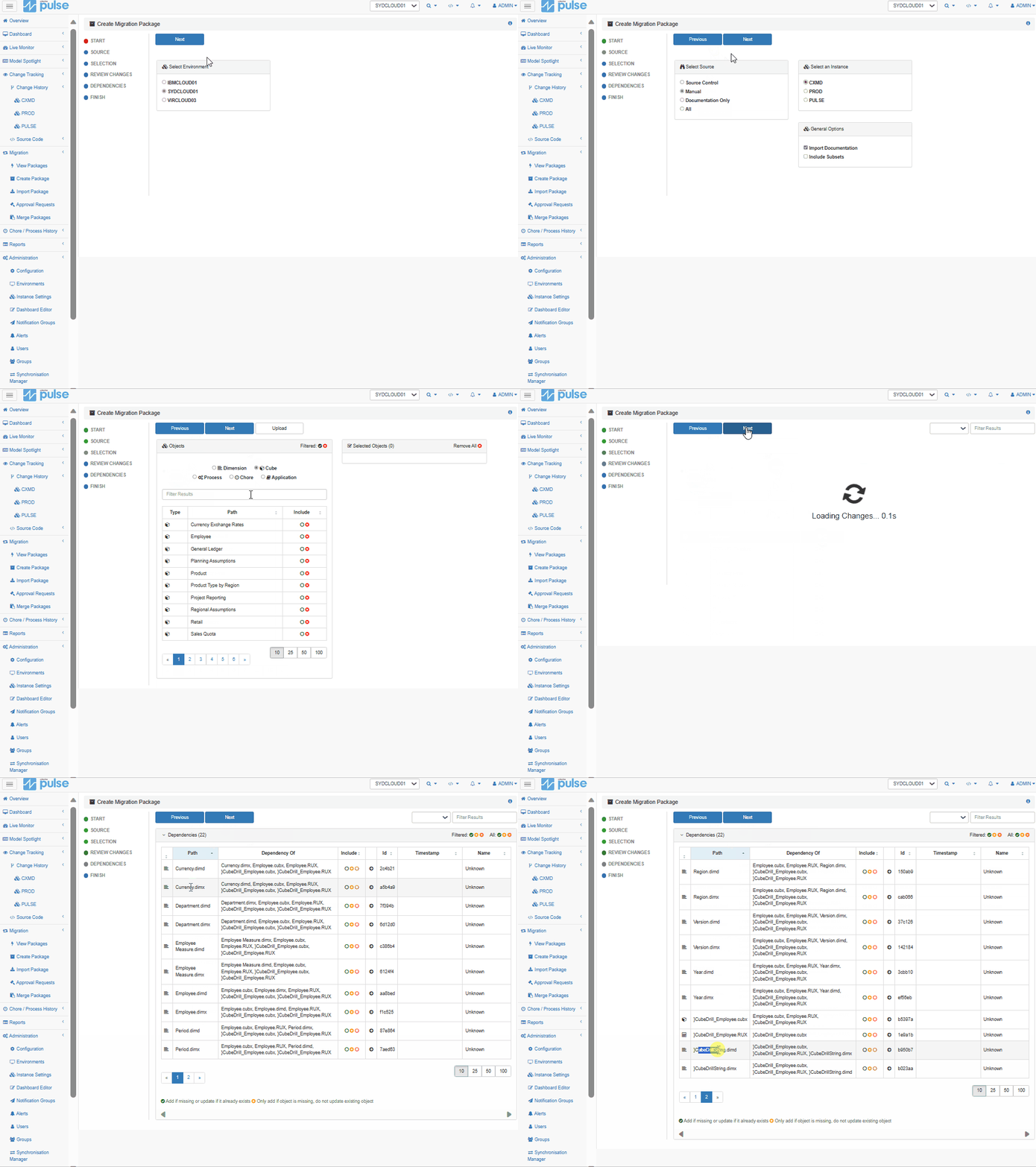
Automatic Dependency Detection
When creating a migration package, Pulse finds all dependencies for you. Pick a cube and Pulse will automatically identify all dimensions, attributes, and picklist cubes that need to be migrated.
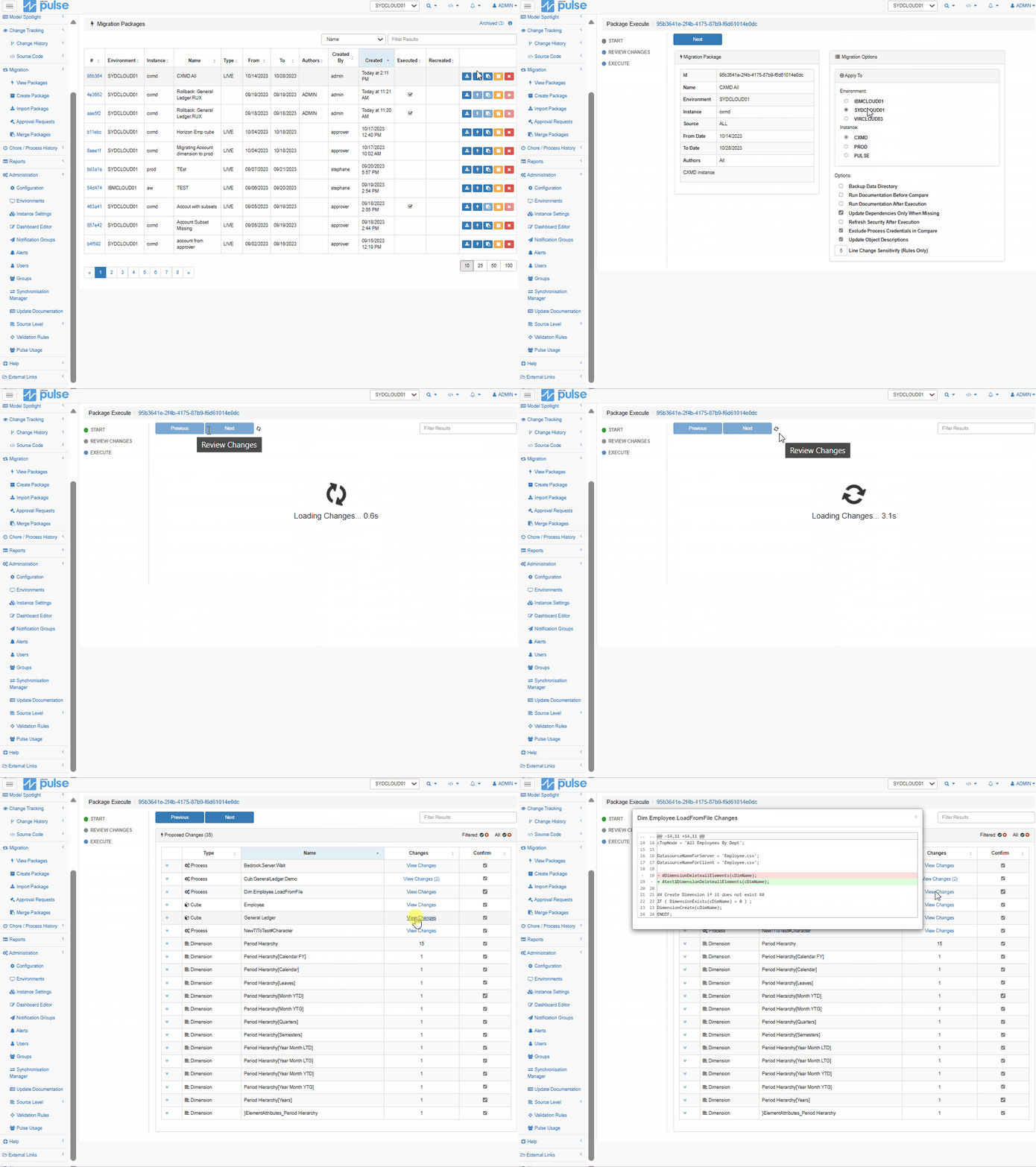
Compare Two Instances
Create an All package and execute it on a target instance — Pulse will list all the differences and let you review changes before executing the migration.
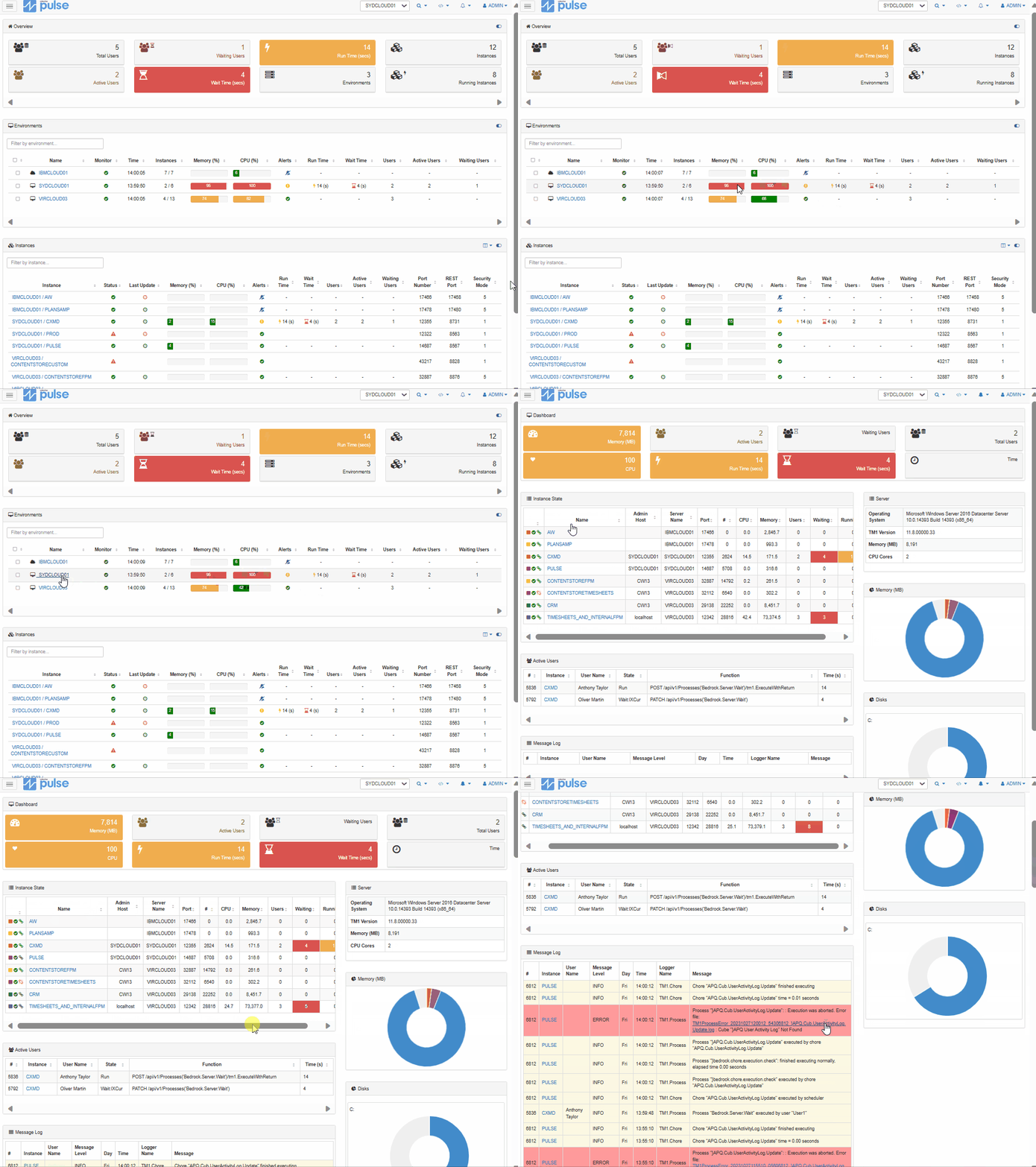
Migrate Live
Migrate all TM1 objects live without stopping the TM1 instance. Pulse applies changes and creates new objects on the fly, keeping your environment available throughout the process.
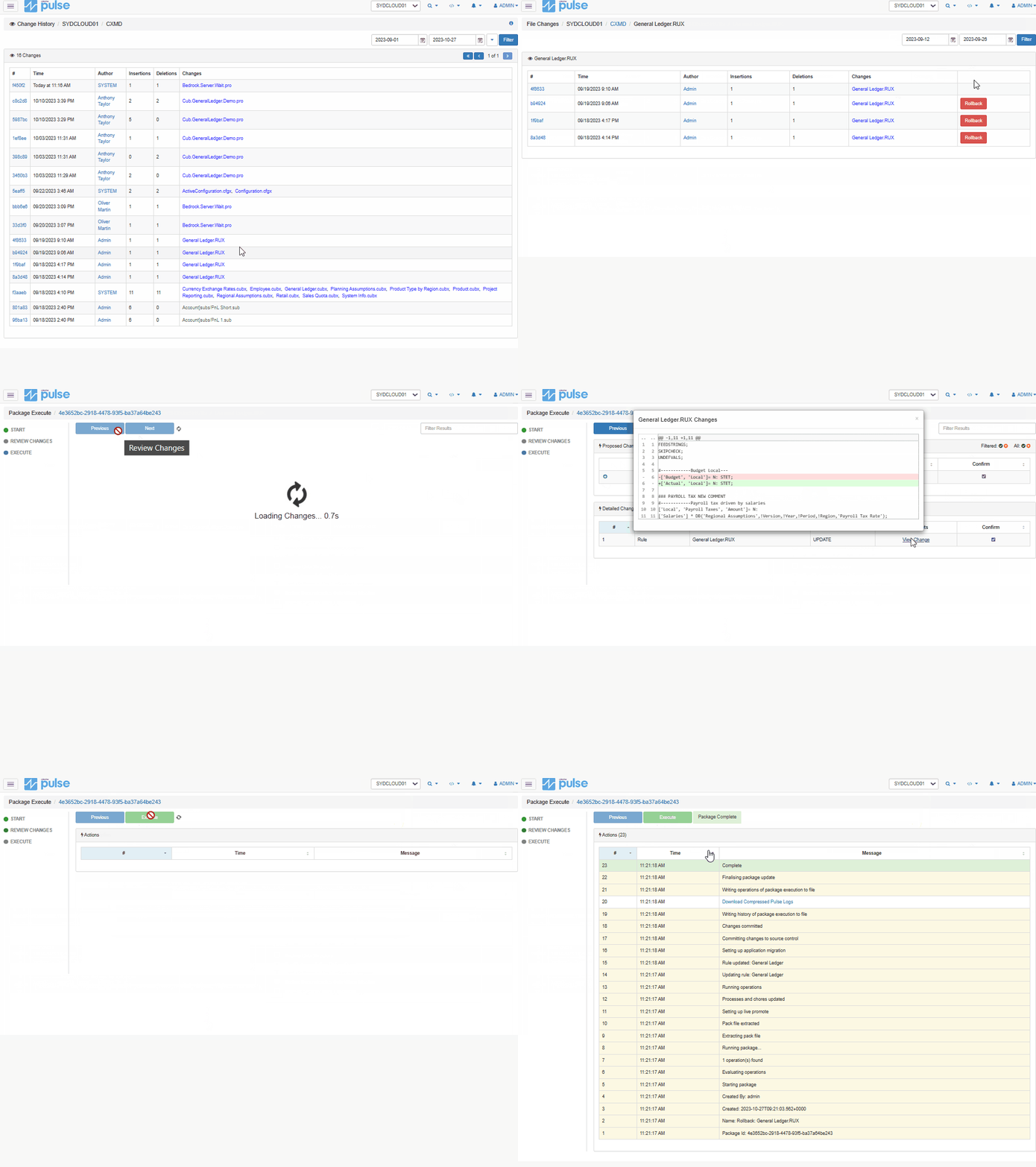
Rollback Changes
If a change was migrated by mistake, use the rollback feature to retrieve a previous version of any TM1 process or rule file instantly.
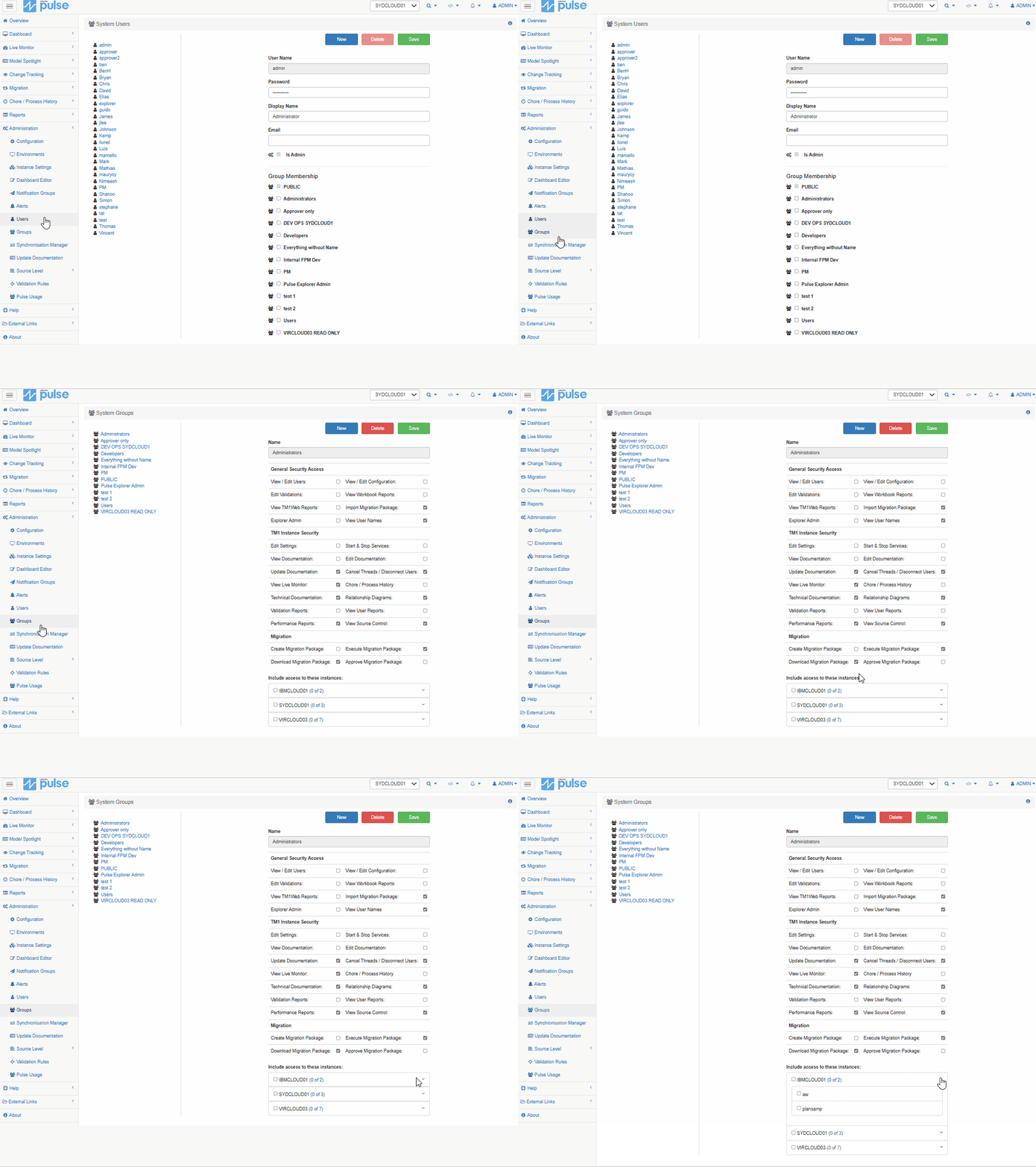
Separation of Duties
Pulse has fully configurable built-in security. Developers can only create packages while Administrators are in charge of executing migrations, ensuring proper control over your environment.
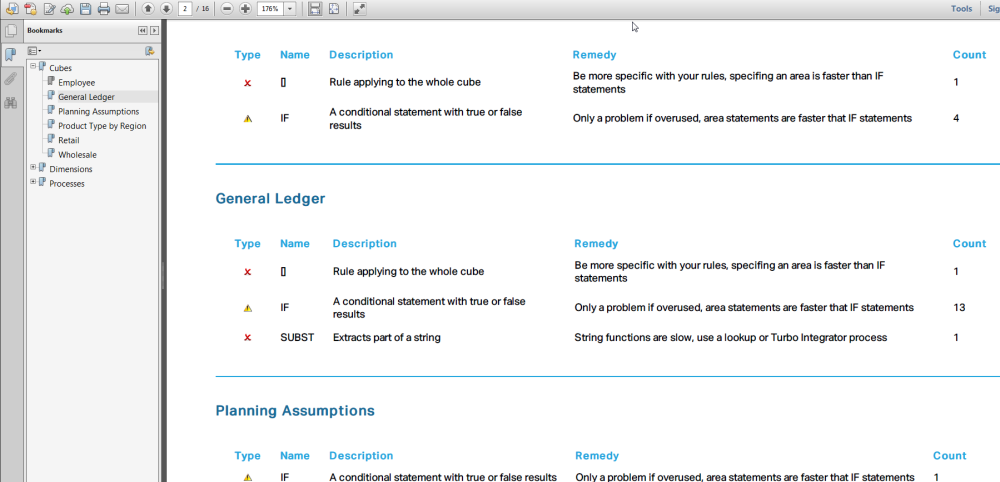
Best Practice Validation
Built-in rules help identify common pitfalls which may slow the system or make support difficult. Naming conventions are also validated before migration to keep your environment consistent.
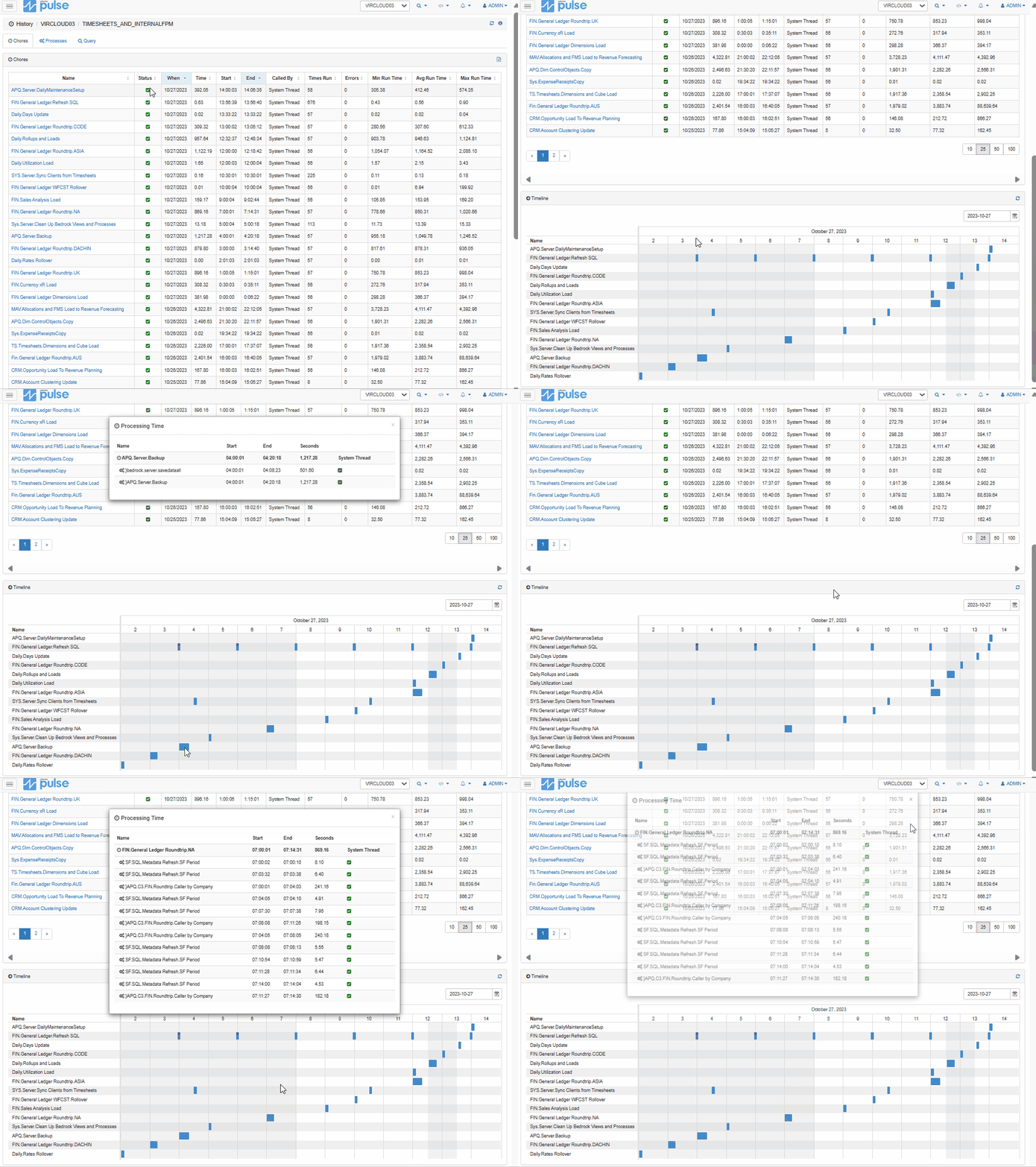
Migration History & Audit Trail
Pulse keeps the full history of all migrations, allowing you to quickly audit or rollback changes. Know exactly who migrated what and when.
See Pulse in action
Get a personalised demo of the features that matter most to your team.
Request a demo Read the Docs