Traditional TM1 features, reimagined for Excel
Slice supports all traditional TM1 features — Excel functions, action buttons, sandboxes, and more — while adding powerful new capabilities not available in Perspectives.
Community
Available for freeThe core features you get in TM1 Perspectives plus hierarchy support.
Business
Requires a licenseThe Community features plus product support and a growing list of innovatives features.
Community Available for free
Everything you know from Perspectives and PA for Excel, fully supported in Slice — available at no cost.
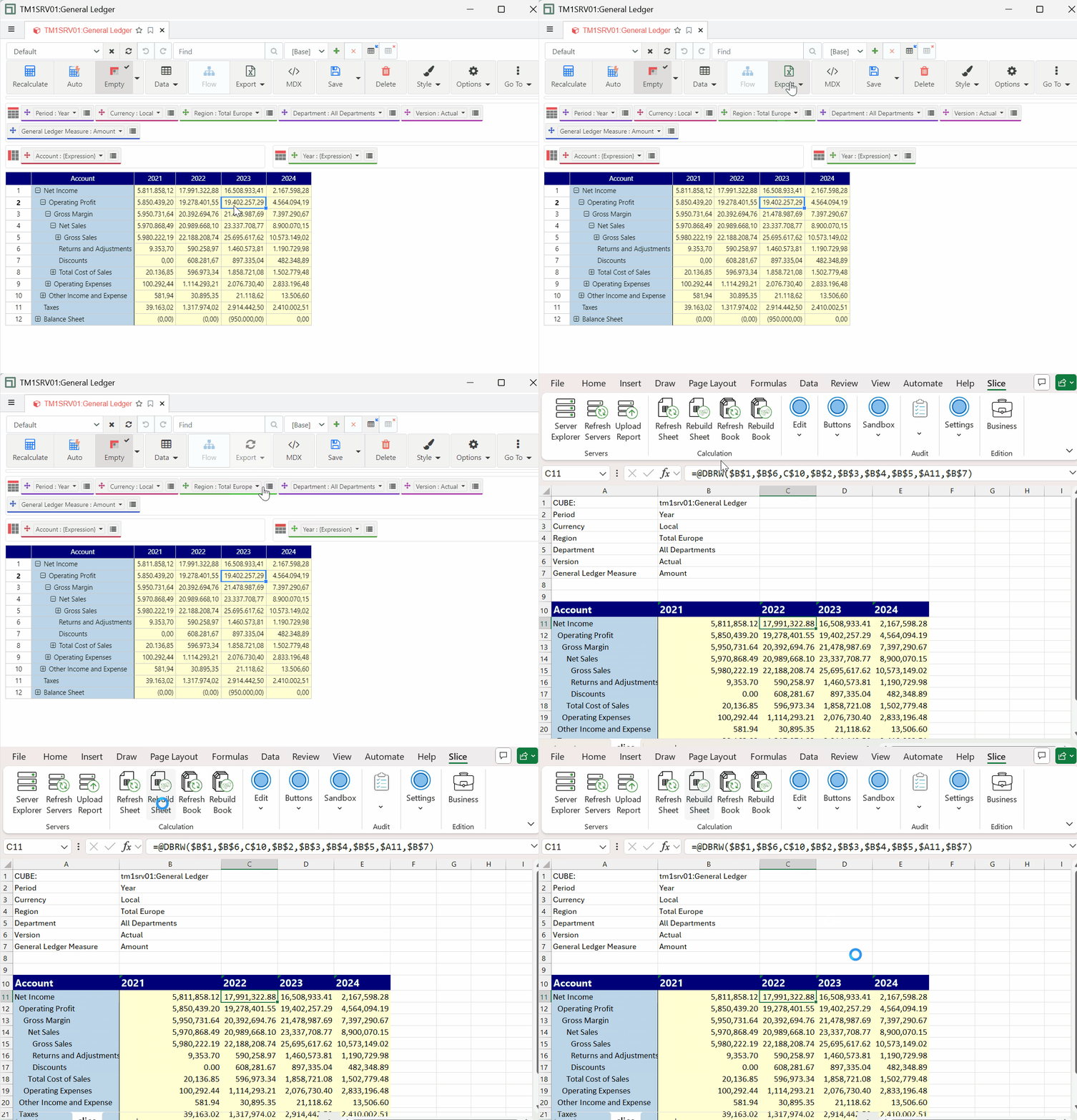
Familiar Look and Feel
The Excel ribbon includes all the traditional TM1 features you already know, plus innovative new ones. Designed to feel immediately familiar to anyone coming from Perspectives or PA for Excel.
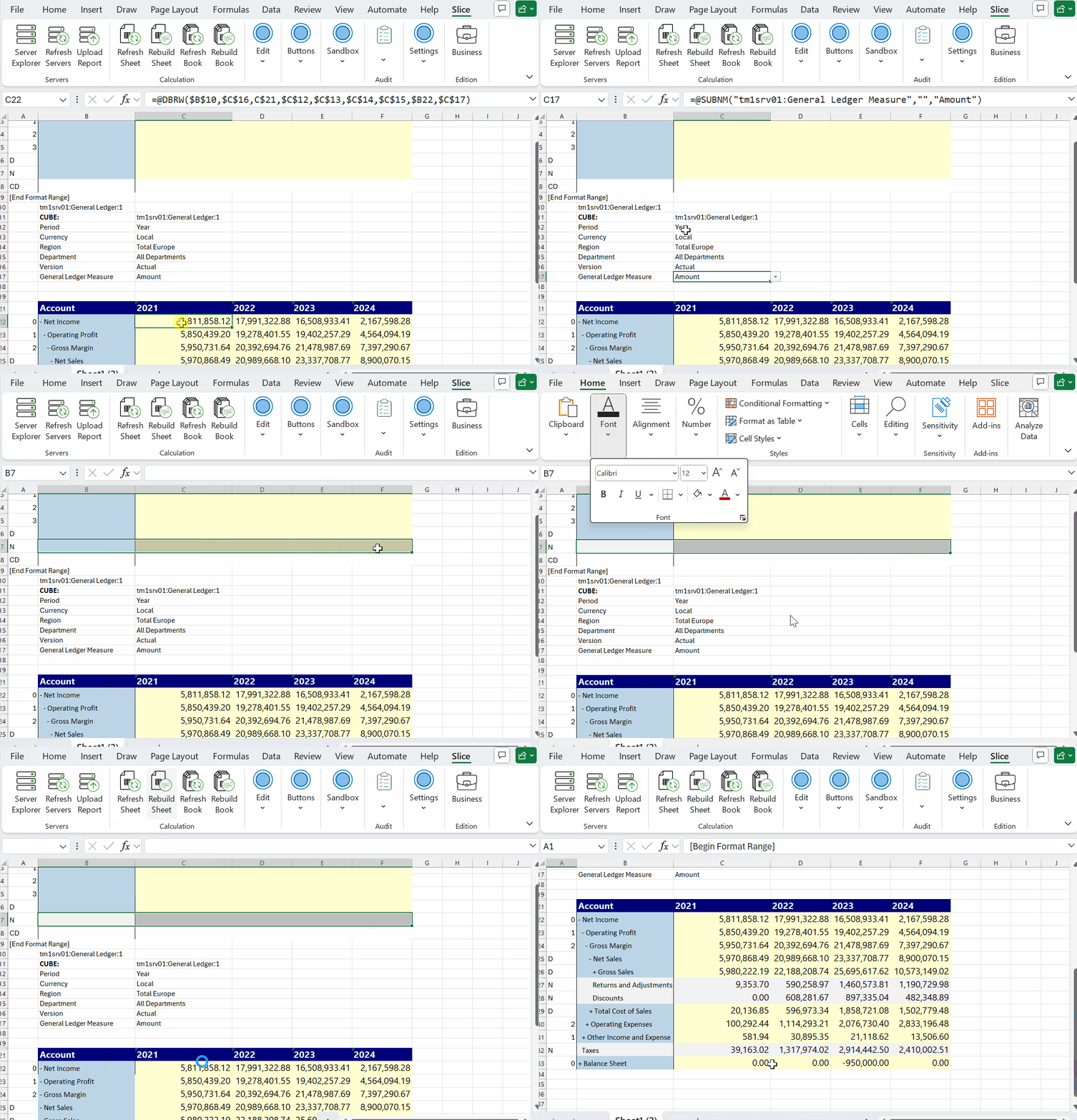
TM1 Functions in Excel
Fully backwards compatible with Perspectives and PA for Excel. All Excel TM1 functions are supported — DBRW, DBSW, SUBNM, and more — so your existing reports work without changes.
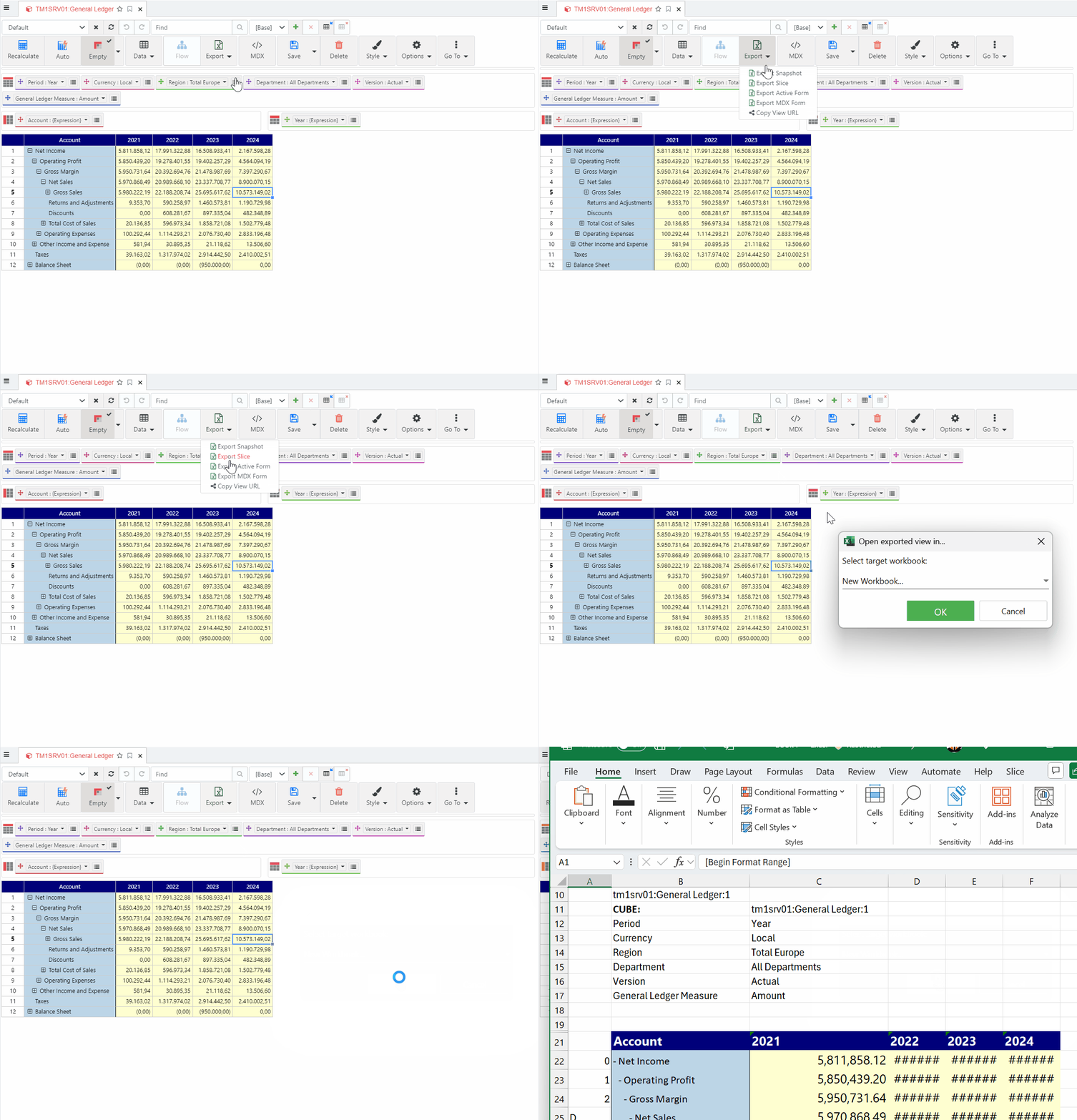
Snapshot, Slice and Active Forms
Three ways to create reports from Slice: Slice, Snapshot, and Active Forms — the same options you know from Perspectives.
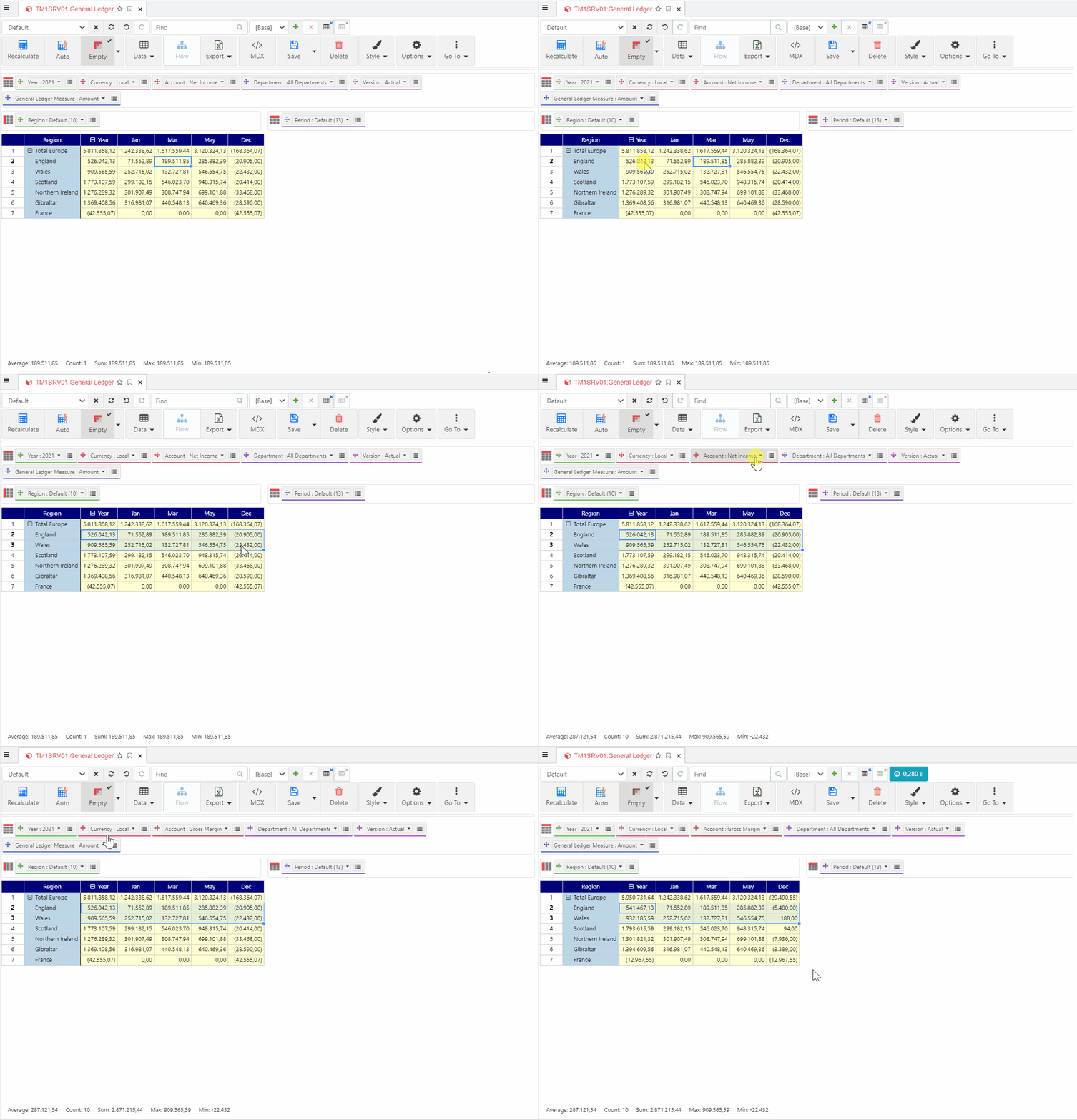
Cube Viewer
Full support for hierarchies, MDX and native views, public and private views, search, snapshot/slice/active forms, and more. Powered by Arc for TM1.
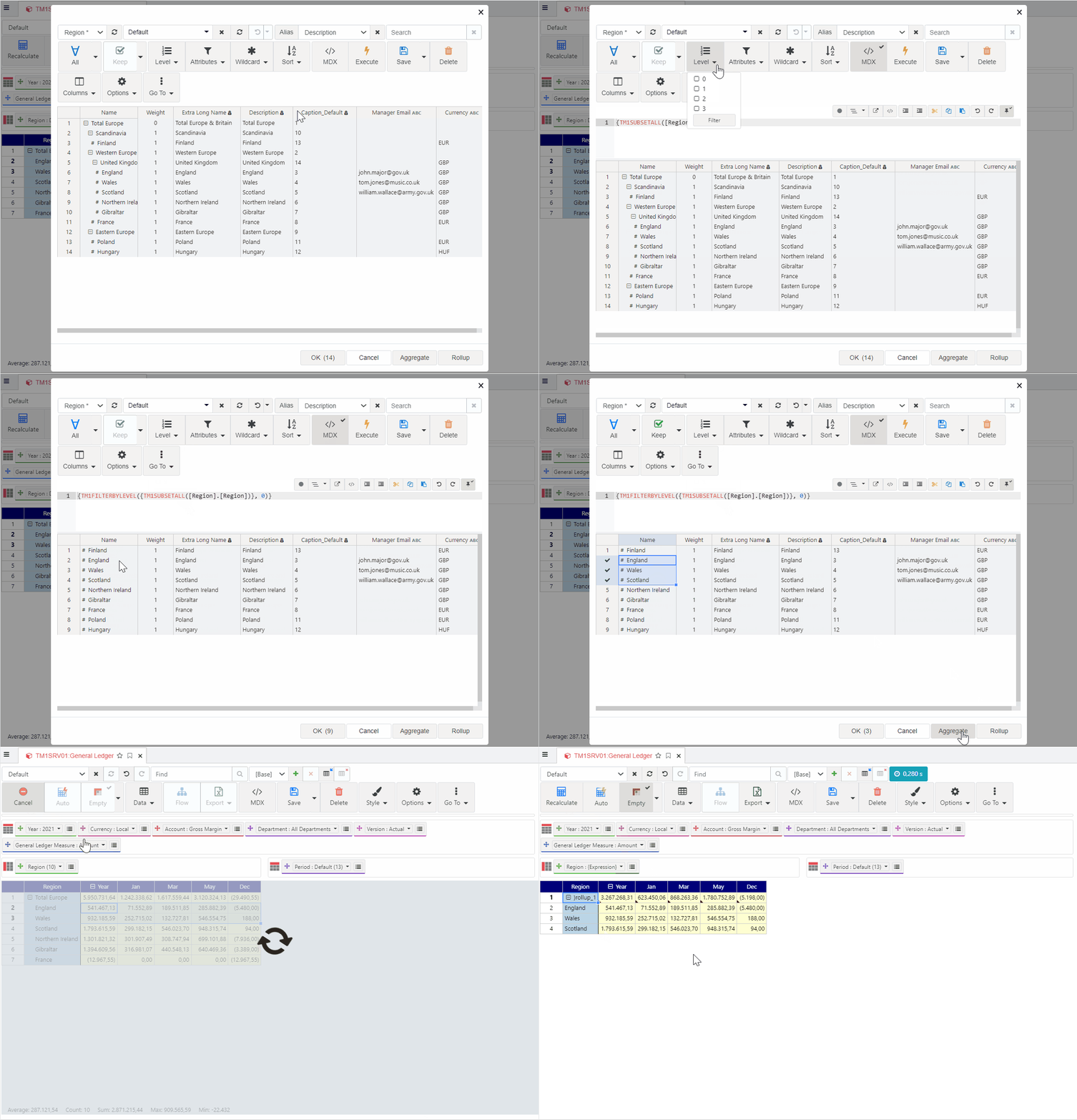
Subset Editor
All Architect features plus a search box to quickly find elements and a new way to visualise and edit MDX queries. Powered by Arc for TM1.
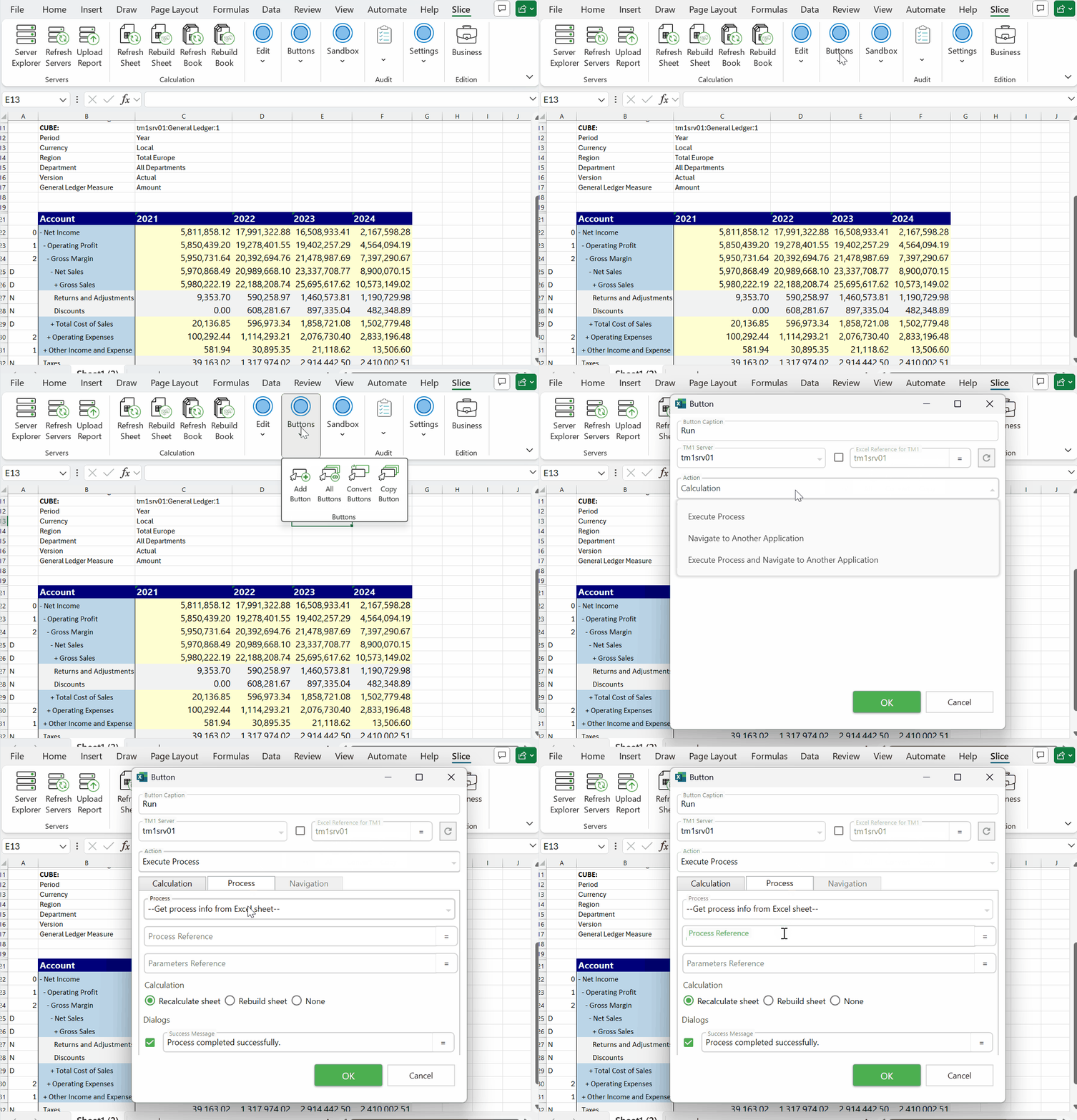
Buttons
Similar to Action Buttons in PA for Excel — trigger TM1 processes directly from your Excel reports without any scripting or developer involvement.
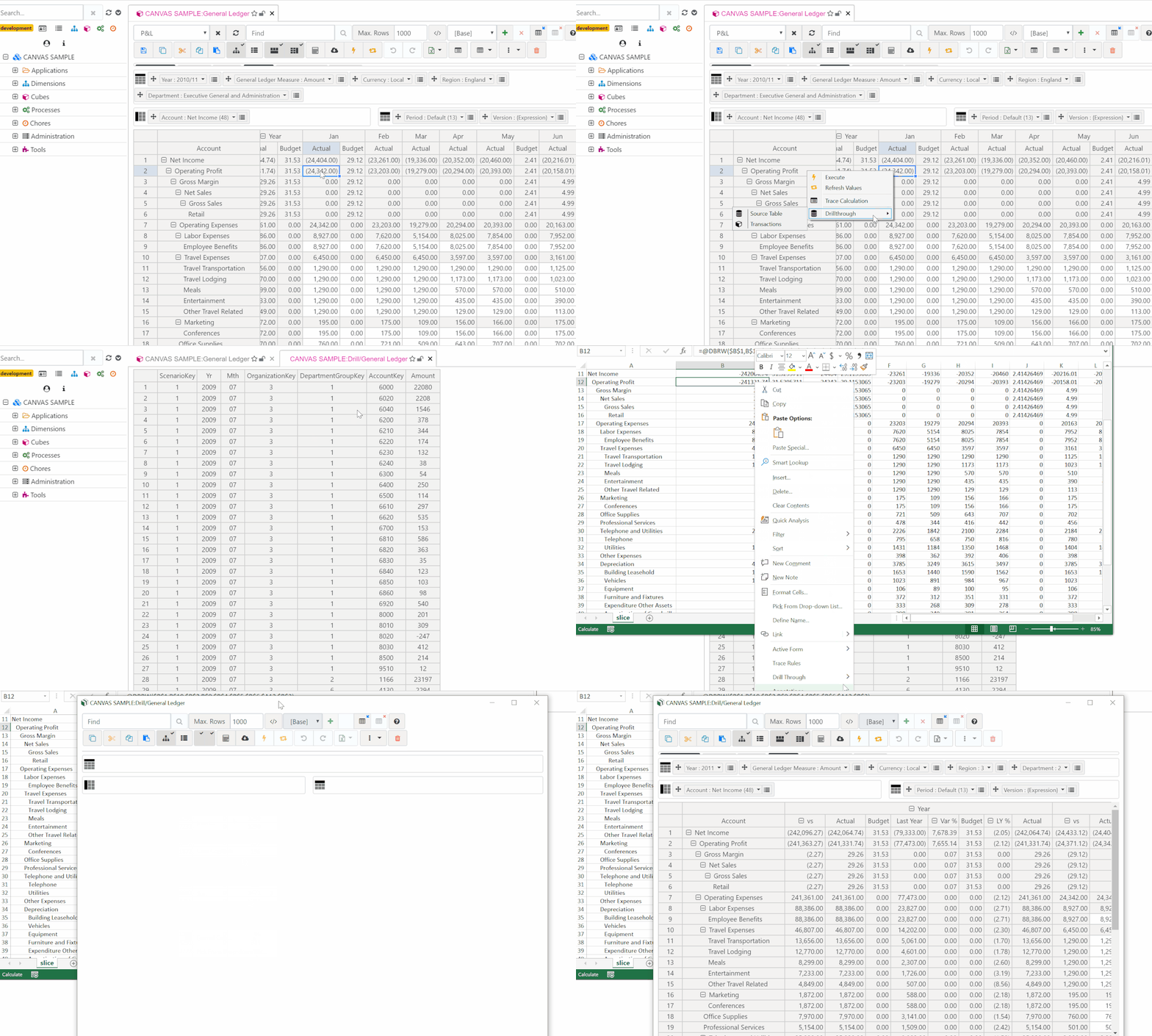
Drill Through
Drill through to a cube view or an external data source from any cell in a cube view, Slice, or Active Form. Explore underlying data without leaving your report.
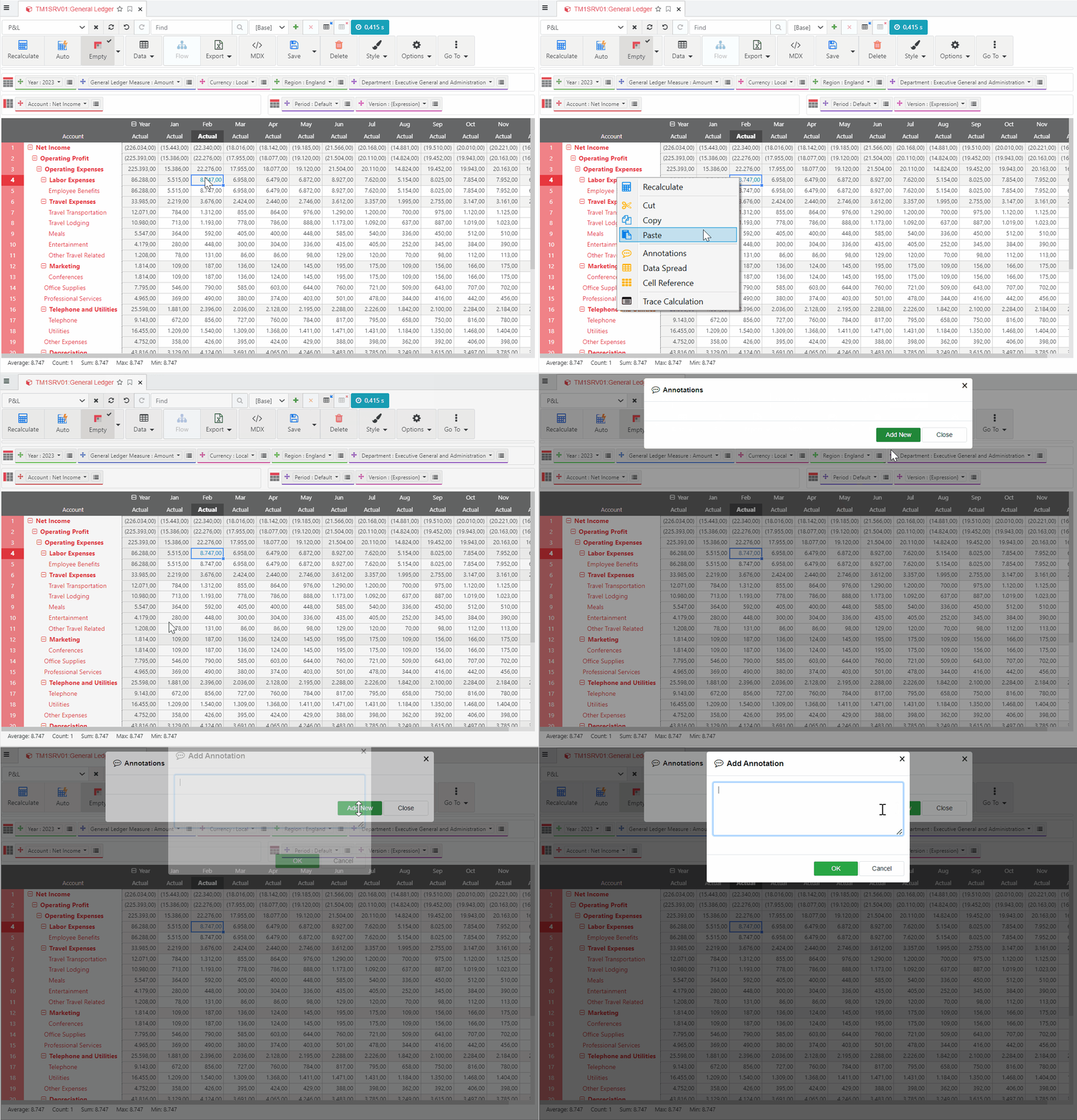
Annotations
Add comments to any cell in a Slice or Active Form via the right-click Annotations window. Attach context and notes directly to your data.
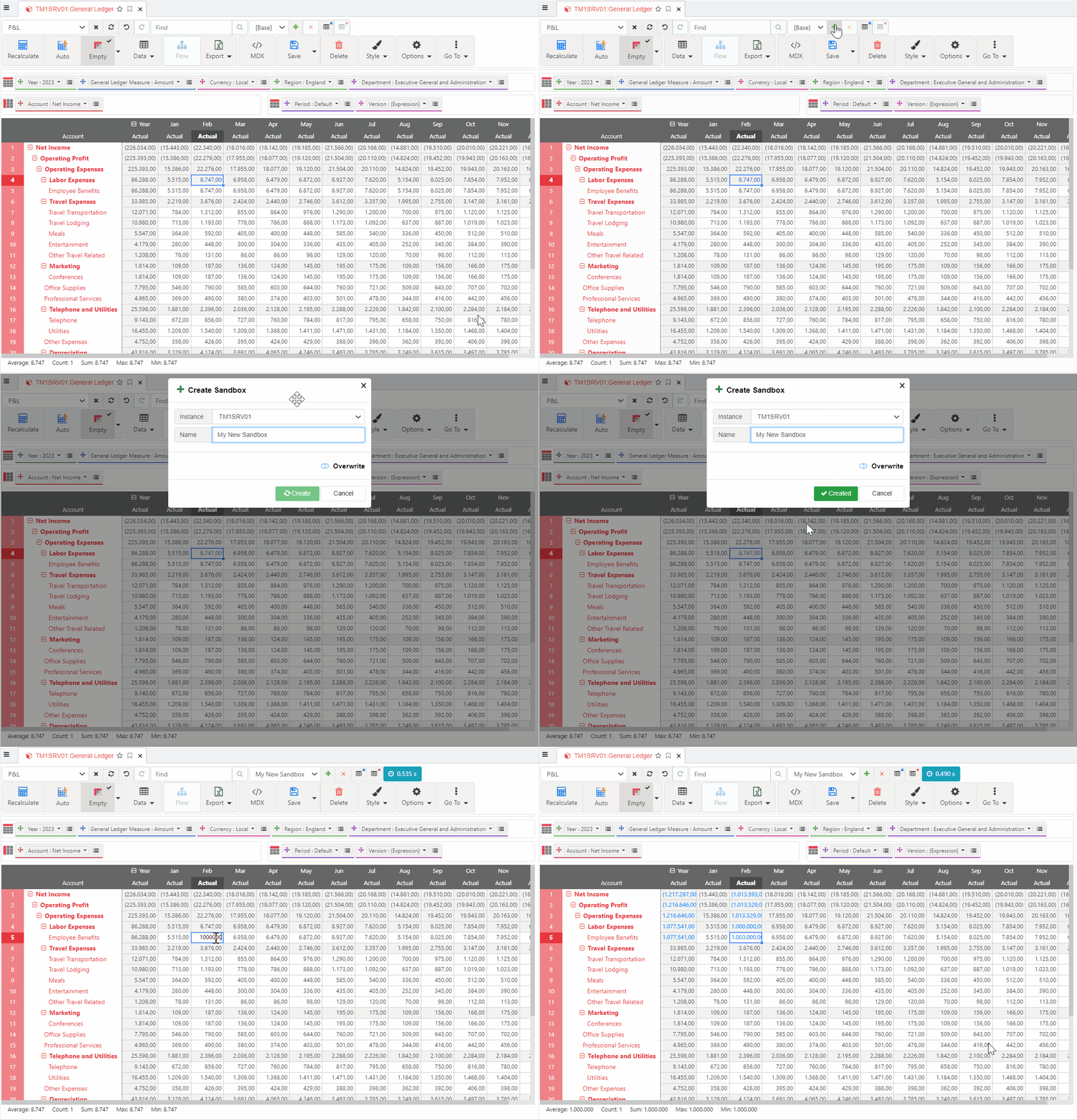
Sandboxes
Create, merge, and reset sandboxes directly from the Excel ribbon. Work with what-if scenarios without affecting live data.
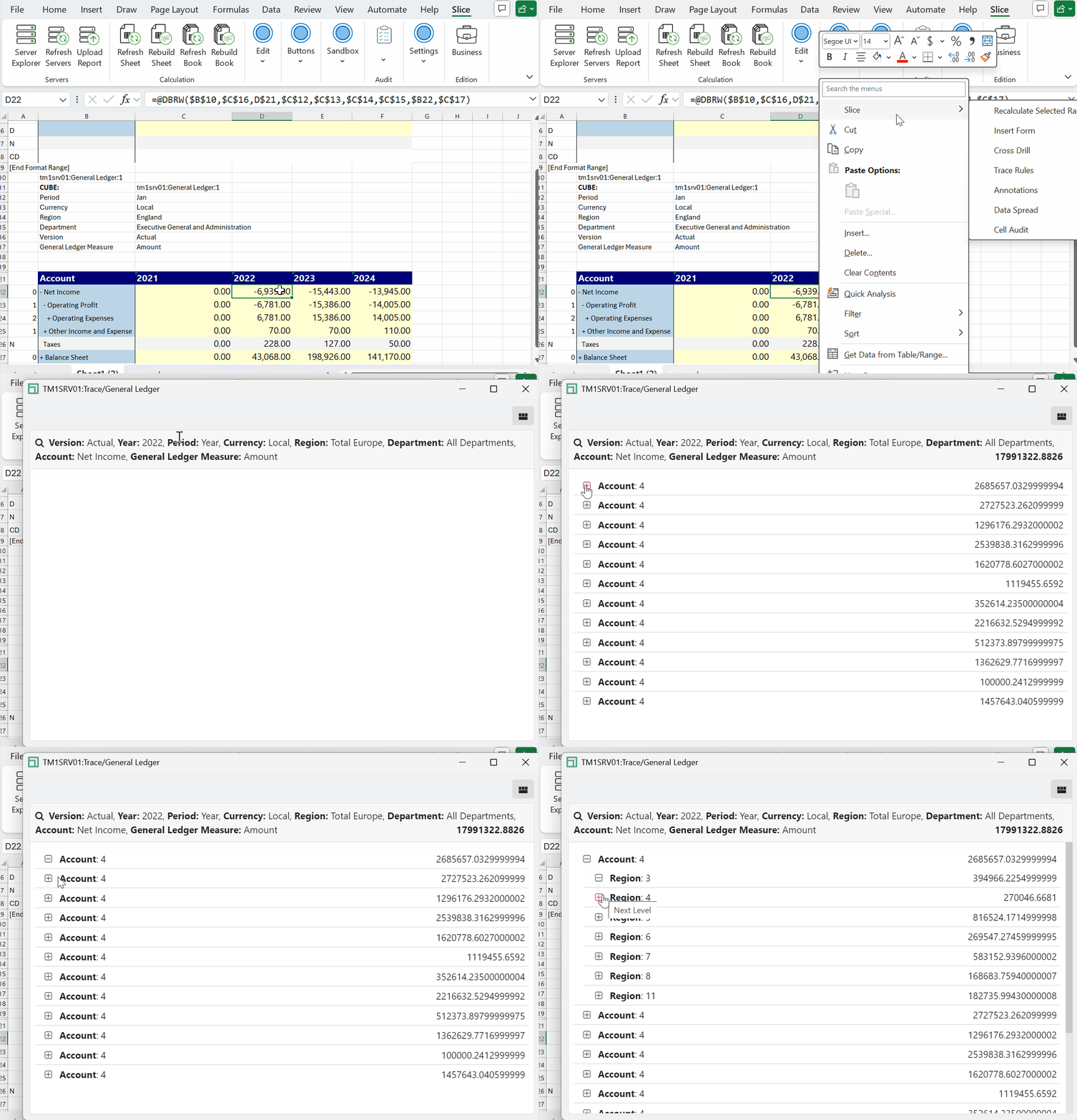
Trace Rules
Understand exactly how a cell value is calculated based on TM1 cube rules. Trace Rules makes it easy to debug unexpected values directly in Excel.
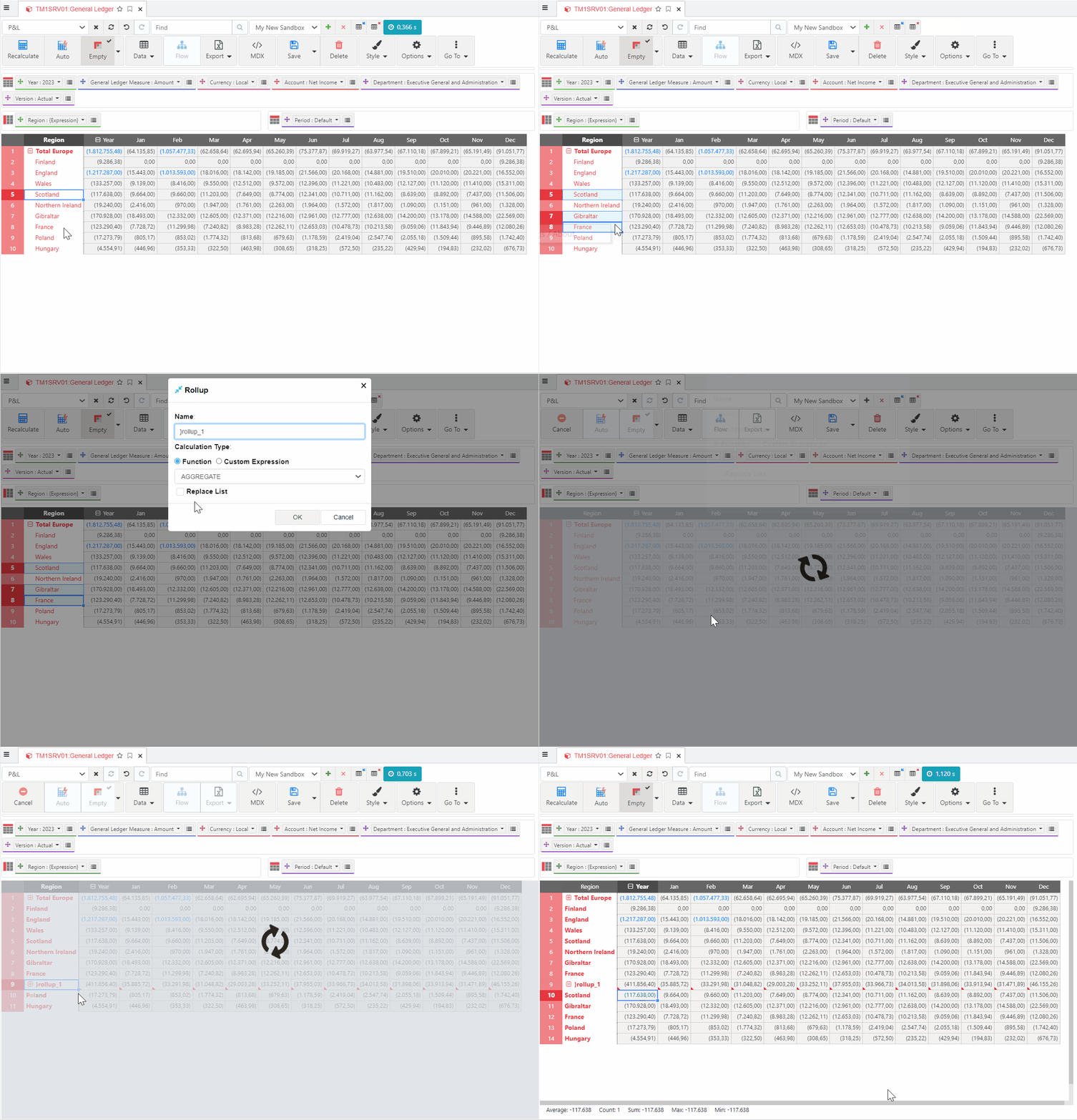
Rollup (UDC)
User Defined Consolidations are supported in the Arc cube viewer. Create consolidations calculated on the fly from the subset editor or directly from the cube view via the right-click menu.
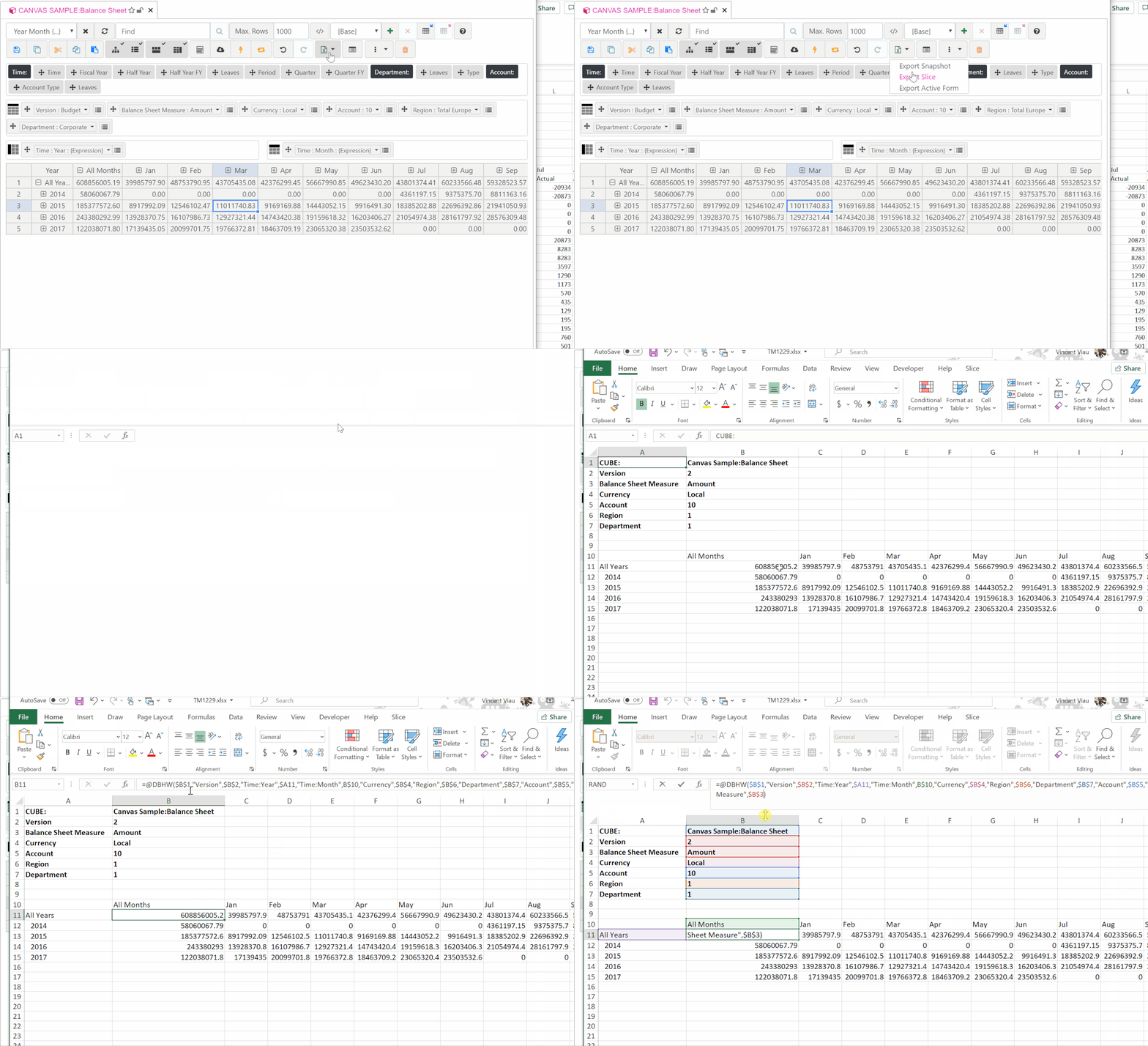
Hierarchies
The DBHW function works like DBRW but supports hierarchies. Build Active Forms with full hierarchy support — something not possible in Perspectives.
Business Requires a license
Premium capabilities built for modern TM1 reporting — included in the Slice Business Edition.
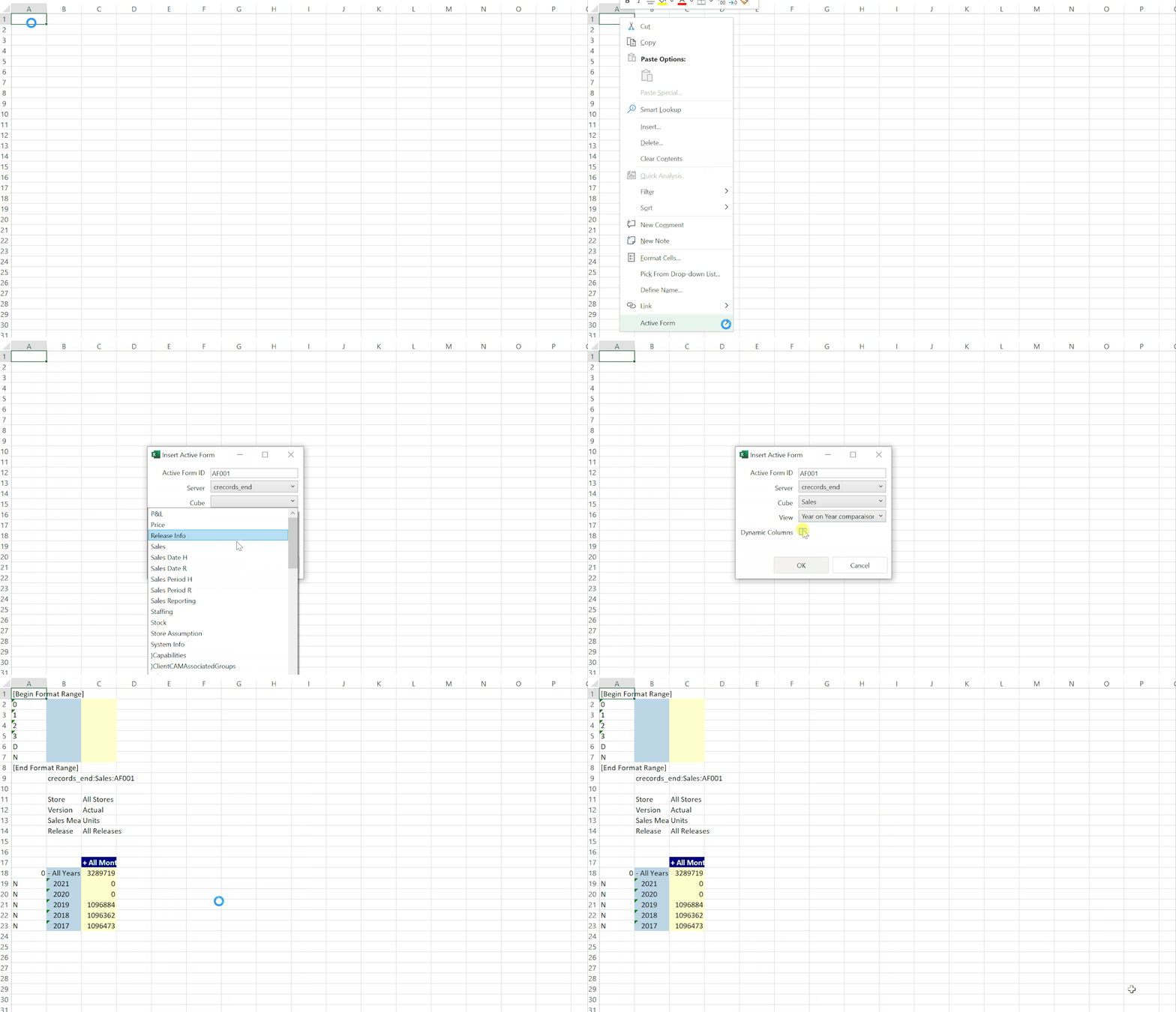
Dynamic Columns
Slice Active Forms support dynamic columns. Insert an Active Form with dynamic columns and expand or collapse consolidations on columns — just like rows.
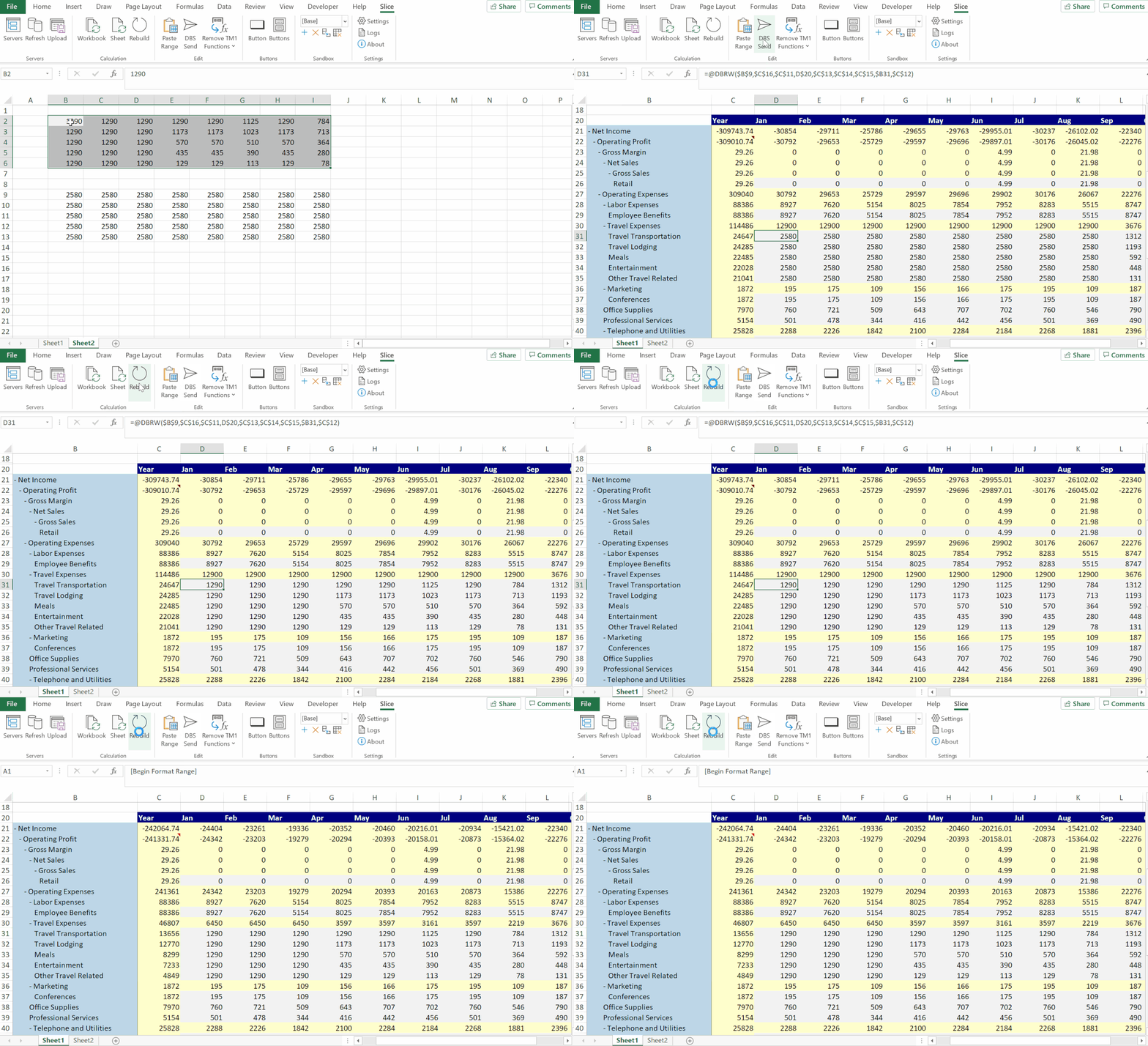
Paste Range
Copy values from a range of cells and paste them into cells with DBRW functions without removing the functions. Bulk data entry made simple.
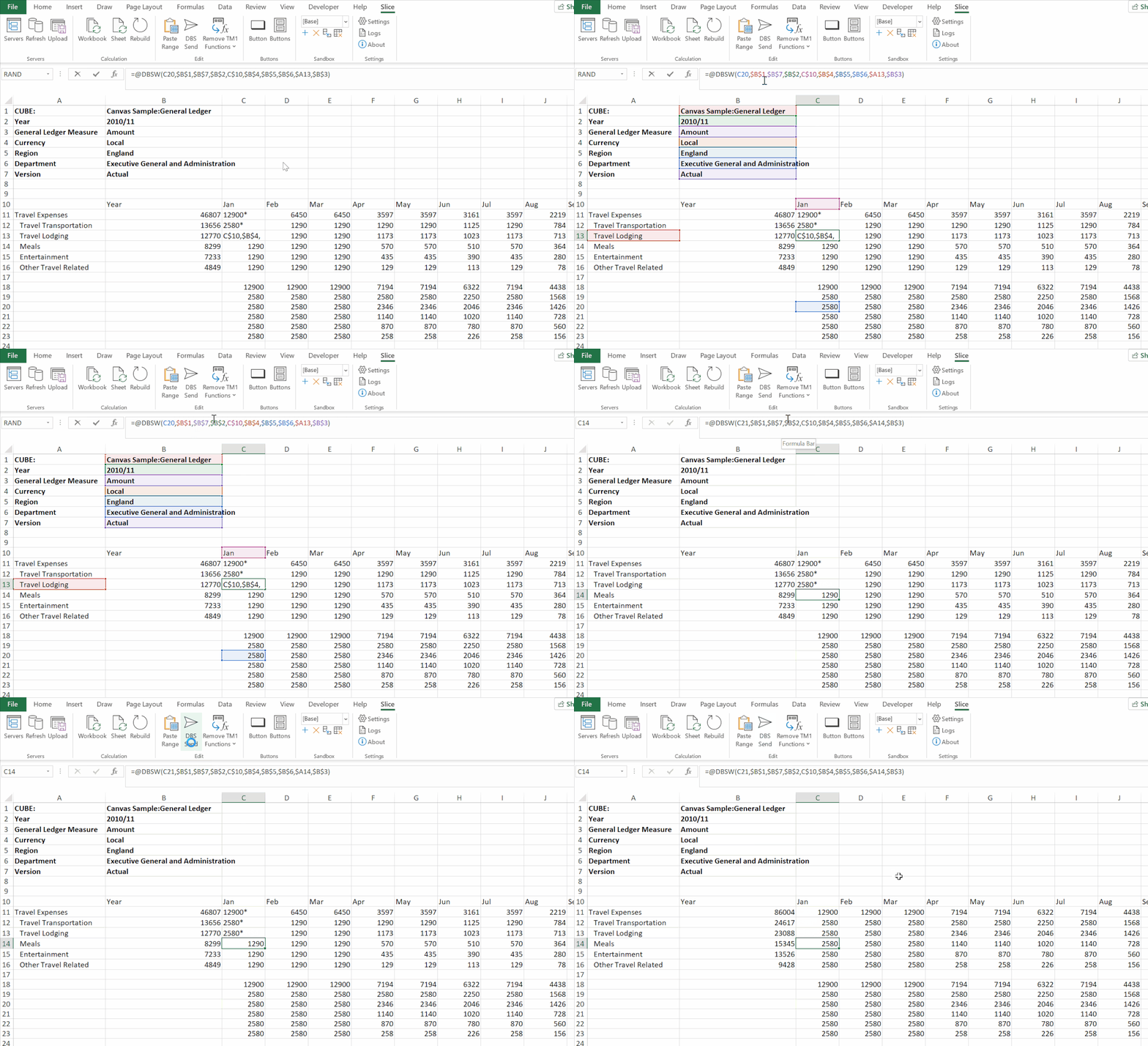
DBS Send
Trigger DBS functions only when required. Values that haven't been sent yet are displayed with an asterisk (*) so you always know what's pending.
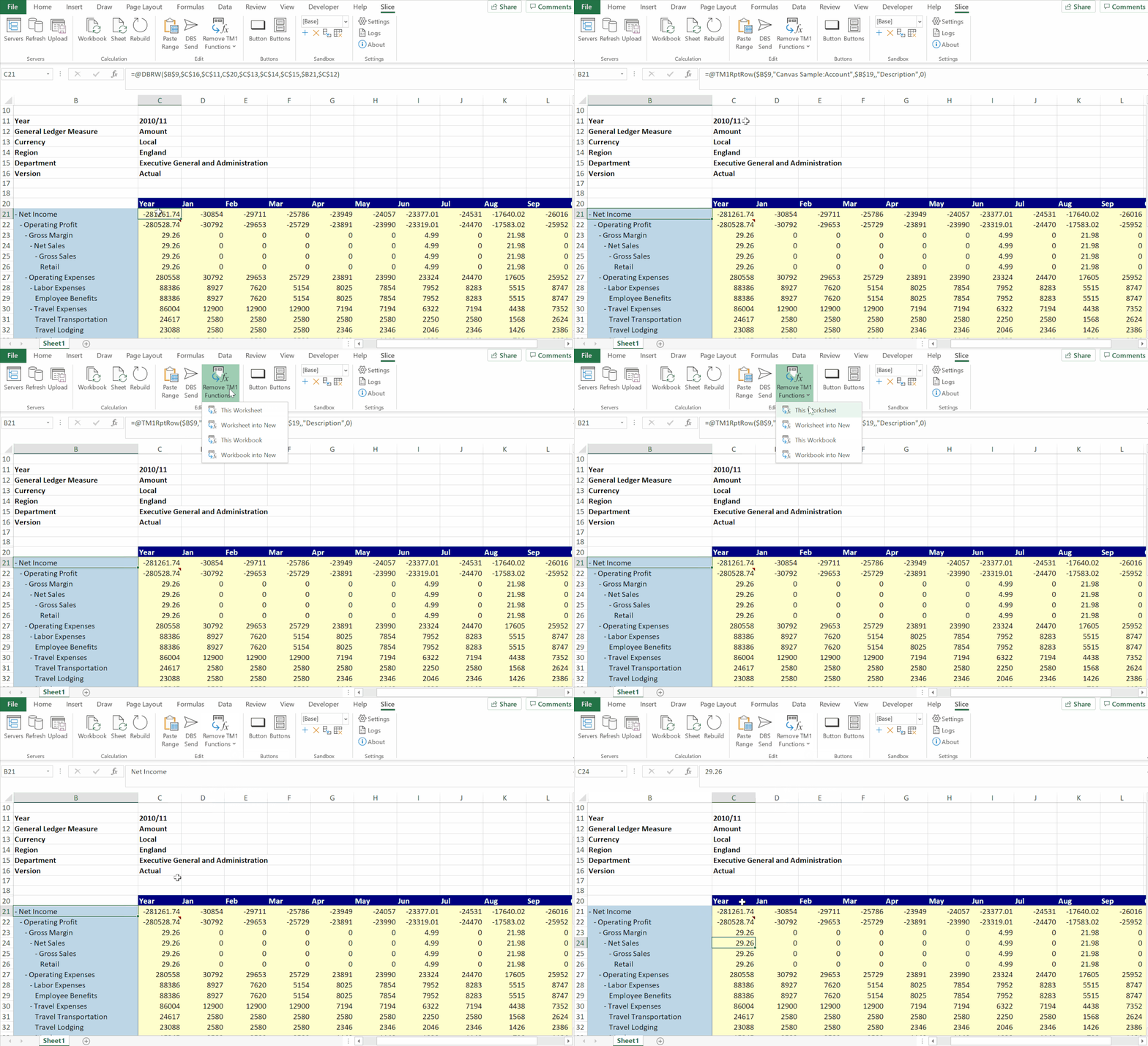
Remove TM1 Functions
Share reports with colleagues without TM1 access. Press Remove TM1 Functions and Slice replaces all formulas with static values — for the current worksheet or the whole workbook.
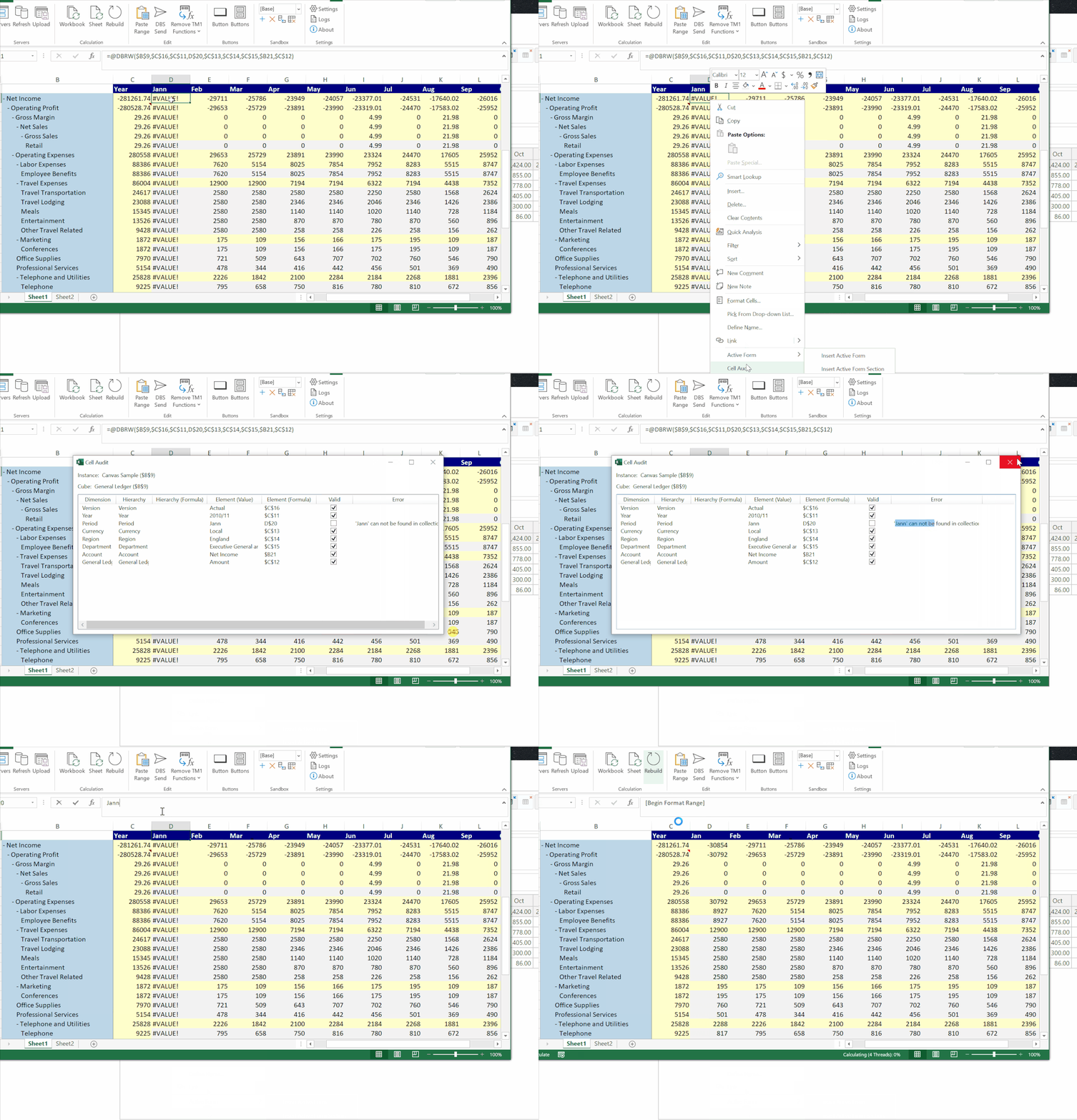
Cell Audit
The Cell Audit button helps you troubleshoot errors by showing exactly what's happening with a cell's value — great for diagnosing unexpected results in complex reports.
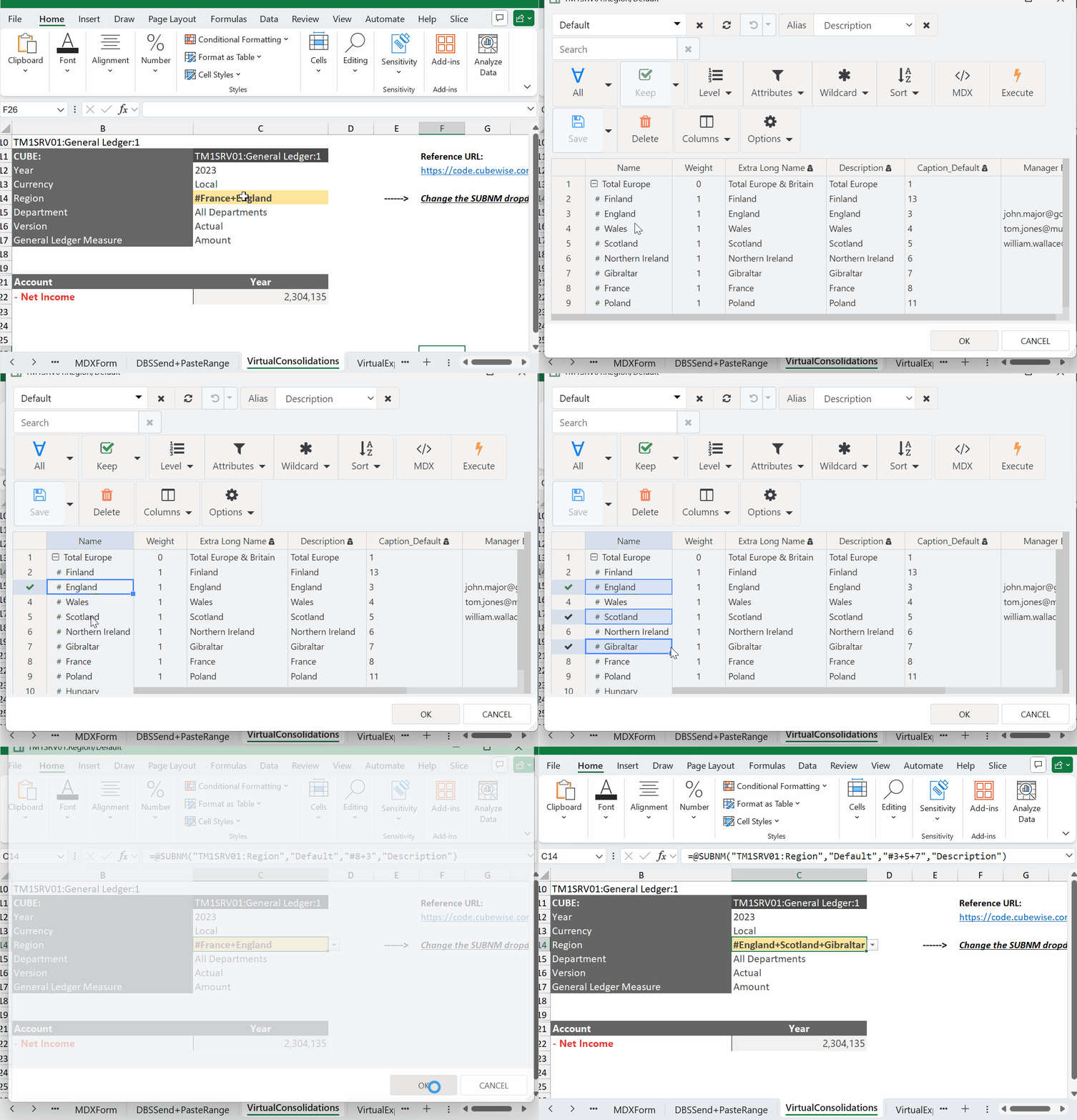
Virtual Consolidation
Add additional calculations to a worksheet by selecting multiple elements or entering an MDX set expression — without modifying the TM1 model.
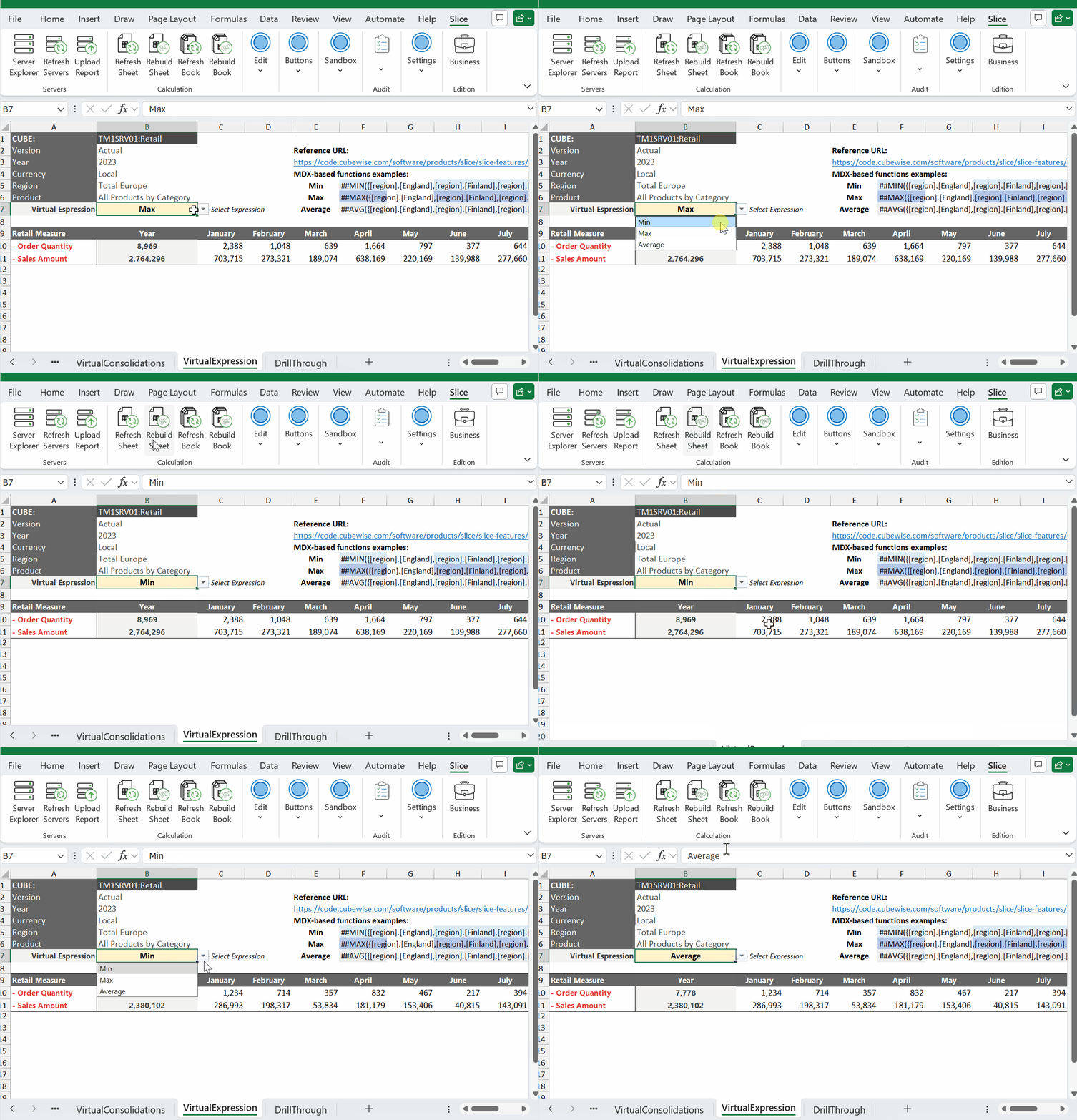
Virtual Expression
Add on-the-fly MDX-based calculations — AVG, MIN, MAX, STDDEV, and more — to an Excel worksheet without touching the TM1 model.
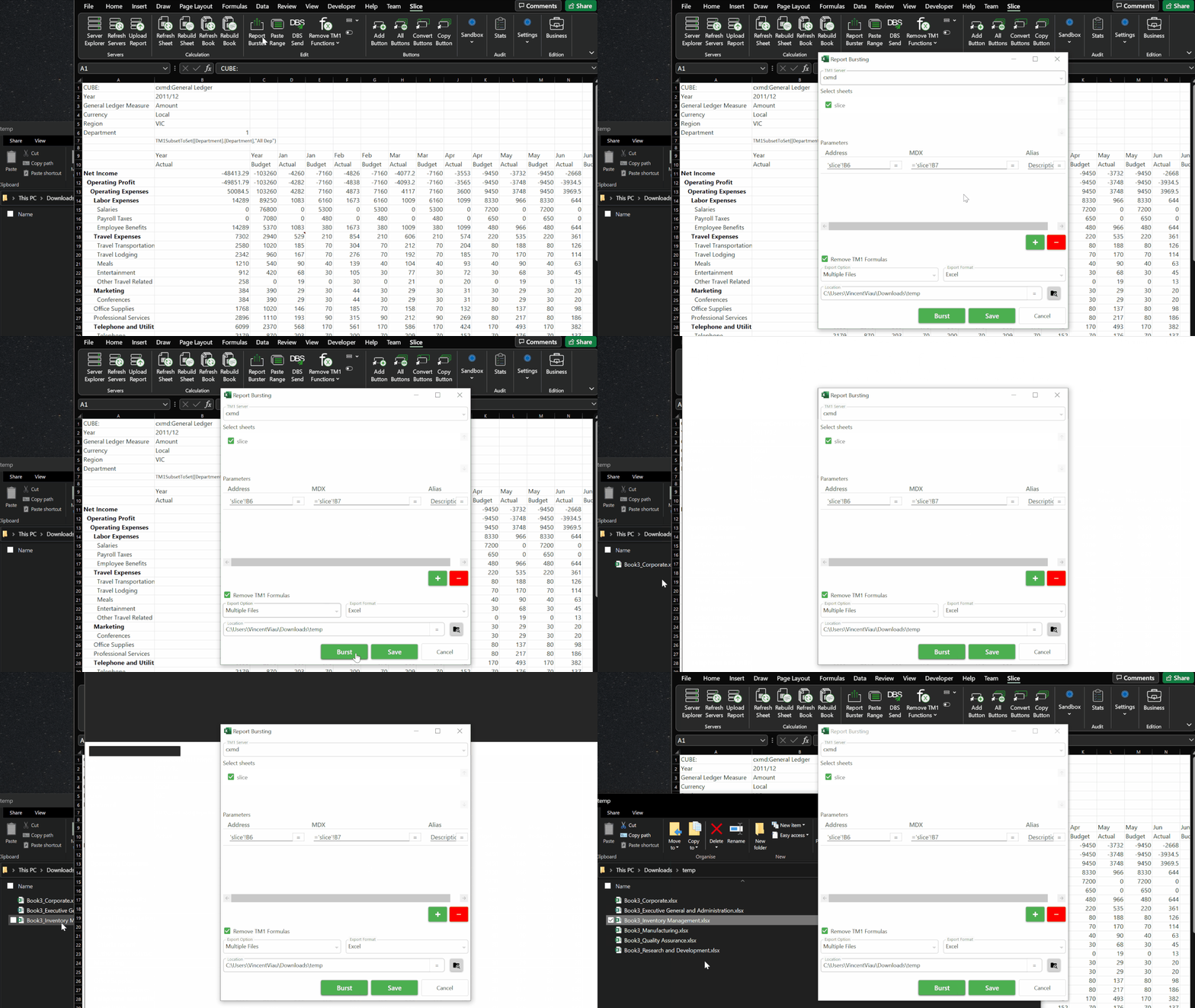
Report Burster
Burst Slices or Active Forms into a single or multiple files driven by a subset or MDX query. Automate the distribution of personalised reports across a large group of users.
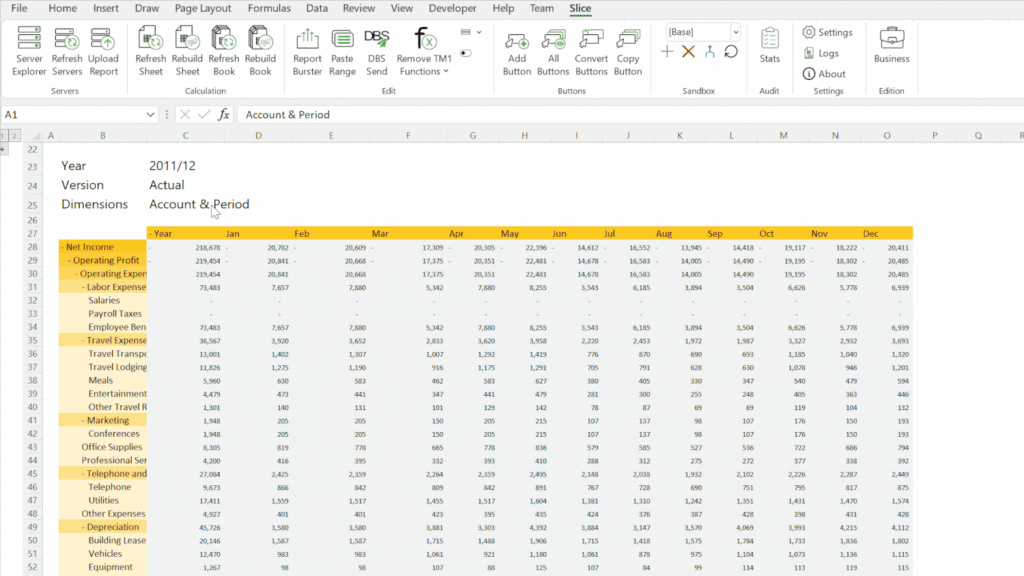
MDX Forms
A new report type driven by a single MDX query. MDX Forms give advanced users precise control over what data is retrieved and how it is presented in Excel.
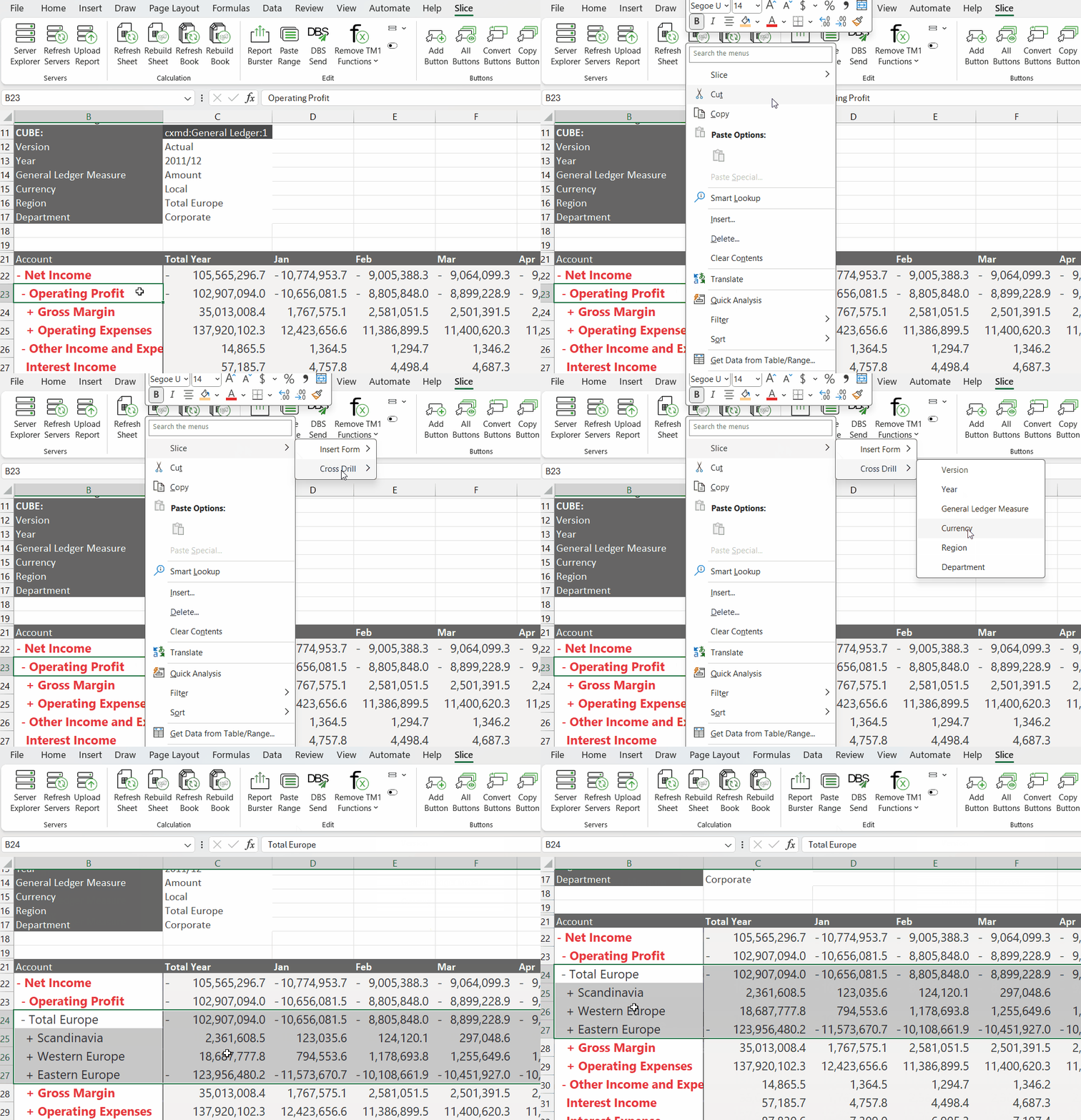
Cross Drill in Active Forms
Drill to another dimension on rows — for example, from Account to Region — for deeper analysis beyond simple expand/collapse.
See Slice in action
Modern TM1 reporting for Excel users — no migration, no retraining.
Request a demo Slice Overview