Arc for Developers
All analytics features plus the developer capabilities that IBM Planning Analytics teams have always needed.
Developer Features
A professional-grade environment for TM1 developers — from code editing to administration and productivity features.
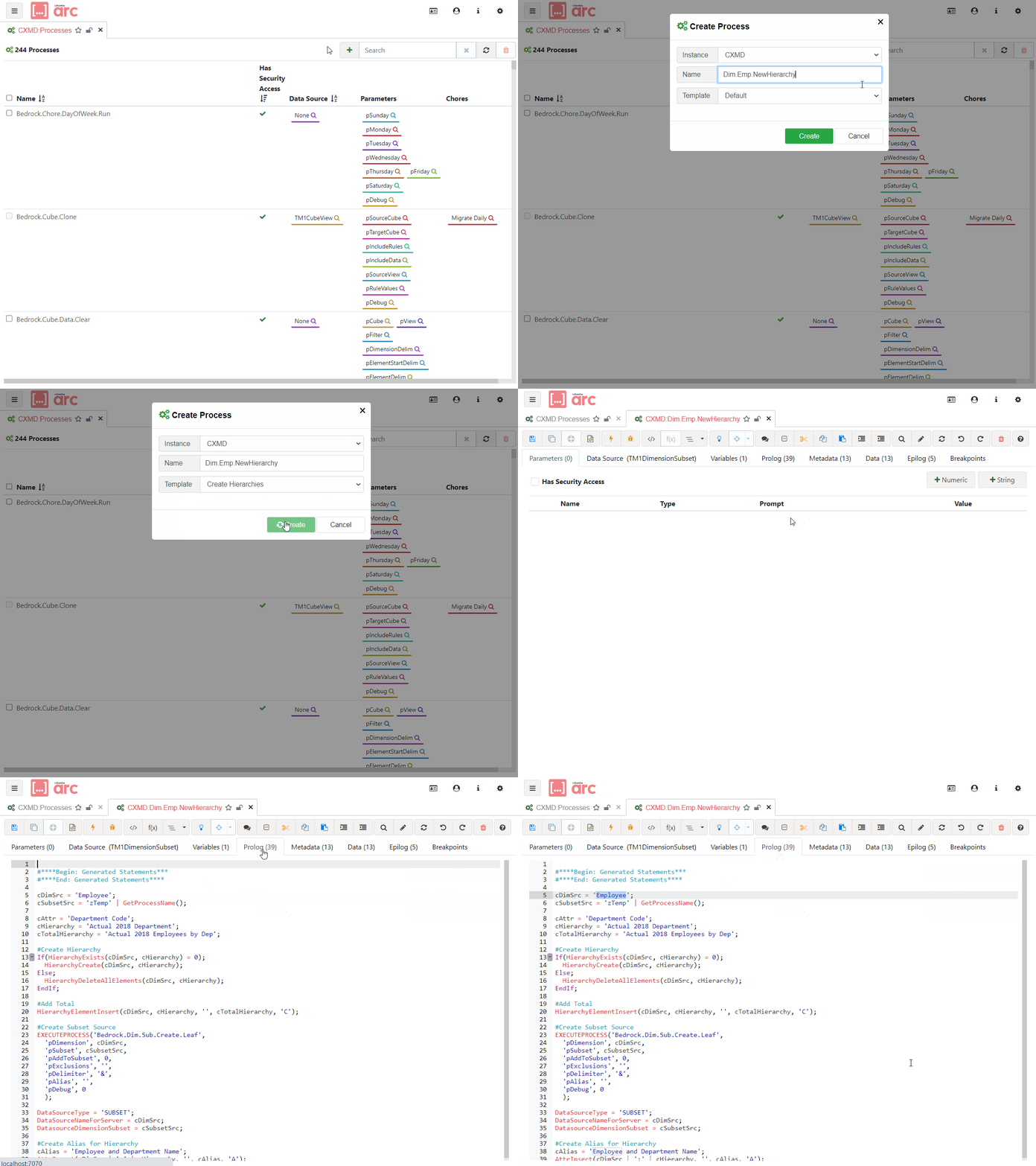
Modern Development Interface
State-of-the-art coding environment with code completion, snippets, syntactical formatting and more — everything you'd expect from a professional IDE.
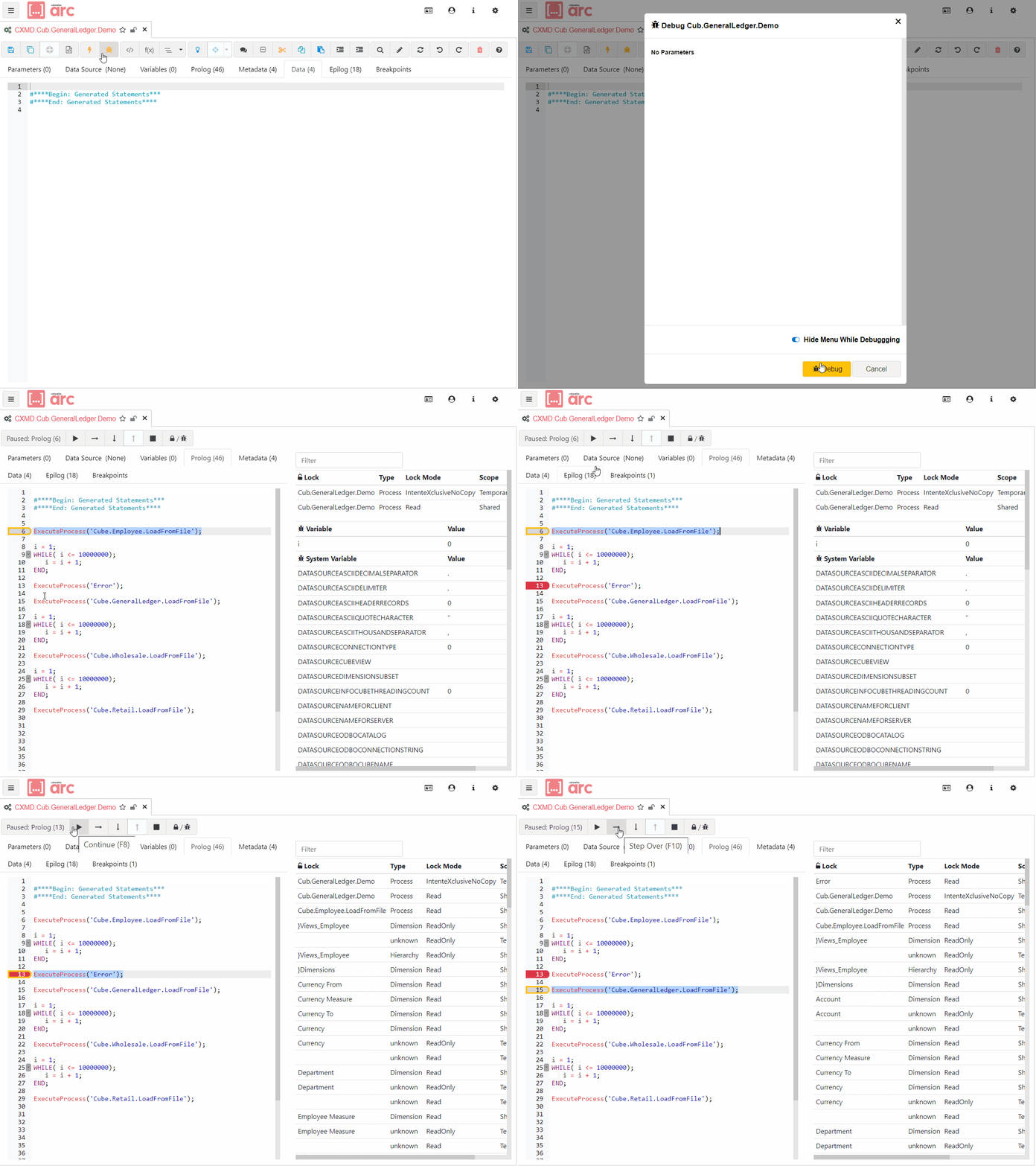
Process Debugger
Step through your TurboIntegrator code line by line as it executes on the TM1 server. See the current value of each variable in real time, pause at any line and add conditions.
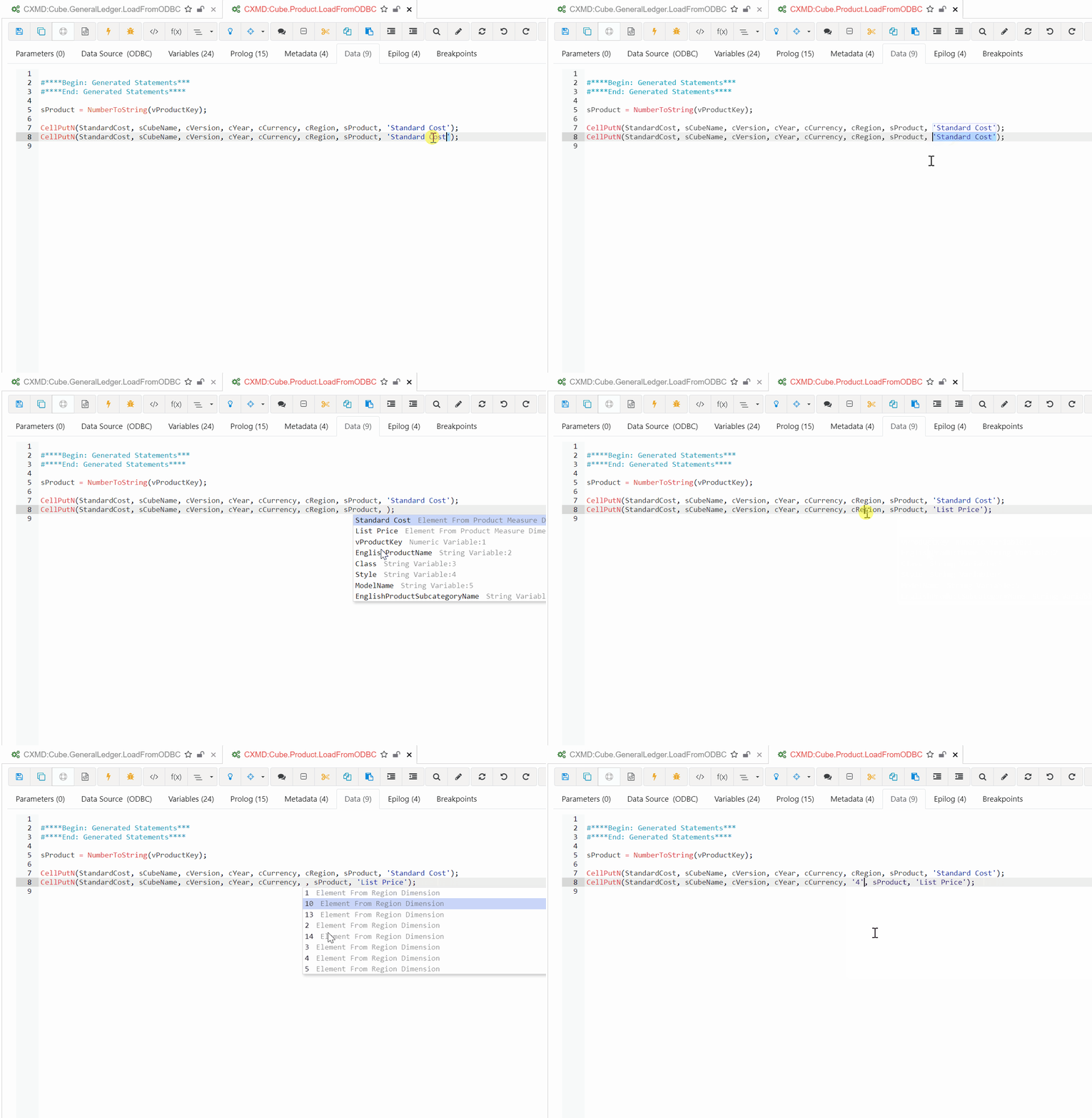
Rules Editor
A modern rules editor with formula picker, syntax highlighting, snippets and dynamic auto-complete. Hit Ctrl+Space to access functions relevant to your current context.
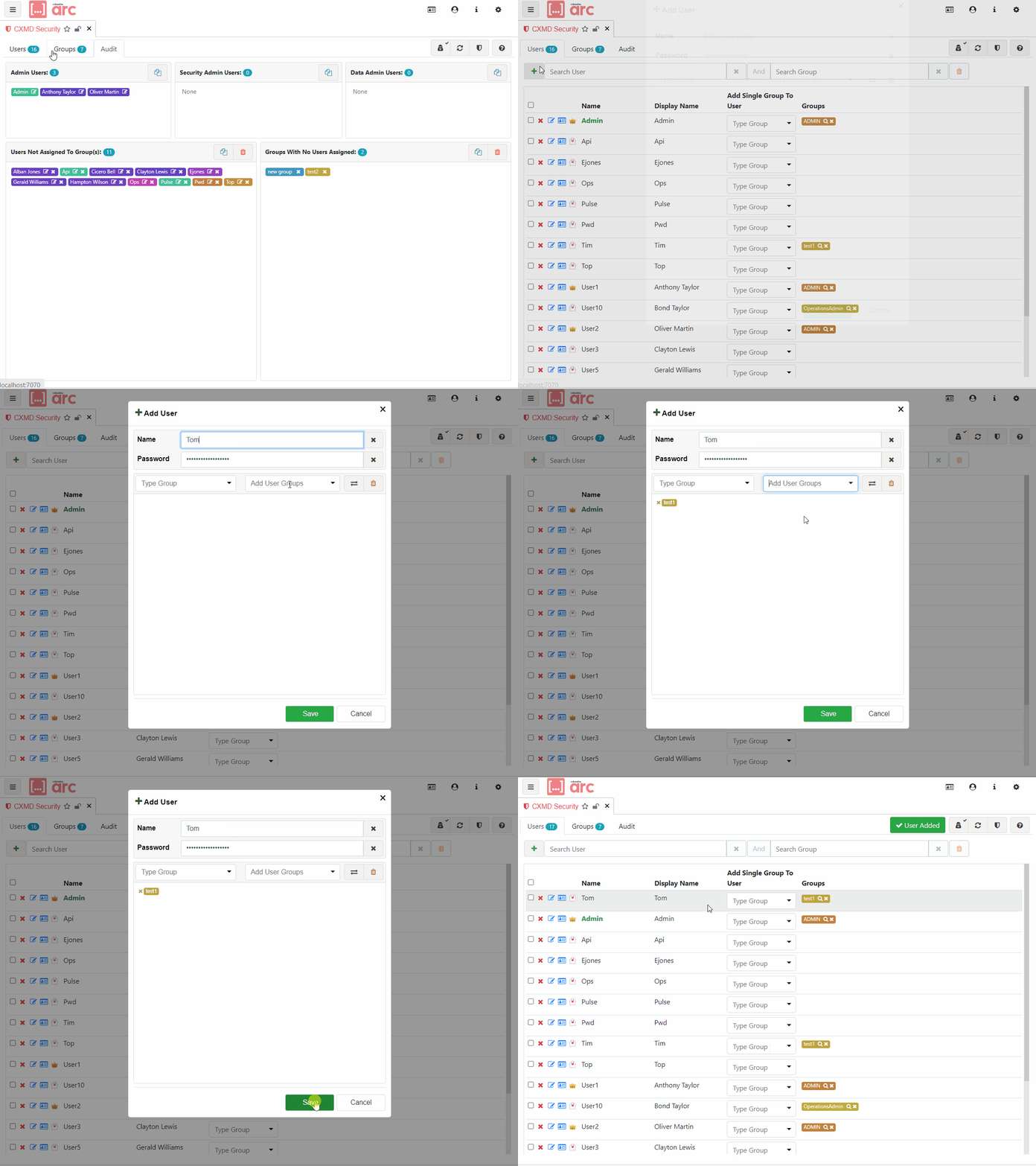
Security Editor
Search for users and groups, create new entries, or clone an existing security group to create a new group with the same permissions — all from one screen.
Server Parameters Management
View and update all TM1 server parameters. Arc displays each parameter's description and provides detailed usage and configuration advice.
MDX Studio
Test MDX queries and view the results instantly. Includes MDX snippets and a code formatter to keep your queries clean and readable.
REST API Studio
Explore and understand the TM1 REST API directly from Arc — ideal for learning the API or debugging integrations.
Plugins & Extensions
Extend Arc with custom functionality. Start from one of the many free sample extensions available on GitHub.
Python Integration
Execute Python scripts from within Arc, with Arc handling TM1 credentials automatically. Display script output directly in an Arc plugin.
Build better TM1 applications with Arc
Join thousands of TM1 developers who use Arc every day.
Request a trial Read the Docs