Arc
Boost your TM1 developments without compromising on quality
The TM1 IDE built for speed, best practice, and team collaboration.
Community
Available for freeAll analytics features are available to your TM1 users for free.
- Cube Viewer
- Subset Editor
- Excel Add-in
- History & Favourites
- Desktop Application
- Multi-window
- Sessions
- Summary Views
- Rollup (UDC)
- Search
- To Do List
- Views and Subsets
Professional
Requires a licenseAnalytics plus features that TM1 developers have always wanted.
- Process, Rules, Hierarchy, and Security Editors
- Arc Assistant
- Debug a Process
- Time Management
- Reordering Dimensions
- Configuration and Settings
- Release History
- Logger and Server Logs
- Console
- Localisation
- Files Manager
- MDX Lab and REST API Studio
- View Style Editor
- Plugins
- Python Scripts
Enterprise
Requires PulseConnect Arc to Pulse to unlock more features.
- Advanced Monitoring
- Alerts
- Change Tracking
- Full Model Search
- Object Usage Tracking
- Best Practice Validation
- Compare Dimensions
- Test Hub
- Flow Diagram
- Migration
- Chore / Process History
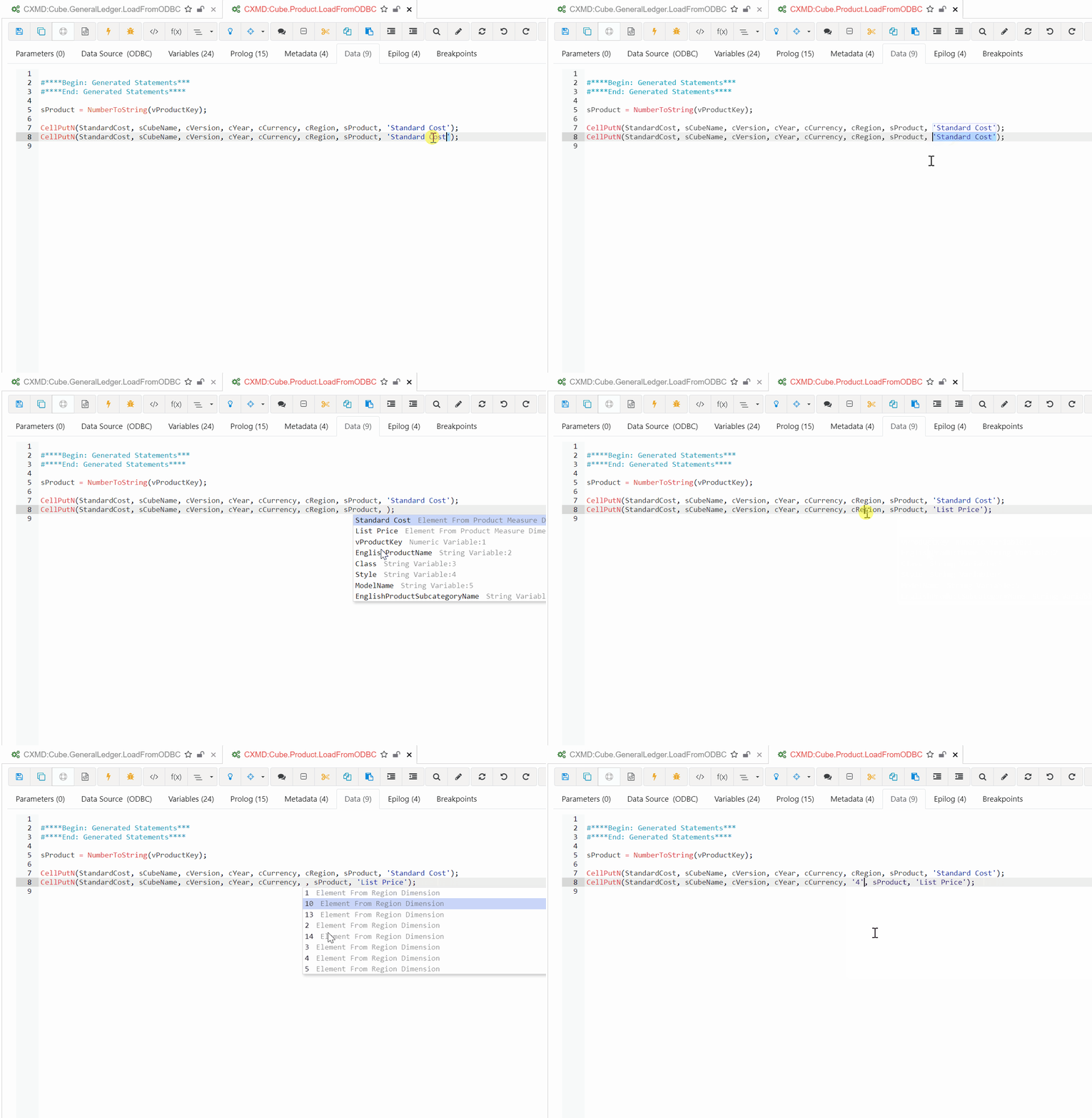
Build TM1 Applications Faster
- One platform for all your TM1 developments — cubes, dimensions, processes, rules, and views
- Smart search to quickly access any object across your model
- Keep your history and favourites for the objects you work with most
- Automatically create Time dimensions to accelerate model setup
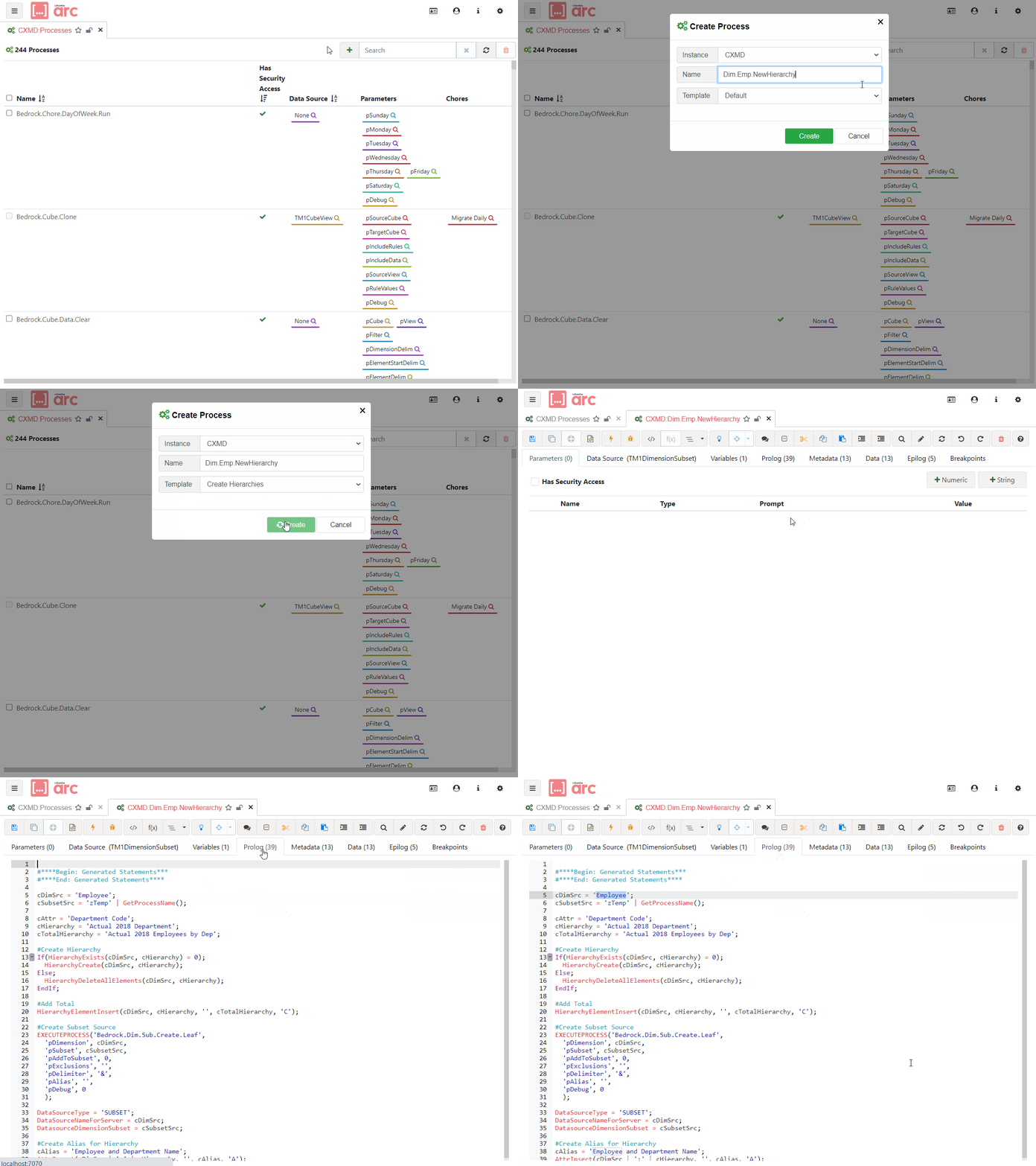
Best Practice Development
- Avoid mistakes with guided, validated development workflows
- Access hundreds of approved, reusable code templates
- Easily share code with other developers in your team
- Consistent standards across your entire TM1 model
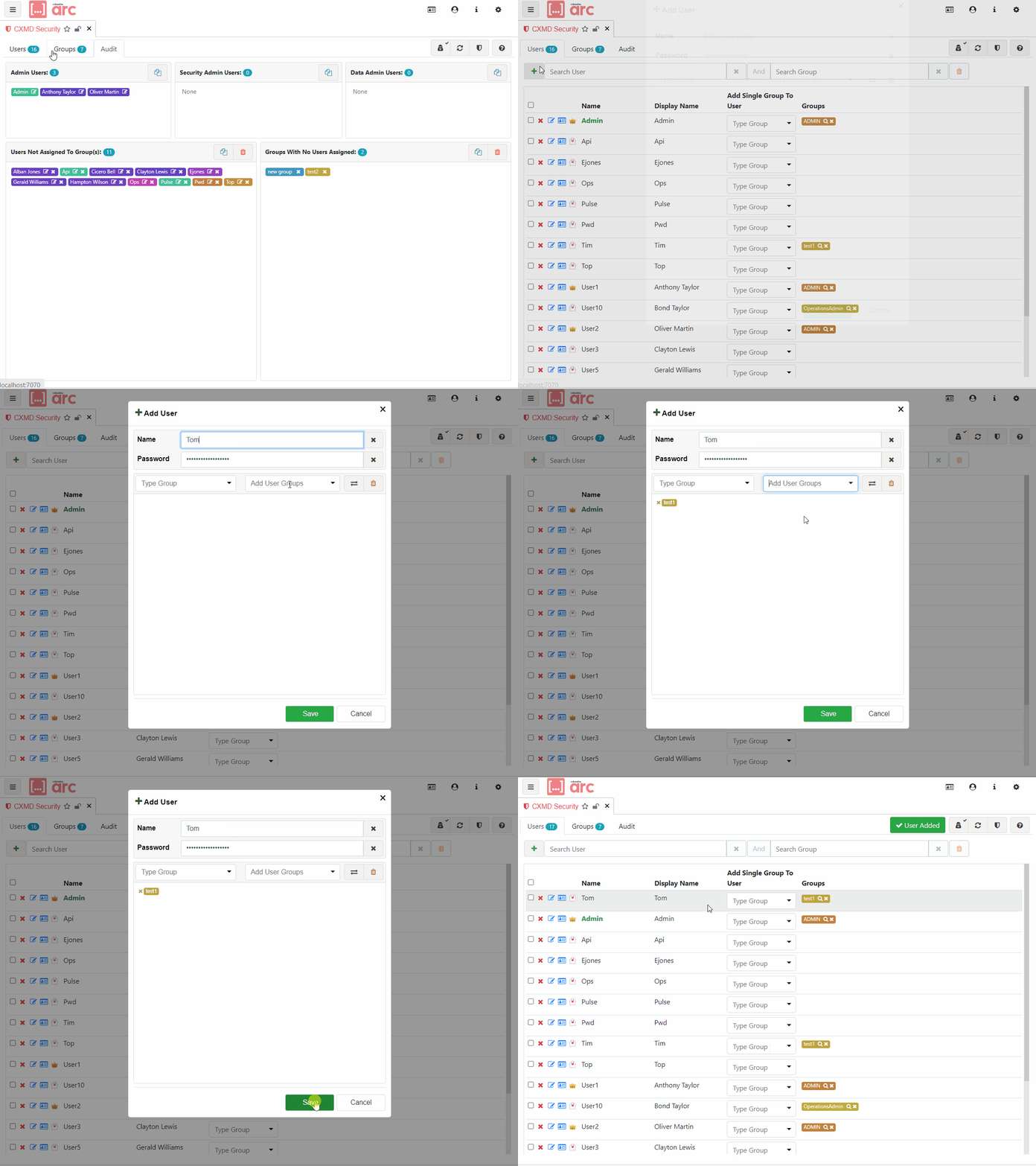
Manage Users and Instances
- All security operations in one screen — users, groups, and object security
- Update TM1 server settings on the fly without a restart
- Facilitate access to TM1 server logs for faster diagnosis
- Organise views and subsets across your model
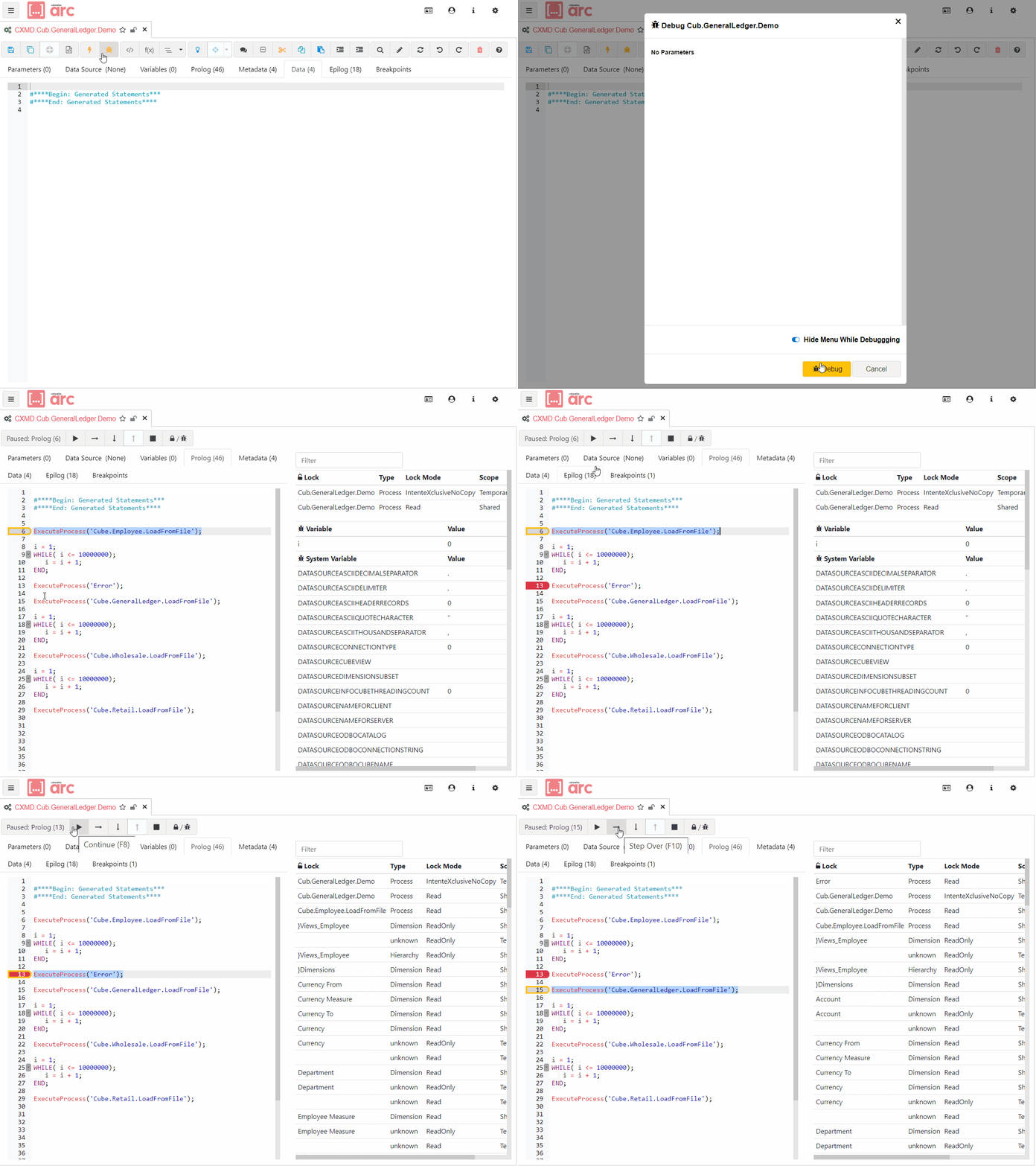
Troubleshoot with Debugging
- Step through TurboIntegrator code line by line
- See the current value of each variable in real time
- Pause execution at any line and add conditional breakpoints
- Overview of all breakpoints and understanding of TM1 locking behaviour
See Arc in action
The fastest way to develop, manage, and debug TM1 — all in one tool.
Request a demo Arc Overview