🎓 PowerConnect Training
Prerequisites
To go through this training, you will have to have PowerConnect running. There is a quick start guide to show you how to get started with PowerConnect:
Set up the TM1 instance
Once PowerConnect is running, if you want to follow the steps in this training, you will need to set up the TM1 instance. You can download the TM1 objects from here: HandsOnData_TM1SRV01.zip.
Once the TM1 model is setup, to connect to the instance just use login:
user: admin
password: apple
Set up the TM1 instance connection
To create the connection in PowerConnect you will need to add the connection details in the environments section in the settings.yml file. This file is located in the PowerConnect installation directory under the conf folder:
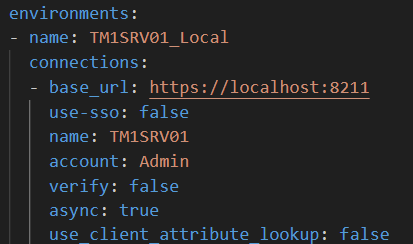
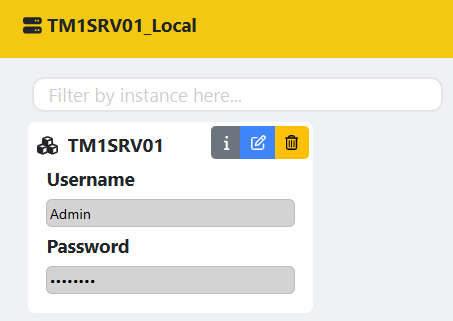
Once this is done, restart the PowerConnect service and enter the admin password provided above in the configuration portal which is accesible via http://localhost/admin/
Solution
This training will show you how to build the following dashboard, you can download the solution here: