Introduction to debugging
What is debugging?
Debugging code allows you to step through line-by-line and see what the values of the variables are as you go. No need to write out to ASCII files with what is going on in TM1 process anymore.
Why debugging?
Debugging is part of the core process of any software developments, now that it is available with TM1/Planning Analytics, it can save you a lot of time. You can now step in to your code and see the values of the variables changing in real time.
Key Debugging terms
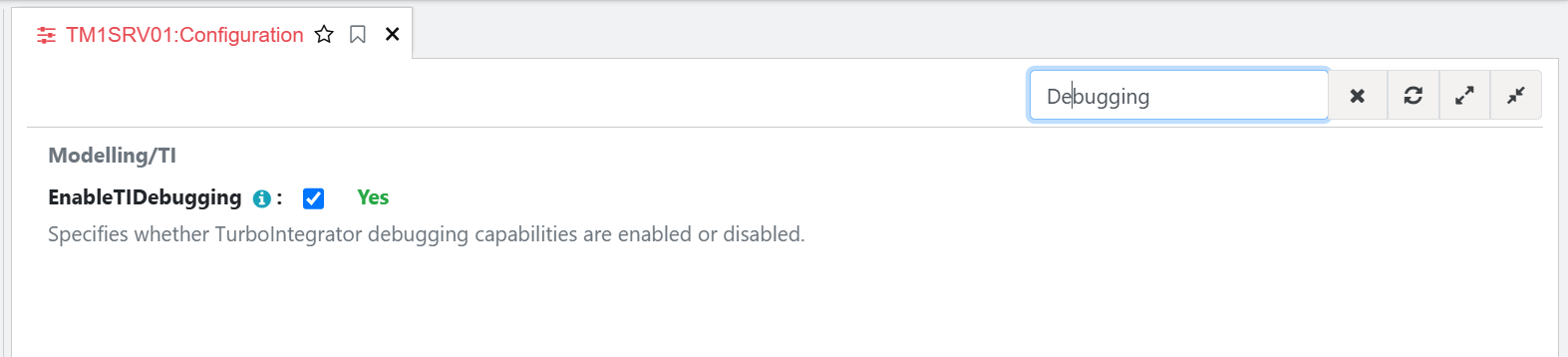
Enable debugging: EnableTIDebugging=true (tm1s.cfg). To check a TM1 setting, you can use the Arc Configuration module under Administration and then use the search bar to quickly find the setting:
Debugging: moving line by line through source code while it is executing.
Breakpoint: a predefined place where the code pauses during execution.
Continue: Run code until the end of the process or a breakpoint (more on these later) is found.
Step In: Moves line to line and will also enter a child process called by the ExecuteProcess function.
Step Over: Works the same as Step In by moving line to line except it DOESN’T enter a child process called by ExecuteProcess.
Step Out: Continues until the end of the child process and then stops at the next line in the calling process. This should be used with Step In to exit a child process called via ExecuteProcess.