Test Hub
One of the challenges of IBM Planning Analytics (TM1) being such a powerful and *actual* real-time totally connected model is that one small tweak to the model somewhere can sometimes have an unanticipated effect on something else in the model that is hard to catch.
Unlocking Efficiency: The Advantages of the Arc Test Hub
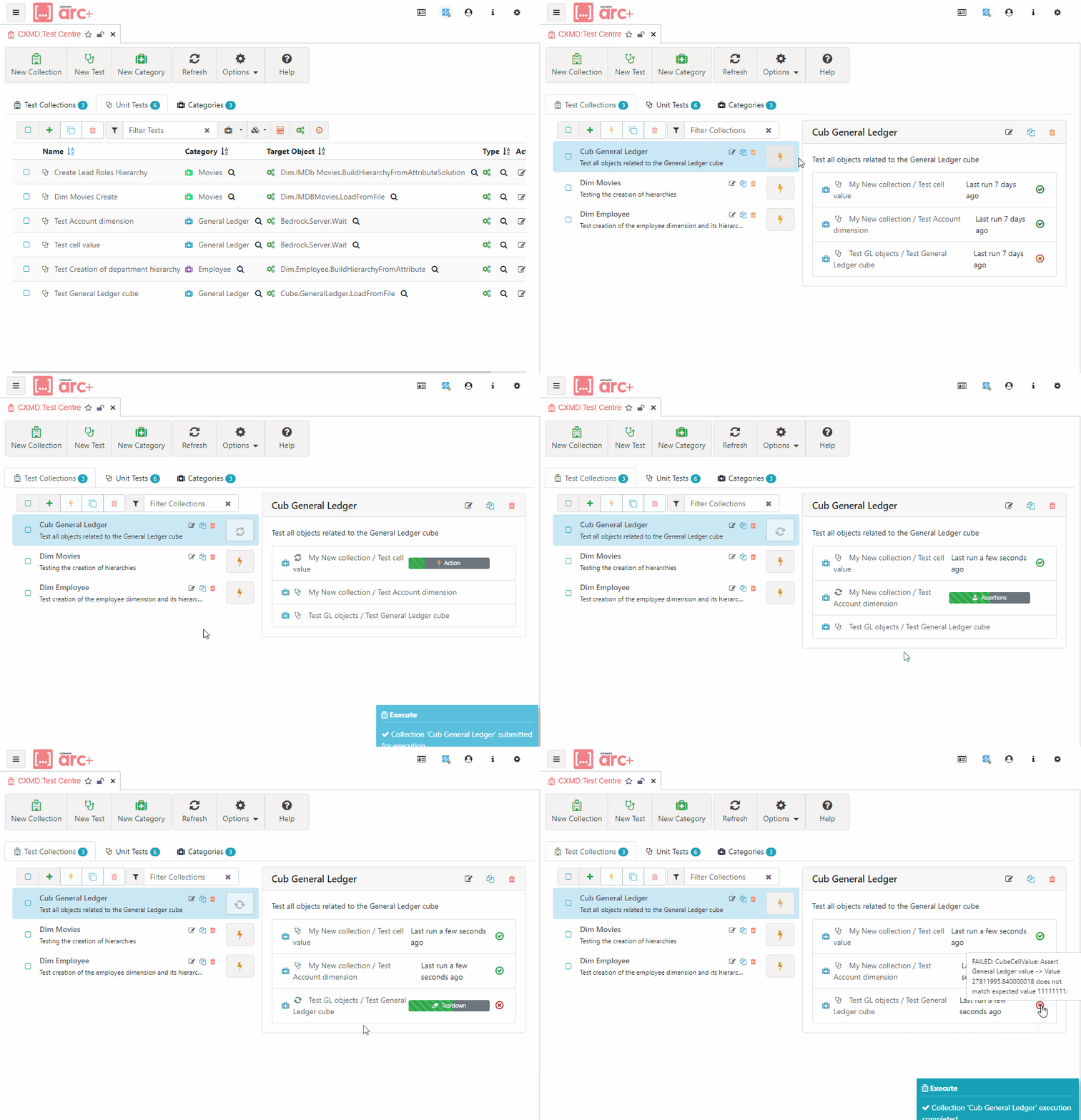
With the Test Hub feature in Arc+, you can now easily set up reusable tests of your TM1 applications. Just re-run them whenever you want in Dev every time you do any development to make sure you didn’t accidentally mess up something in your model. Then confidently migrate to production (or give your UAT testers a consistently higher quality product).
Easy-to-use, integrated user interface:
Adopt DevOps Best Practices for Your TM1 Development.
Write your tests alongside your code.
Quickly and easily find, create, edit, and organize your tests.
Designed for TM1
Create tests without writing any code.
Select processes, chores, and cubes from searchable lists.
Utilize integrated shortcuts—for example, create a test directly from a data cell to verify its value or from a dimension to validate an element.
Built-in integration with Pulse
Monitor which TM1 objects have associated tests.
Track Test Execution Over Time.
Expect exciting future features, including code coverage and integration with Pulse migration.
The Arc Test Centre allows users to set up individual Unit Tests, either as part of the development phase or prior to deployment, and group them together to be run in sequence.