Cell Audit
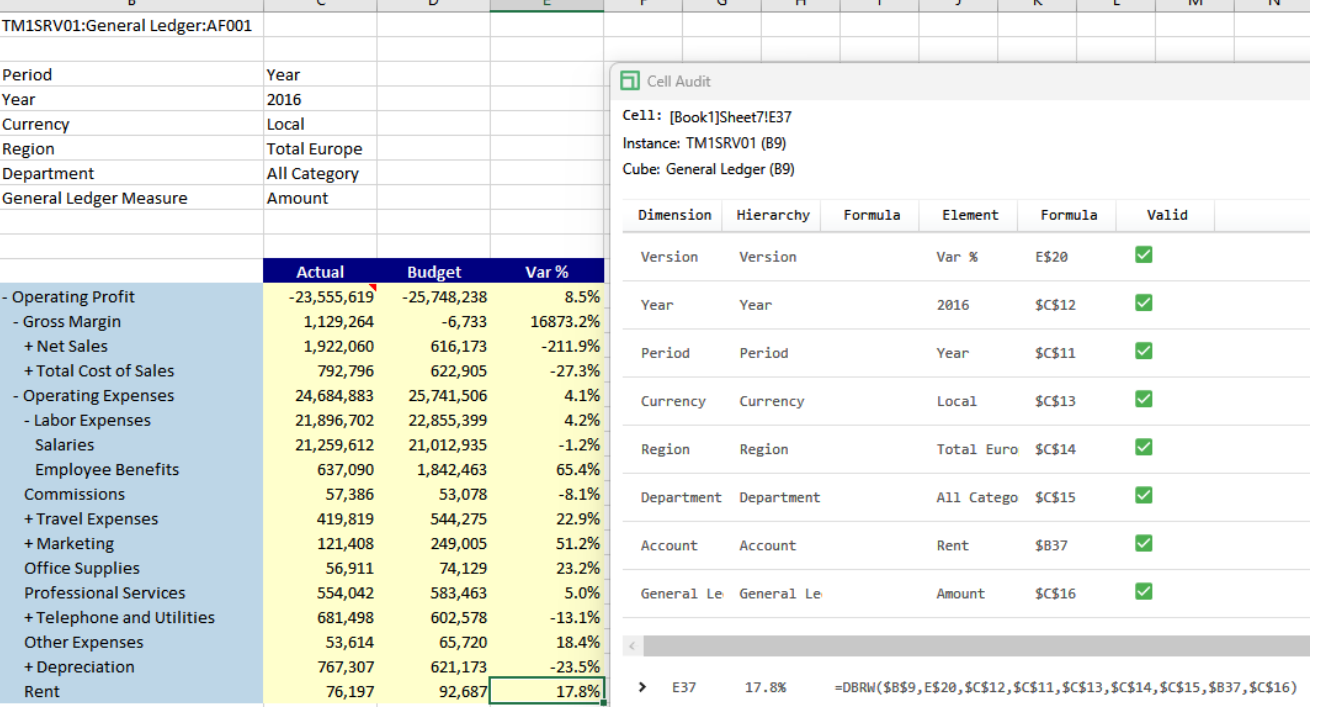
We can now Audit a cell which can be used to identify the areas that are missing for the TM1 formula. Right-click on the cell E37 > Slice > Cell Audit. Here, you can see each element and the dimension they belong to plus whether the intersection is valid.
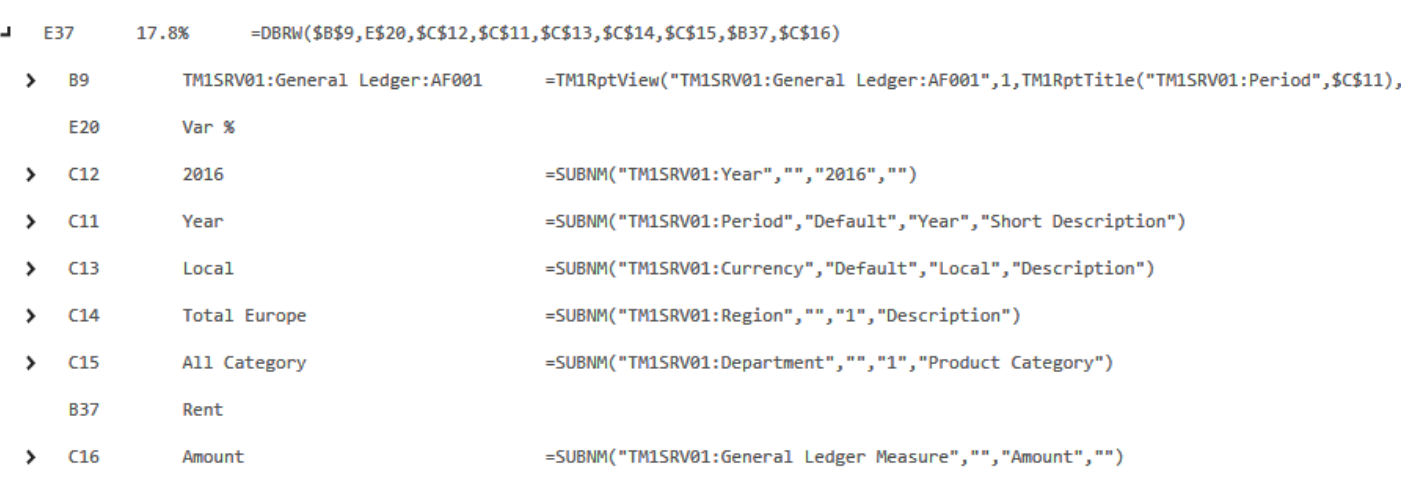
You can further expand the E37 reference within the Cell Audit window and understand each reference within the formula. This comes really handy when there is an error.
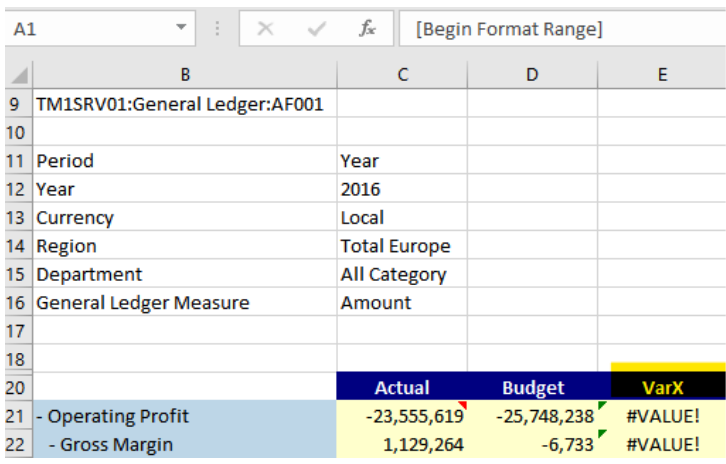
Go back to the Active Form and type in cell E20 “VarX” to create an invalid reference, rebuild the sheet and the error will be displayed on all the formulas in column E.
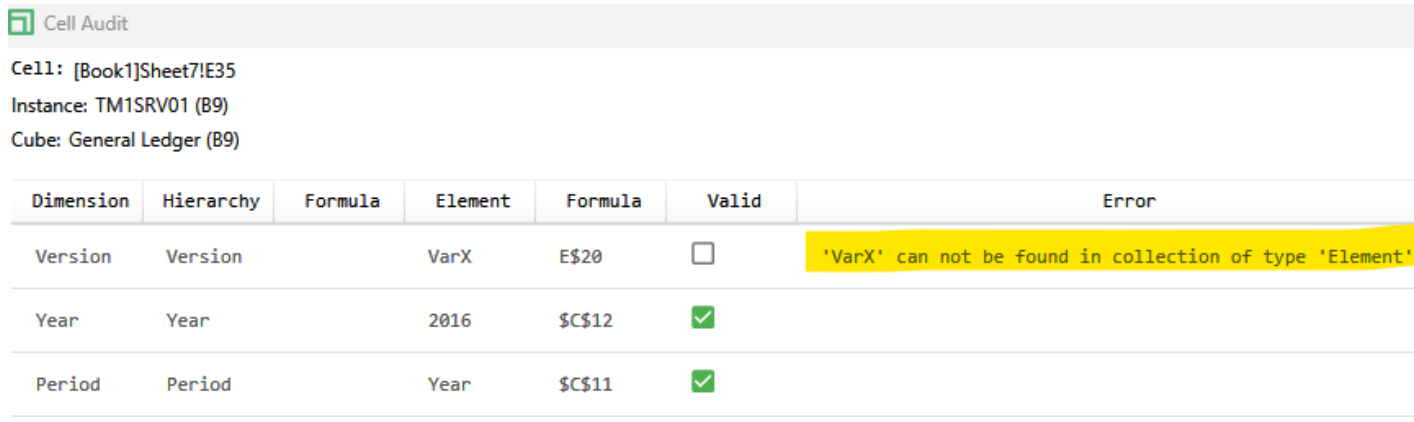
Use the Cell Audit on any of the cells with the #VALUE! Error: