Chore / Process History
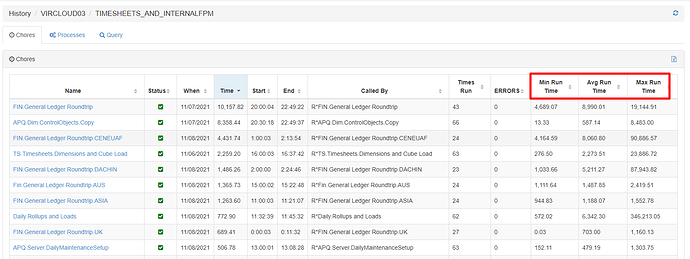
Pulse keeps the history of all executions of the chores and processes. To see it, go to Chore / Process History and select one TM1 instance:
The min, avg and max are calculated across all executions:
If you want to exclude some executions, one way to do it is to select a specific period with the Explorer and look at the Chore / Process History dashboard.
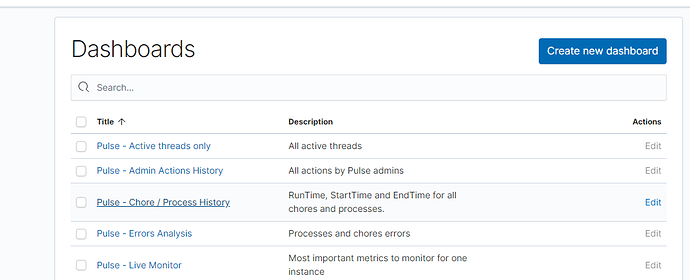
Open the Pulse Explorer:
Then click on the Pulse – Chore / Process history dashboard:
You can then select the period (in this example we took the last 15 days):
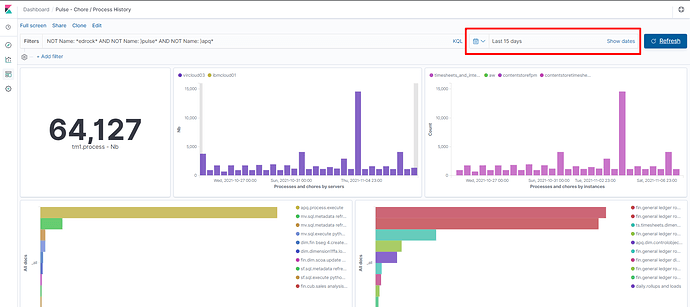
Then you will see a table with the calculation only of all executions that happened in the last 15 days:
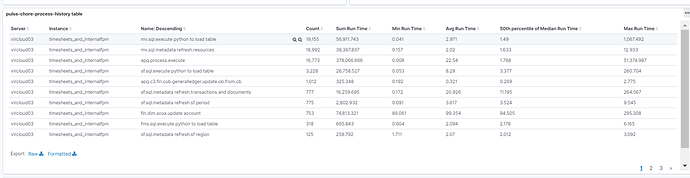
You can customize the filter to see only the processes starting with FIN*:

If you want to know when the Max happened for a specific process, you can filter the dashboard on a process by clicking the + button:

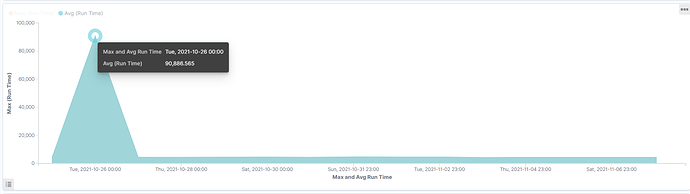
Then in the chart below you will be able to see that the Max happened on the 26th of October: