Left Side Menu
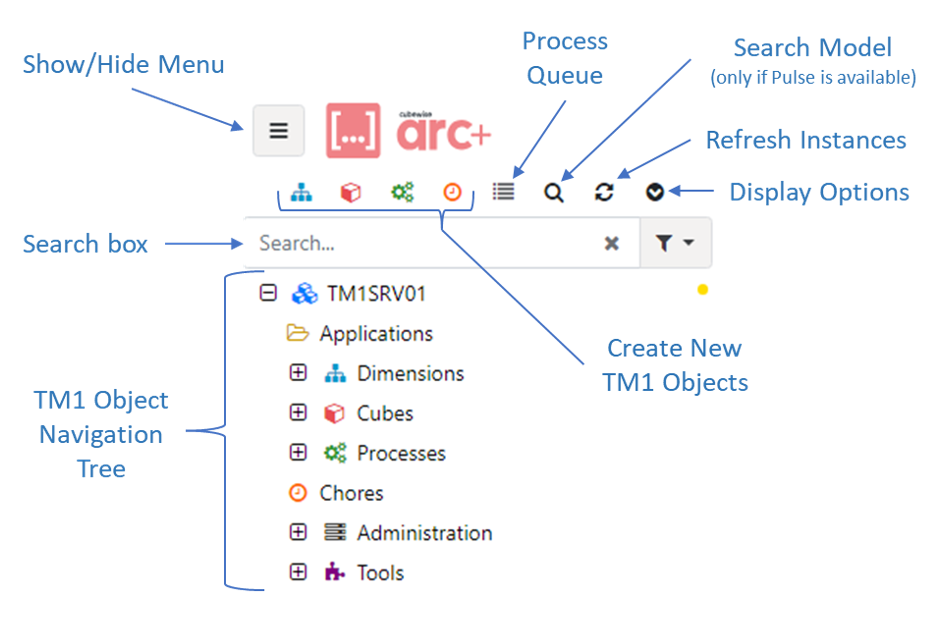
On the top left, you will see the menu to access all TM1 objects:
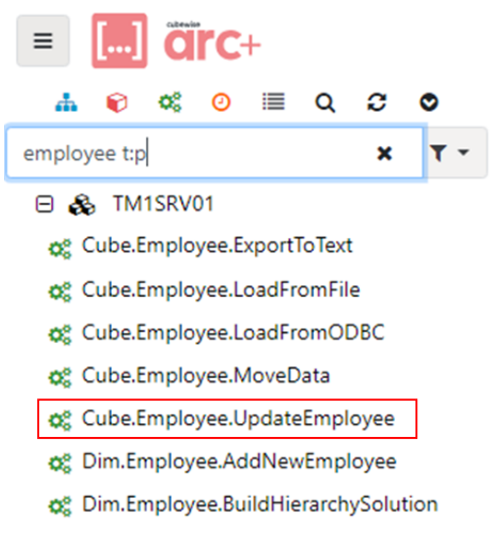
The search feature will give you a quicker access to your TM1 instances. Arc searches in all your TM1 instances. Filter the search results by using t:p to see only processes. t: works for all object types such as t:d to see dimensions, t:cube to see cubes and t:cho to see chores.
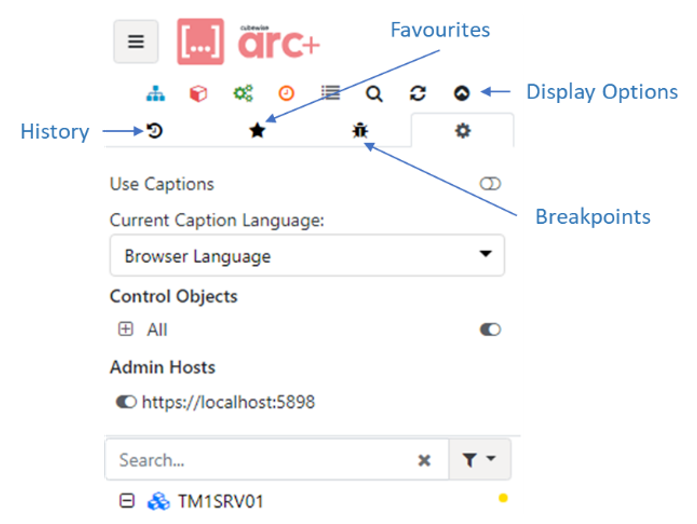
Inside the Display Options, you will find your history (latest objects open, your favourites, your breakpoints and the settings (browser language, show/hide control objects and toggle adminhosts).
Arc enables control objects to be toggled on/off by type. For example, showing only control objects for processes and not showing the dimensions.