Create an Active Form from a Cube View
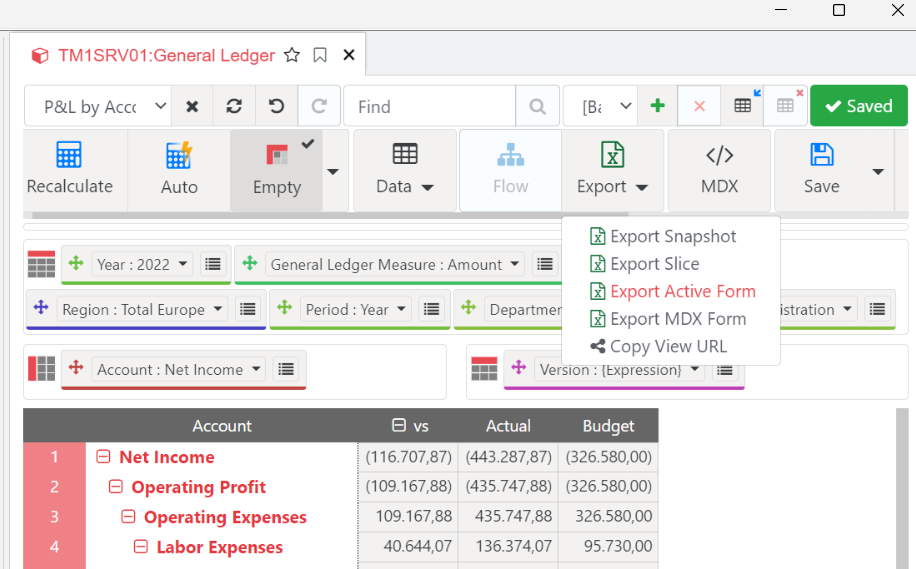
In a new sheet, open the P&L by Account view from the General Ledger cube and click Export Active Form:
Toggle format area
Toggle the format area to give our 3 columns (C, D & E) a more readable format:
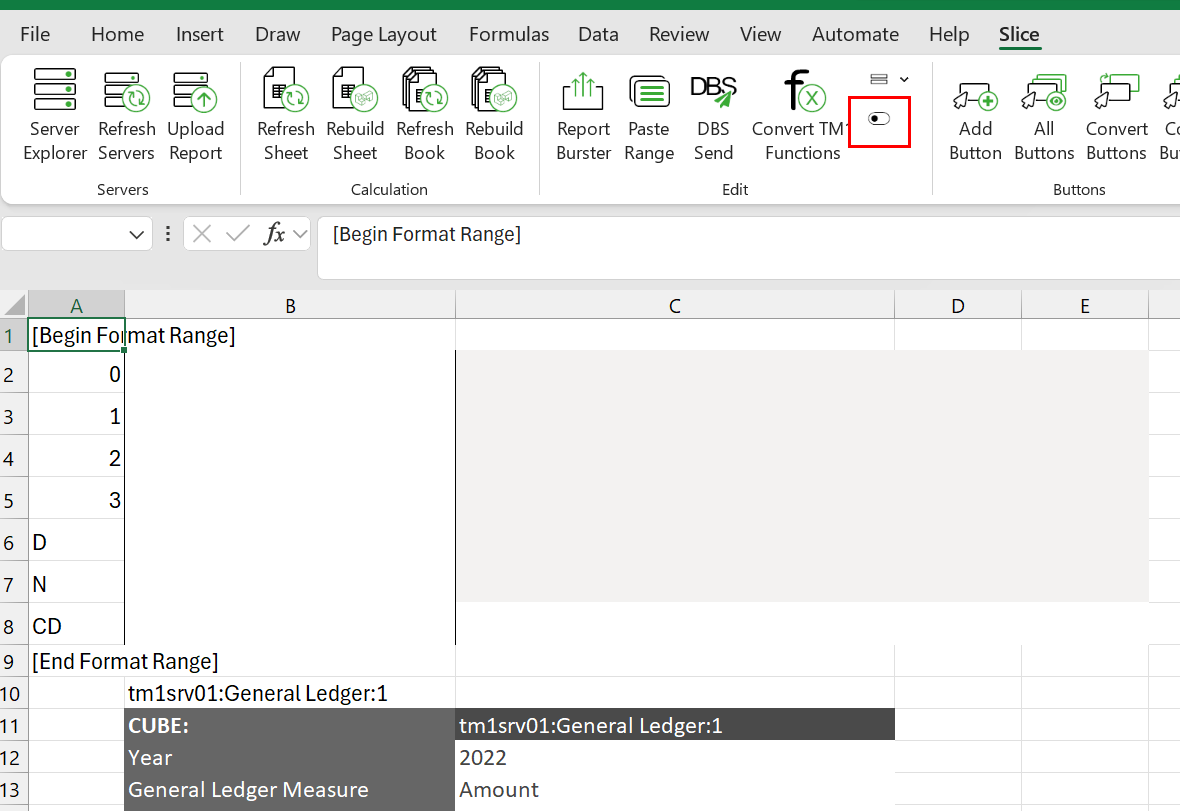
You can type any given number as a sample so you get to see the format that you are selecting; this is simply a best practice. We can then toggle the format area back to hidden, the just rebuild the sheet