Changing working directory of Slice
By default, Slice will store its working files in %appdata%/ArcForTm1 directory.
If you run Slice using automation account, you may want to set a different working directory.
Open slice.64.xll.config or slice.32.xll.config file which is inside Slice installation directory.
Add a new parameter settings-path as in the image below:
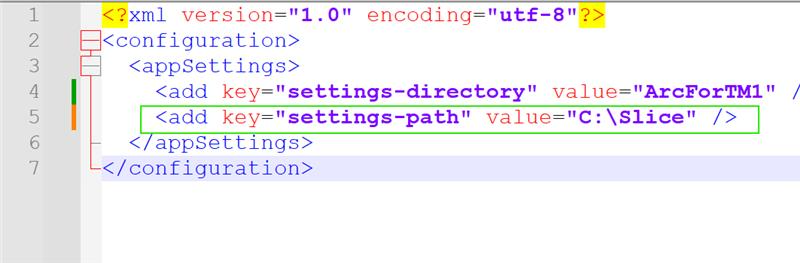
This path must exist (c:\Slice) before starting Slice
Slice will create ArcForTm1 folder inside c:\Slice