Categories
A Category is a way to group related Unit Tests together. It is a label that provides a high-level organization of tests, making it easier to manage and navigate through them.
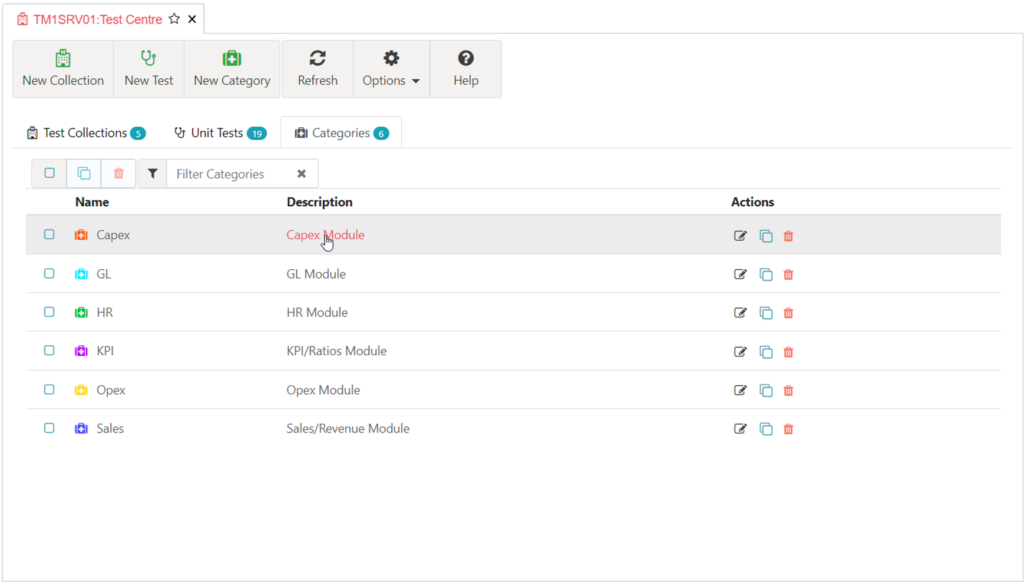
The Categories tab displays the list of defined Categories. To edit, click the Category name, or the edit button to the right of the Category. To create a new Category, click the New Category button.
Properties
Label: (
Label string) A human-readable name for the category. This is used in test reports and logs to identify the category.Description: (
Description string) A detailed explanation of what the category represents. This helps in understanding the purpose of the category, especially when it contains a large number of tests.Color: (
Color string) A color associated with the category. This is typically used in visual representations of the test results to quickly identify tests from this category.Icon: (
Icon CategoryIcon) An icon associated with the category. This is typically used in visual representations of the test results to quickly identify tests from this category.