Slice add-in has been blocked by Excel
What if slice.64.xll is blocked
After starting Slice, if you get the following pop-up in Excel, it means that Excel blocked the Excel add-in:
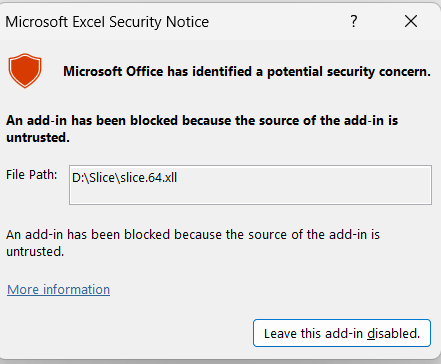
Unblock the slice.64.xll add-in
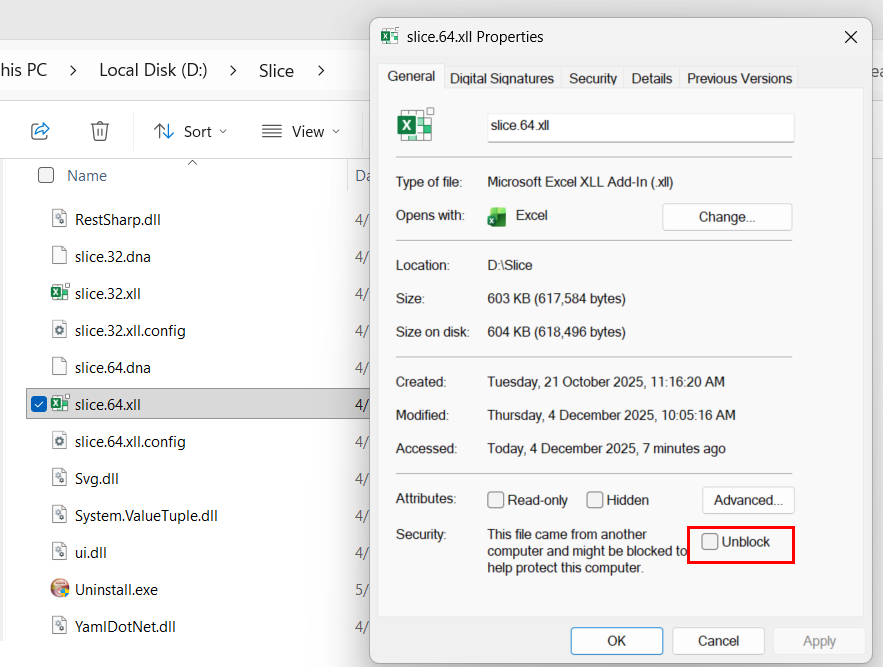
To unblock the Excel add-in, go to the Slice installation folder and right click on slice.64.xll (or the 32-bit version if you are using 32-bit Excel), then open Properties and, at the bottom, tick Unblock:
That should be it!
Next time you start Slice, the Slice ribbon should appear:
