Virtual Consolidations
Go back to the Slice Cube Viewer and open the P&L_2 view from the General Ledger cube and export it to Excel as a slice.
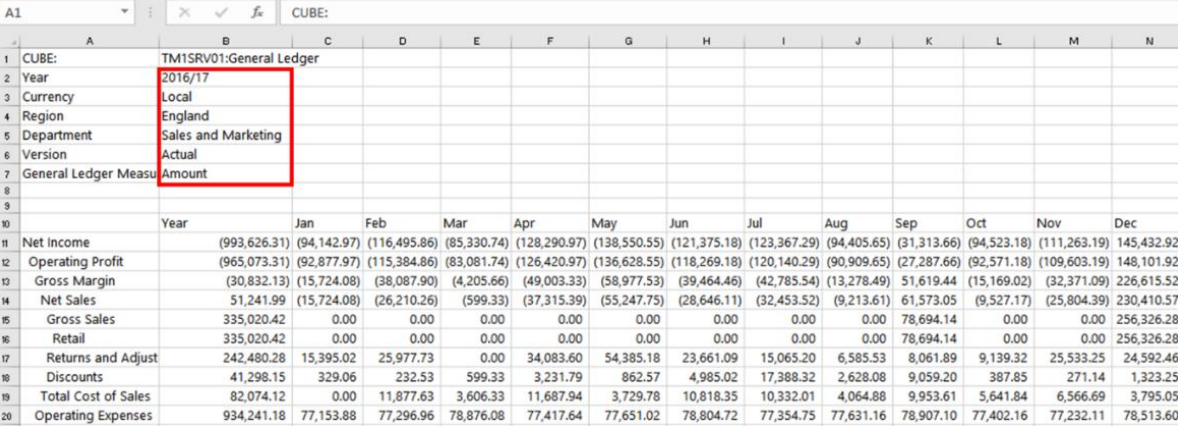
SUBNM formulas will open Slice’s Subset Editor. From the subset editor, you can return a single element like IBM Planning Analytics for Excel. With Slice, multiple elements can be selected to create a virtual consolidation.
Double-click on ‘England’ and let’s return England and Scotland (don’t forget to press CTRL for multiple selections) > OK and refresh the sheet so the value will update.
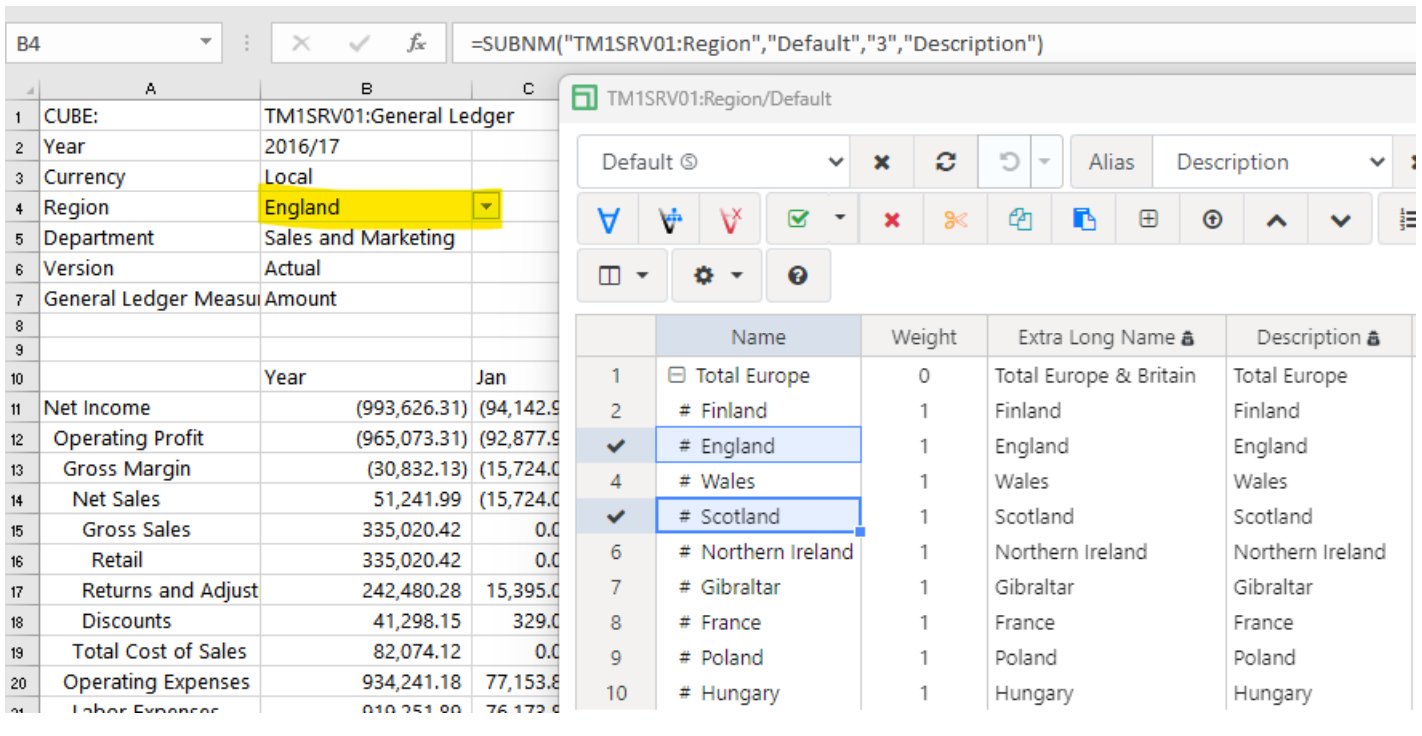
Within the SUBNM formula for the region dimension, you’ll see: SUBNM("TM1SRV01:Region","Default","#3+5","Description")
where:
# = Virtual Consolidation
3 = the element for England
+ = Addition operator
5 = The element for Scotland
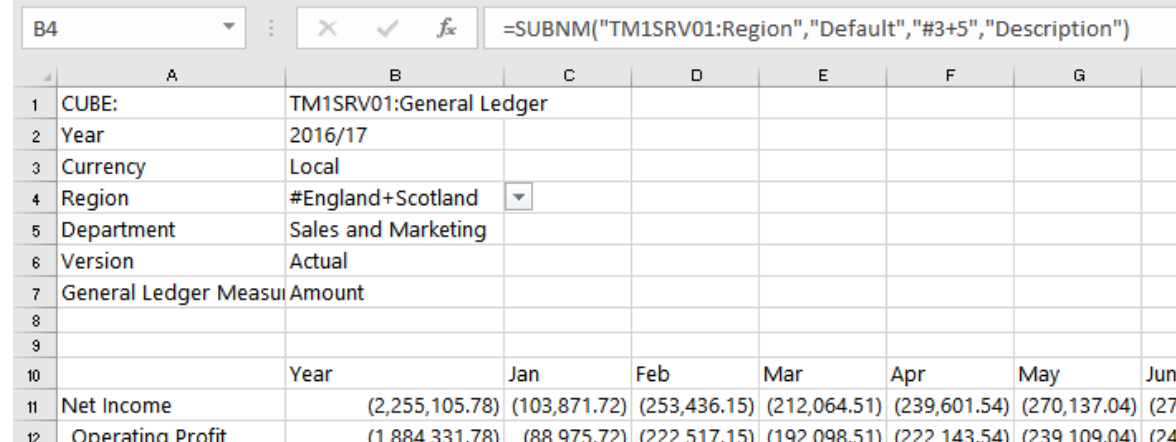
Multiplication, subtraction, and division also work as operators. Let’s find the variance between England and Scotland. All you need to do is to change the operator sign within the cell that contains the SUBNM formula with ‘#3+5’.
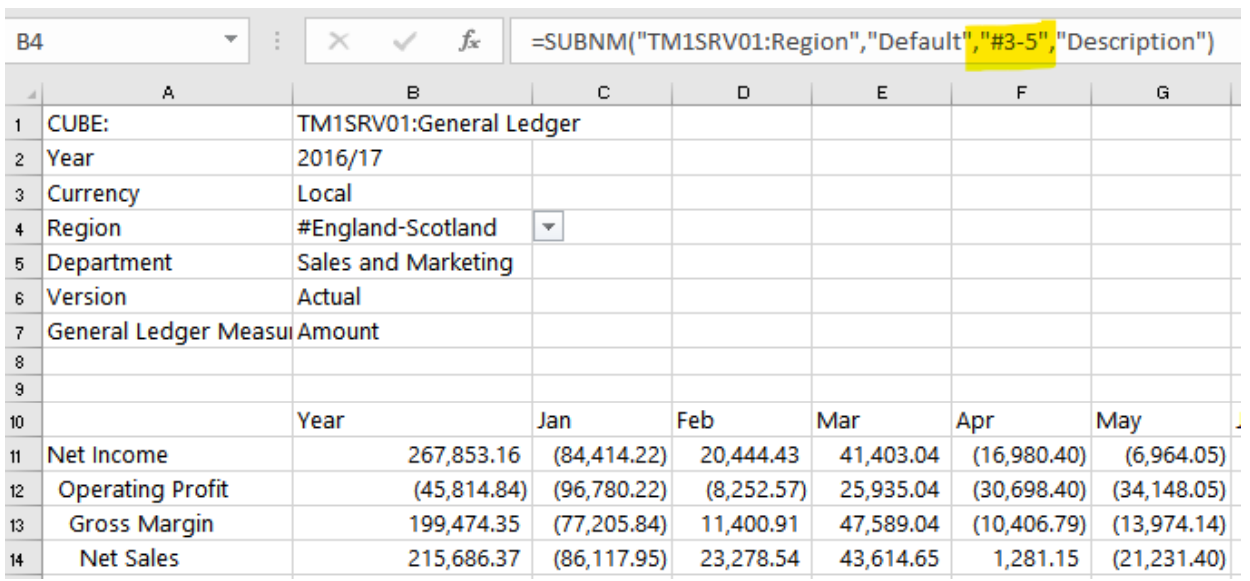
After you change the operator, don’t forget to refresh the sheet. Try different arithmetic operators as you see fit.
Consolidations using Named Range
Named ranges can also be used to consolidate elements. Add England and Scotland on empty cells highlight both cells and enter a name in the Named Range field > ENTER.
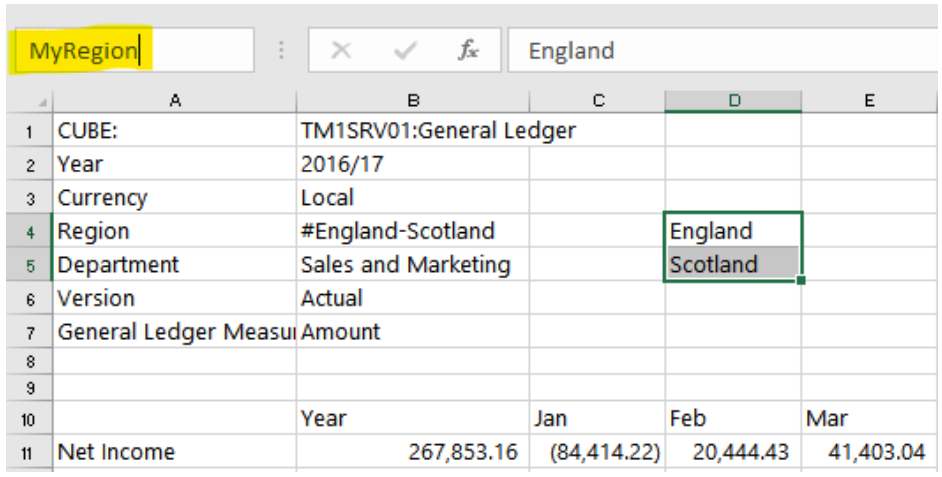
For the intersection between Net Income / Year > change the reference that referred to the region to the named range you had just created.
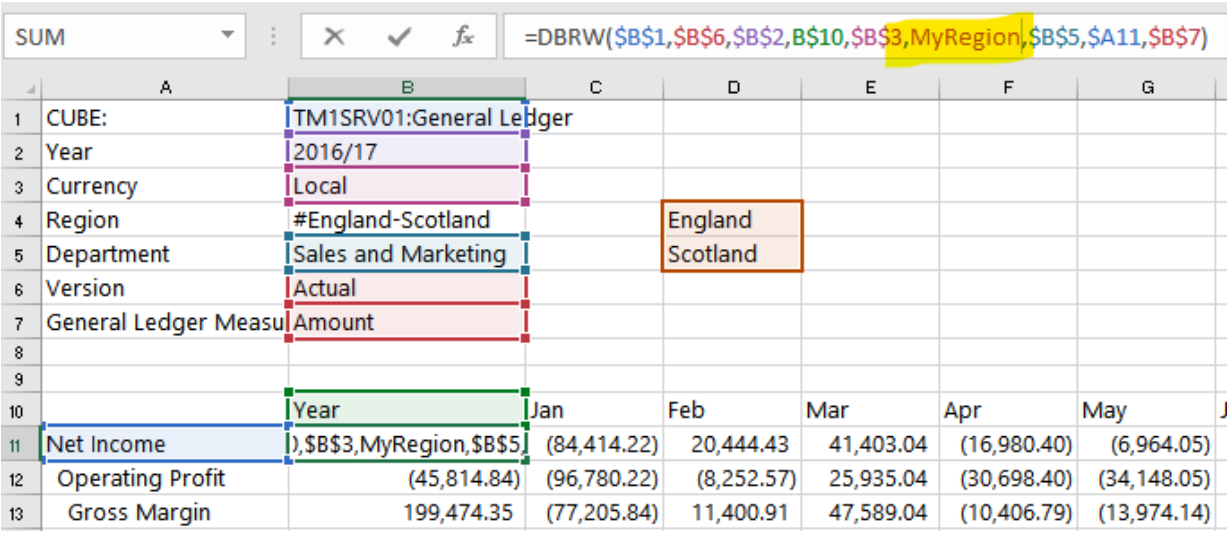
This cell is now calculating England plus Scotland.