Using Arc with IBM PAaaS (TM1 v12)
This page covers connecting Arc to TM1 v12, IBM's cloud offering also known as PAaaS (Planning Analytics as a Service), PA SaaS or Planning Analytics on AWS.
Arc v4.2.0 introduces support for TM1 v12.
Currently the only way to use Arc with TM1 v12 is to use an API key. Once you have this key, just click on the instance name in Arc and you should see the following pop-up:
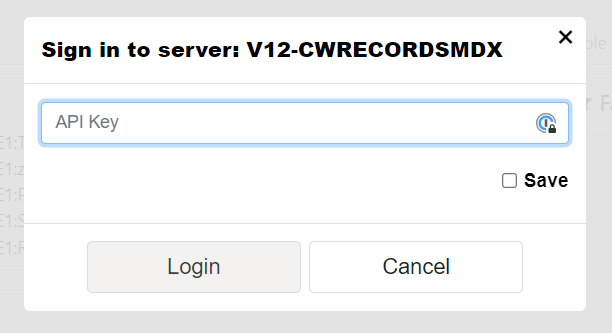
Just enter your api key, you can tick the Save button so Arc will store this key for you.
How to set up the connection
Each TM1 v12 instance needs to be setup as a new connection in Arc. To do that inside the Arc settings file (settings.yml) file, your connection should look like this:
connections:
Where TENANTID is your tenant ID and DATABASENAME is the TM1 database name.
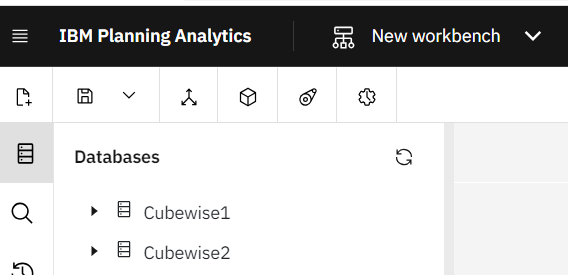
In Arc you can use the same instance name as in Workbench or you can set a different one. In this example, the instance name in Arc will be called v12-Cubewise1 whereas in Workspace the instance is called Cubewise1:
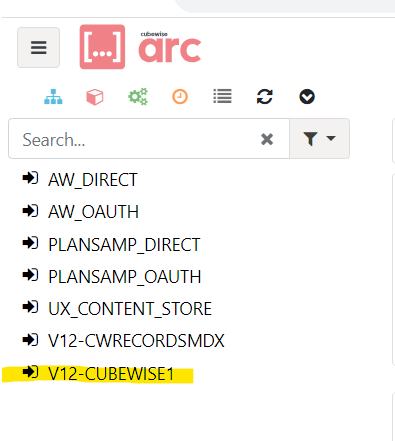
Once your settings.yml file is updated, just refresh your web browser.
That should be it!
How to generate your IBM api key
Log in to your Workspace environment (e.g. https://us-east-1.planninganalytics.saas.ibm.com)
Click on your profile in the right top corner and select Manage API Keys
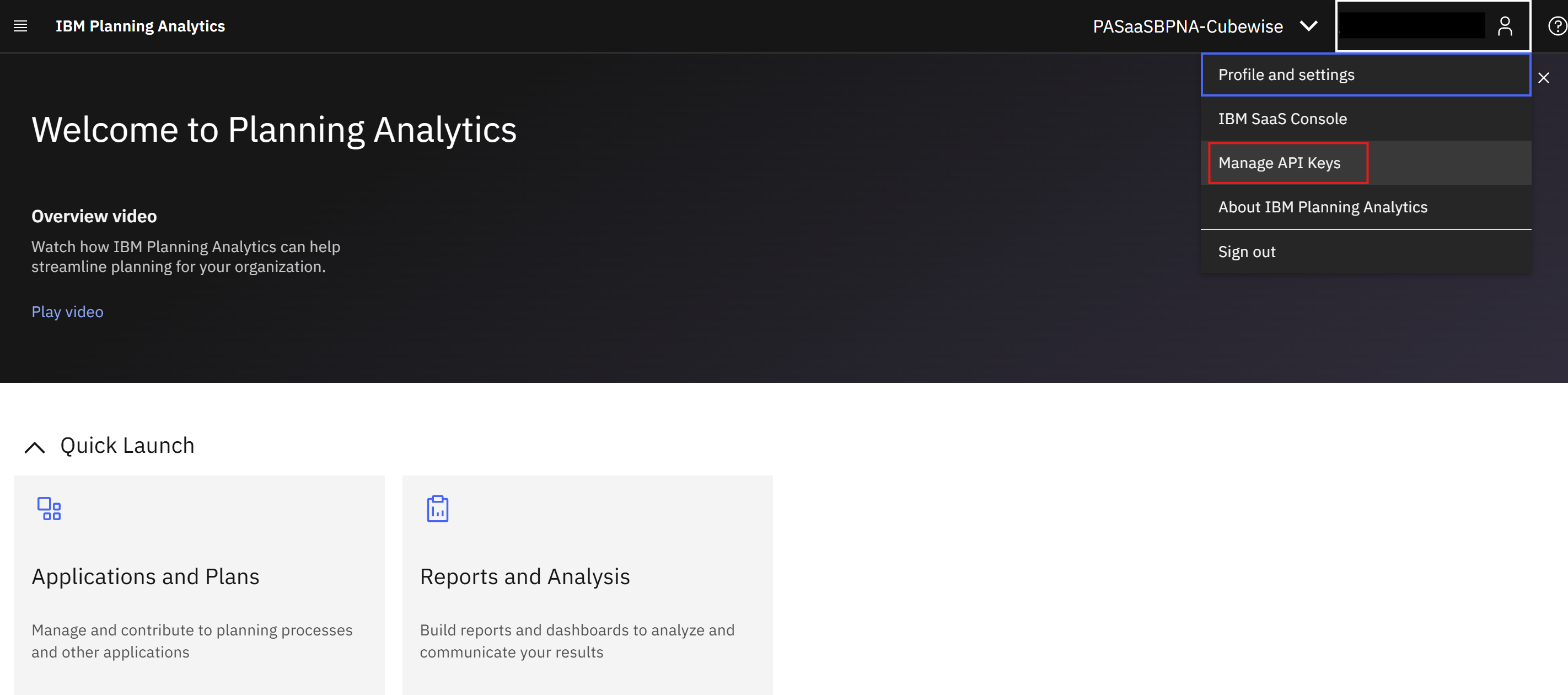
Click Generate Key. In the new dialog enter API key name and description. Click Generate Key.
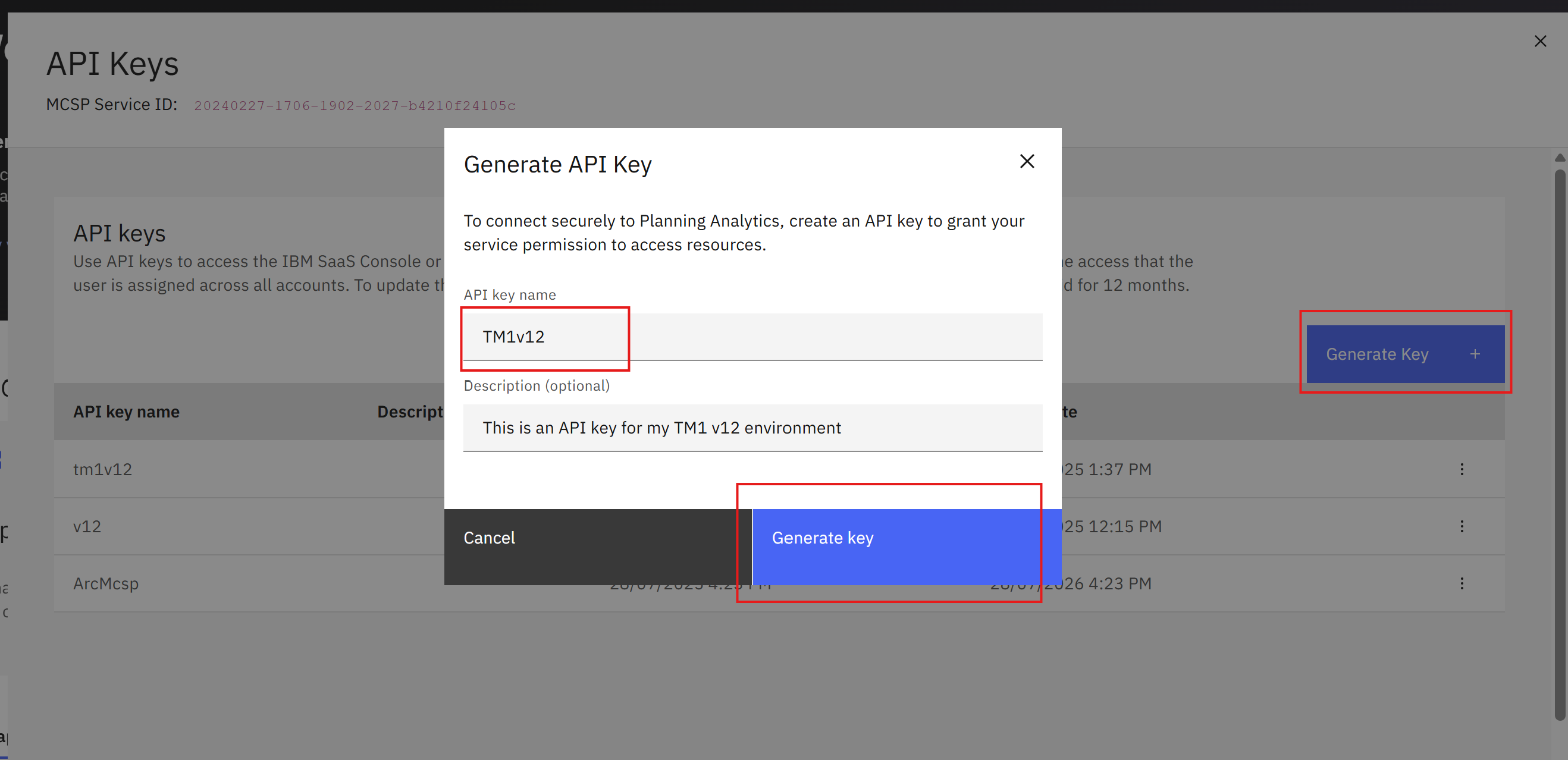
Once the API key is generated, copy it to clipboard and keep it safe. The API keys cannot be recovered. If you loose it, you will need to generate a new API key.
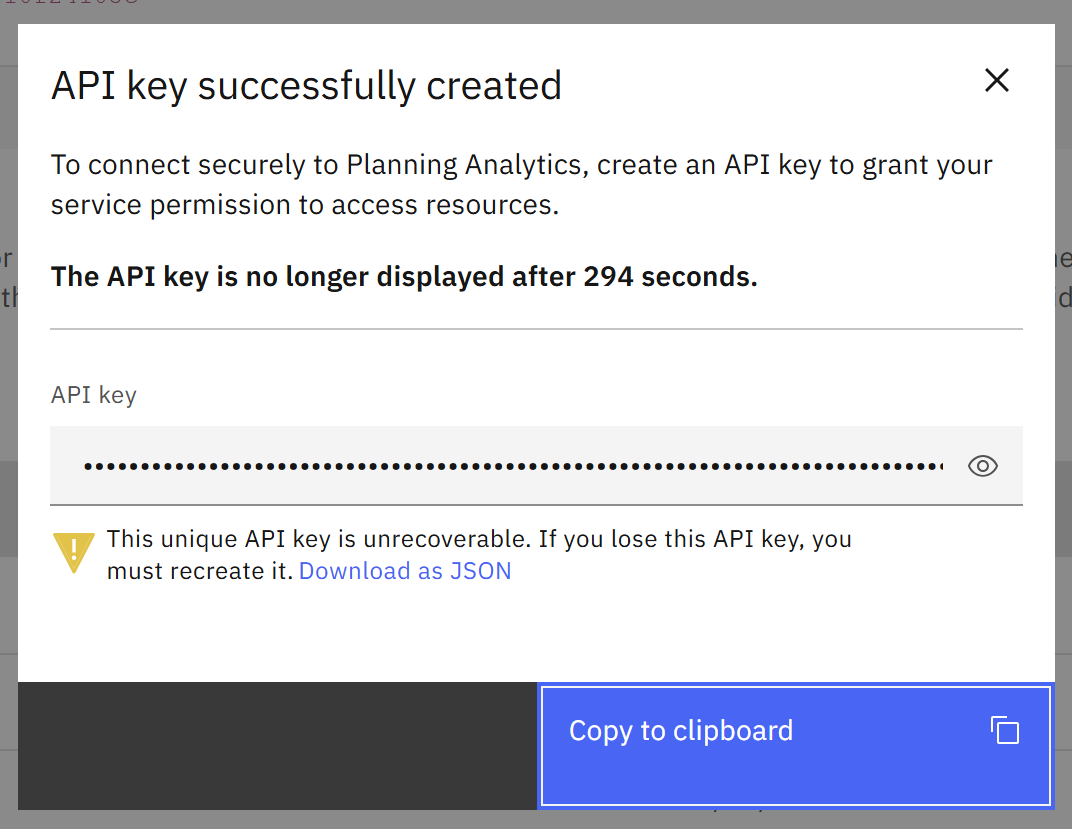
That’s it!
Once you have your key, go back to Arc and click on your instance name as you can see in the first image.
What is not available on v12
Impersonation and reading the TM1 process and server logs are not available on TM1 v12, because both rely on direct access to the TM1 server. Everything else in Arc and Slice works as it does elsewhere. See the Arc & Slice Comparison table (on-premise vs IBM Cloud).