Publishing to Power BI Service
After saving the created report, it can be published to the Power BI Service.
To allow the dataset to be refreshed, a data source from the Power BI Gateway needs to be mapped to it. A few things need to be considered before setting up the Power BI Gateway to point to the connector as a data source.
It’s recommended to use a service account to do the set up. This service account needs to be able to remote desktop to consume the OAuth credentials when configuring the data source with OAuth. When logged in Power BI Online, this is the account that should appear as logged in in the top right corner of the website.
This service account needs to be a Power BI Admin.
This service account needs to be an admin in TM1.
The gateway cluster has to be specific for PowerConnect.
Having the notes above in consideration, the steps to set up Power BI Online are:
Open the workspace to which the report has been published to.
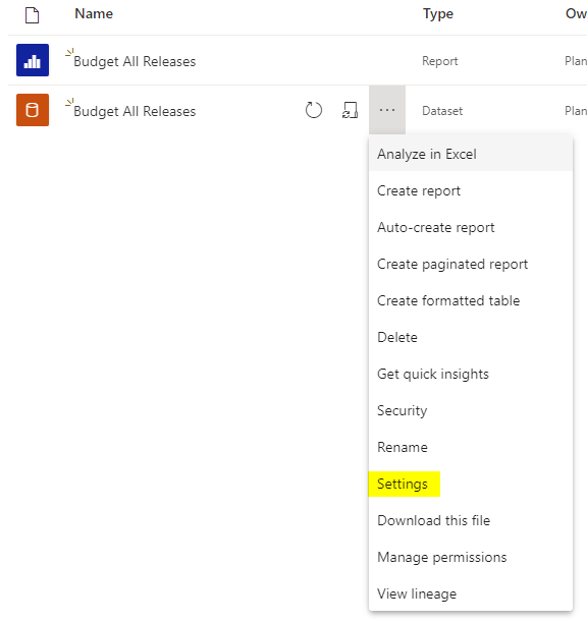
Locate the dataset and open the settings dialog for the dataset.
Locate the “Gateway connection” section and map the dataset to the appropriate gateway data source.
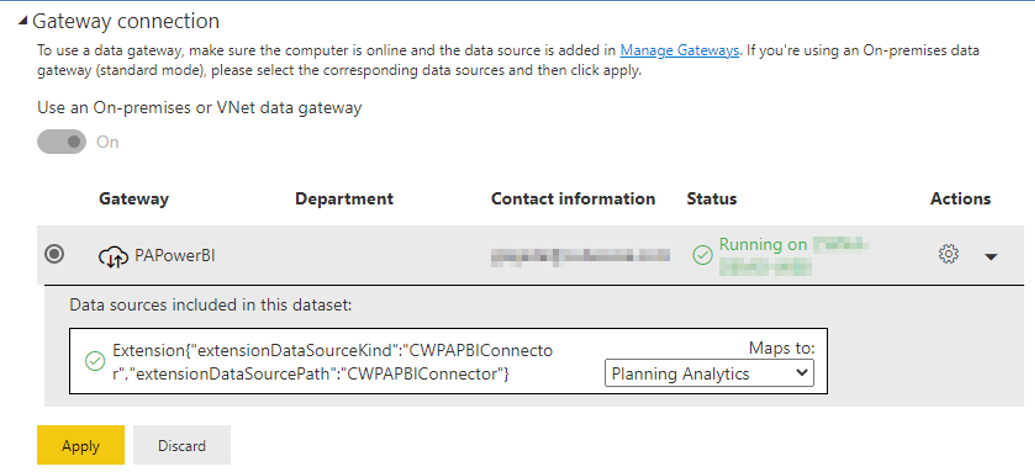
Click on “Apply”
The published report will contain a dataset as well. Users who want to access the report need permission to access the underlying dataset. To give permission follow these steps:
a) Open the workspace containing the published report and dataset.
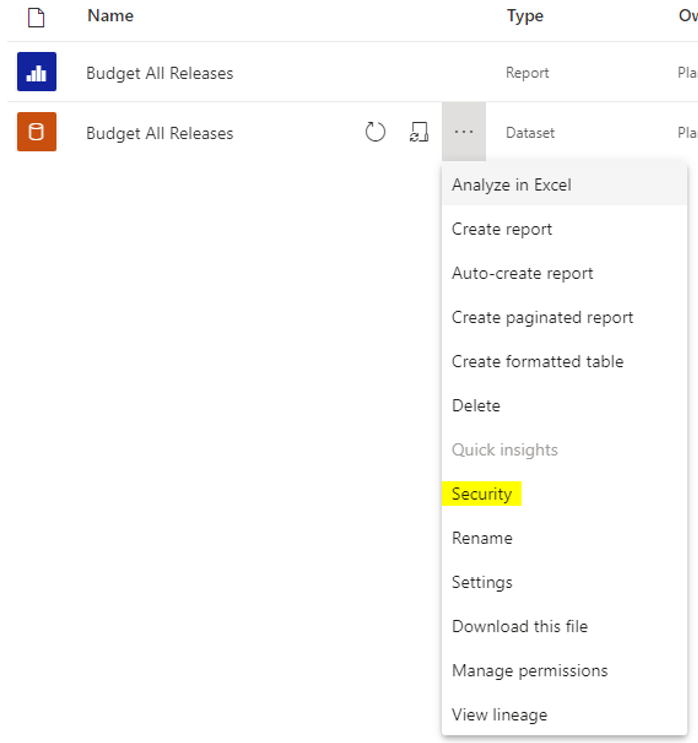
b) Locate the dataset and open the security dialog for the dataset.
c) Add users or groups to the configured role(s).
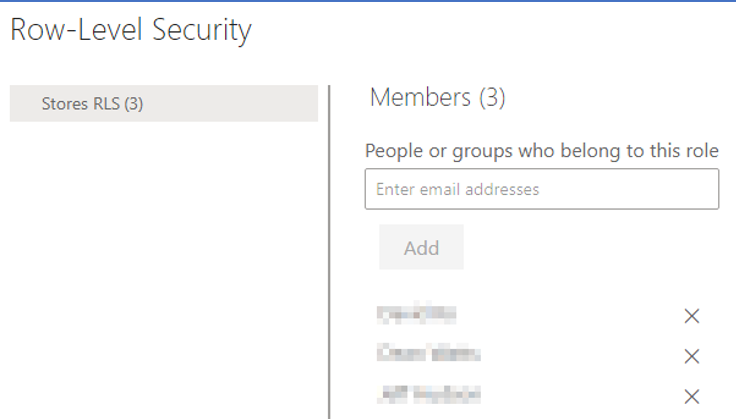
d) Click on “Save” to apply the security settings.
The report and dataset are now ready to be consumed. A scheduled refresh of the dataset can also be configured.
Note: If security changes in IBM Planning Analytics / TM1, the changed security will dynamically be applied when a dataset gets refreshed.