Prolog Step by Step
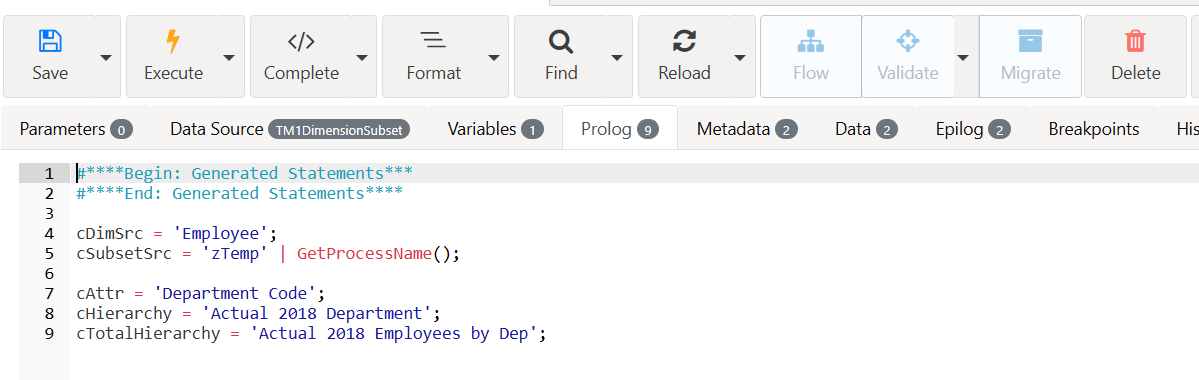
Let’s start by defining the constants in the Prolog tab, to build the hierarchy:
cDimSrc: our dimension source which is also our target dimension.
cSubsetSrc: The subset source that we are going to loop through.
cAttr: The attribute we need to build the consolidation.
cHierarchy: Hierarchy name.
cTotalHierarchy: The top consolidation of our new hierarchy.
Enter the following code then click the save button or hit CTRL+S:
Hierarchies with processes
To work with hierarchies in the Turbo Integrator process (TI), a lot of new functions were introduced in IBM Planning Analytics. Thankfully all new functions to work with hierarchies are very similar to the dimension TI functions. For hierarchies, you will almost find a one-to-one match with the dimension functions such as HierarchyExists instead of DimensionExists. HierarchyExists is used to check if a hierarchy exists.
Arc facilitates this transition through snippets. To open snippets, press CTRL + SPACE. Use this command in the Prolog after the above code and then start typing “exists” and then you will find the function we need.
We want to check if the Hierarchy exists, we need first a IF ELSE condition. To add a IF ELSE, open the snippets with CTRL + SPACE and start typing IF:
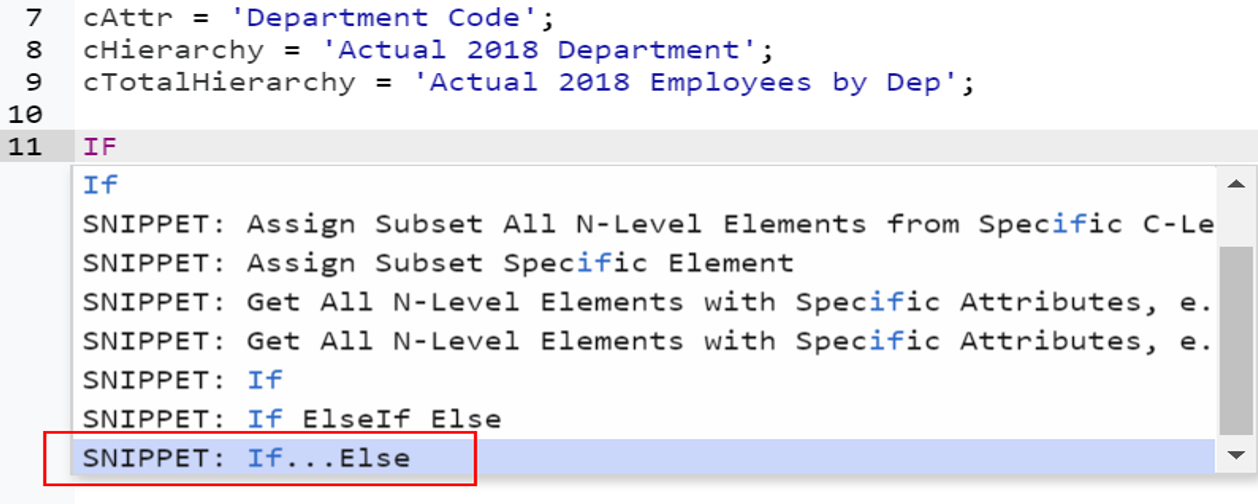
By clicking on SNIPPET: If…Else, Arc is going to prepopulate the code for you:
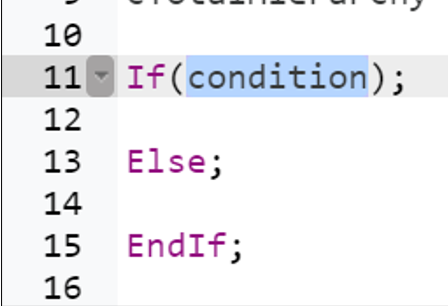
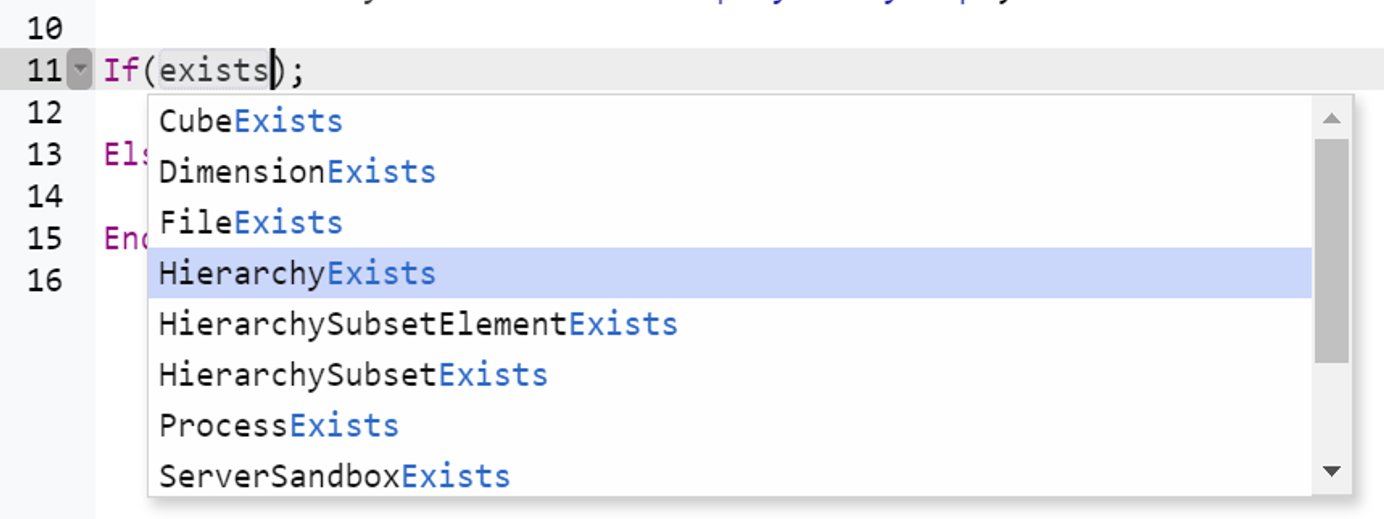
Now we can replace the condition with the HierarchyExists, open the snippet and search for the exists text:
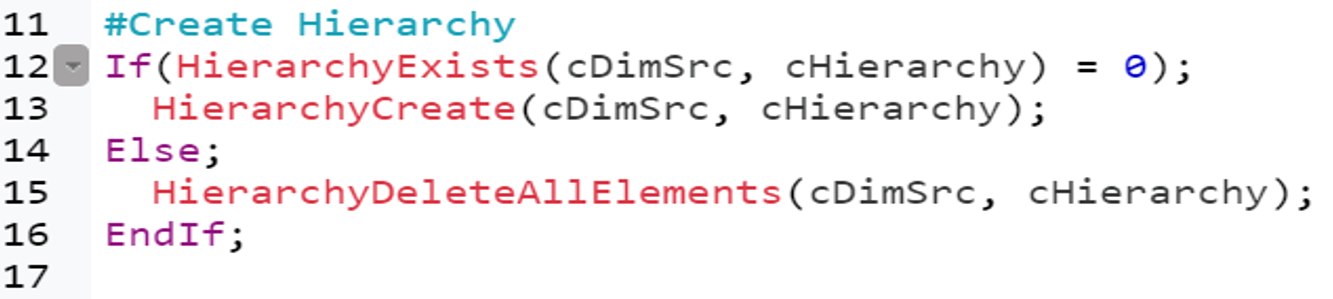
To create a dimension or a hierarchy, we need to check first if the hierarchy exists, if it exists we delete all elements if it does not exist we create the new hierarchy. Copy the code.
In the snippets, all IBM TM1 and Planning Analytics functions plus all the variables defined in your process. For example, if you click CTRL+SPACE and then ‘c’, you will see all variables starting with a ‘c’.
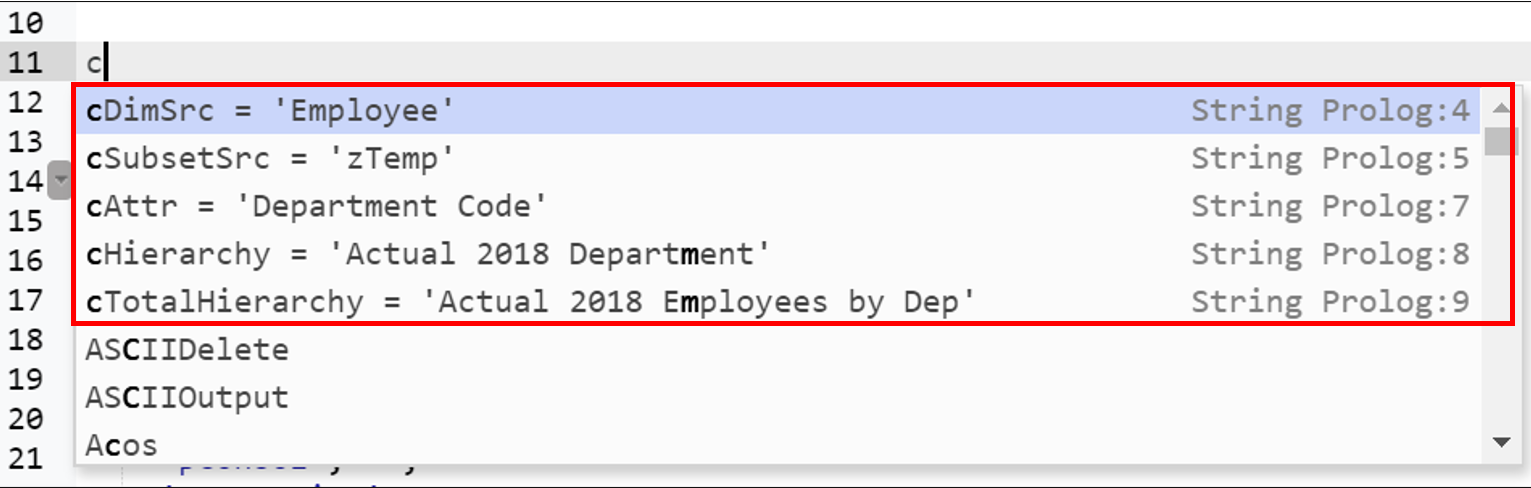
Using snippets will significantly reduce your typing and therefore speed up your development.
It can be noted that instead of deleting all elements in a hierarchy using HierarchyDeleteAllElements, you should unwind the hierarchy to avoid the risk of losing data.
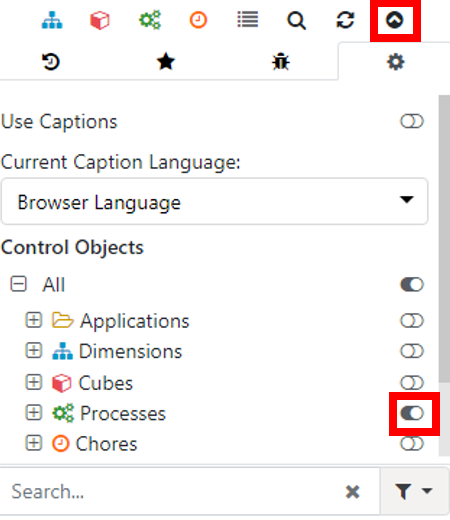
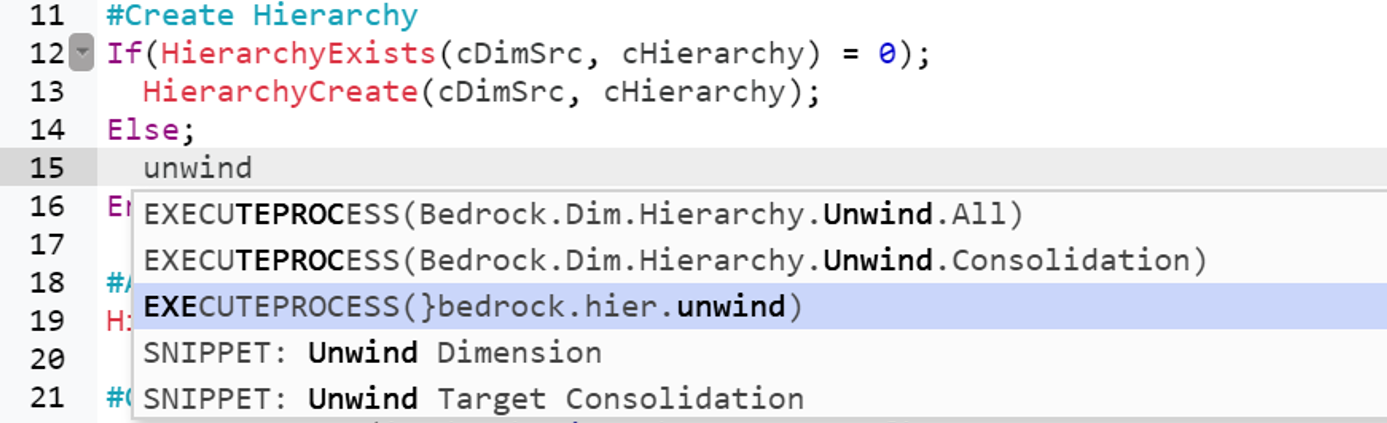
To unwind a Hierarchy, the Bedrock 4 process }bedrock.hier.unwind can be used. As all Bedrock 4 processes are control objects, to find them from the snippets, you will have first to check if the Show/Hide Control Objects is turned on. This setting is available under the search (Click the arrow icon to show/hide this setting):
Press CTRL+SPACE in the Prolog tab and type unwind and select EXECUTEPROCESS(}bedrock.hier.unwind):
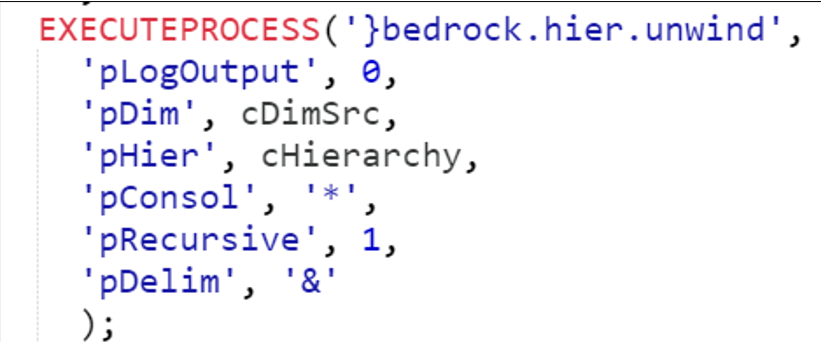
Arc will prepopulate the code with all the process’s parameter. Add cDimSrc for pDim and cHierarchy for pHier and for pConsol we set to * because we want to unwind all consolidations:
Then we insert the new hierarchy total using the function HierarchyElementInsert:

Currently the process’s DataSource is set to the Default subset from the Employee dimension. This subset is static, which means that if new employees are added to the dimension, they will not show up automatically in the Default subset. Since we want to loop through all leaf elements in the Employee dimension, a static subset won’t be useful.
Luckily Bedrock 4 has a process that can easily create a subset with all leaf elements. This process is called, }bedrock.hier.sub.create.leaf:
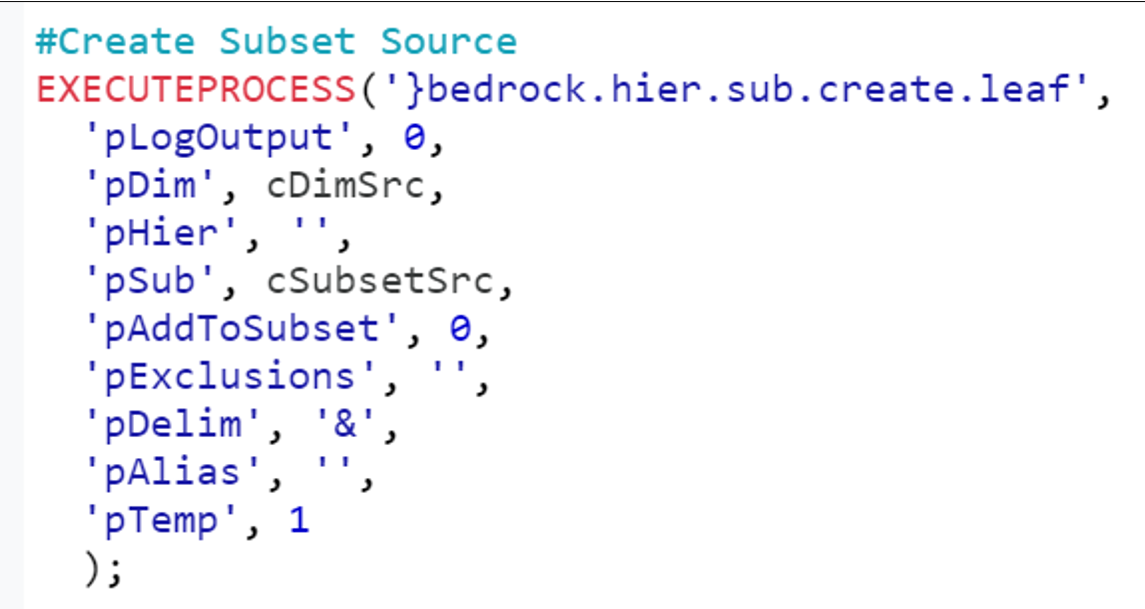
Add the cDimSrc to pDim and cSubsetSrc to pSub. The parameter pTemp specifies that the new subset created will be a temporary subset. This is one of the new features in IBM Planning Analytics, where a temporary subset will be deleted automatically at the end of the process execution. You don’t need to use the subsetDestroy function in the Epilog anymore.
The last step in the Prolog is to override the DataSource definition with the new subset cSubsetSrc. To define the new data source as a subset you will have to add the following lines to your process:
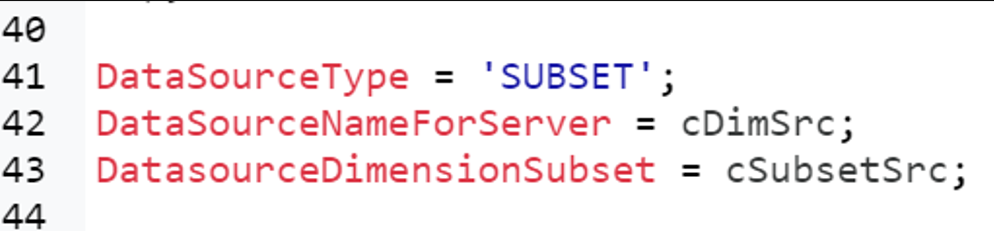
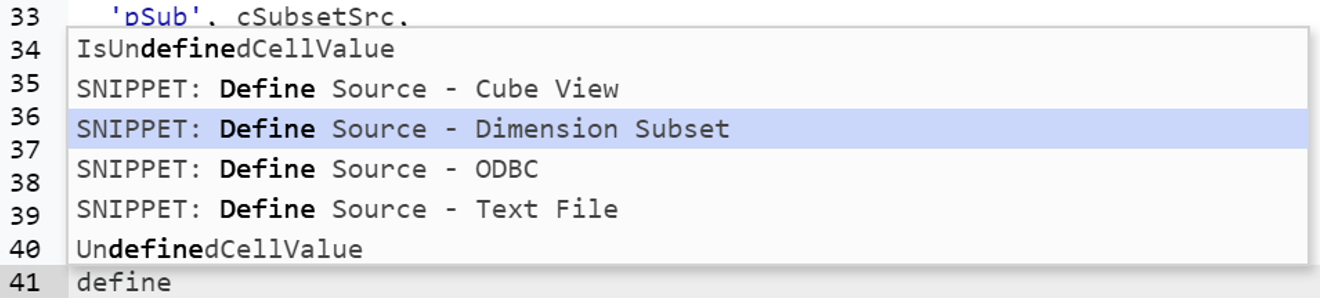
Thanks to Arc you don’t have to type all of this, you could just use the snippets to prepopulate these lines, if you start typing define and then hit CTRL+SPACE, you will see all the different ways to define the source, the one we need for this example is Dimension Subset: